




Trust37
Members
-
Joined
-
Last visited
Everything posted by Trust37
-
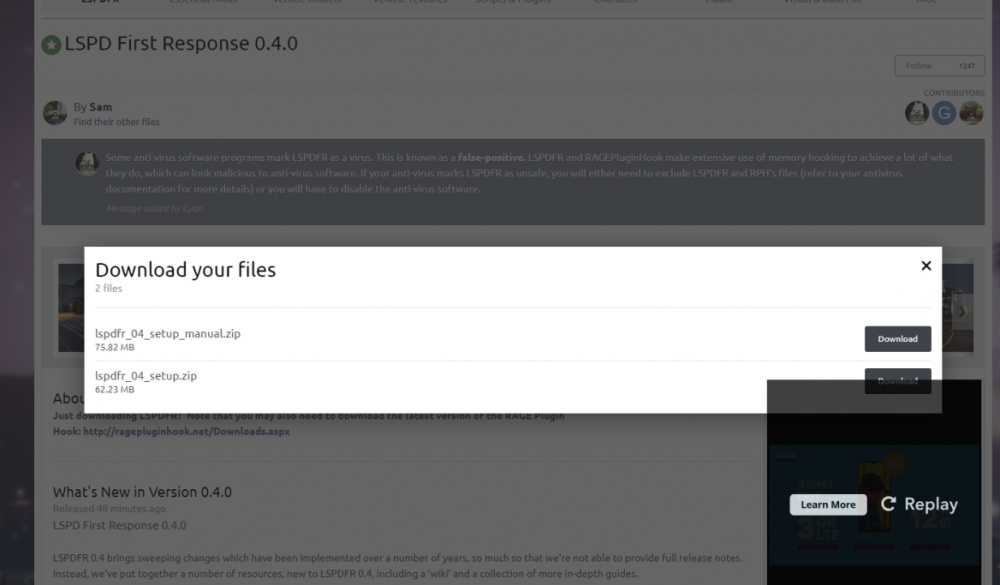
There is a little issue with downloading lspdfr 0.4. When i want to press the download button it get's blocked by the ad. Yes it's possible to download it but the first time i had to resize the window to access the button. On the picture attached the button is half blocked. Sometimes it works and sometimes not. Kind regards Trust37
-
Same here. A few Plugins are okay. But at some point it's going crazy and you find yourself with like 30 plugins and other stuff loaded. It's not that easy to stick only to a few of them, but at some point the performance and the crashes are just annoying. It's not an issue with lspdfr, more like with tons of different ways the plugin devs are programming them, using apis twice or more until the game can't handle it. And even if they are recommended that doesn't mean they work well together. I really hope there are way more callouts built in as in 0.3 because the most of the plugins currently aren't working pretty well.


