Skip to content
View in the app

A better way to browse. Learn more.

LCPDFR.com

A full-screen app on your home screen with push notifications, badges and more.

To install this app on iOS and iPadOS
  1. Tap the Share icon in Safari
  2. Scroll the menu and tap Add to Home Screen.
  3. Tap Add in the top-right corner.
To install this app on Android
  1. Tap the 3-dot menu (⋮) in the top-right corner of the browser.
  2. Tap Add to Home screen or Install app.
  3. Confirm by tapping Install.

morro73

Members
  • Joined

  • Last visited

Everything posted by morro73

  1. FIXED YES just installed it and that fixed it..
  2. Hi all i just installed SPR and when i shoot someone i dont get the option on the radio to calll the EMS and ideas please.
  3. Thank you that fixed it
  4. Hi all every car i install has dull ELS lighting i have adjusted the post fx and other settings to very high or ultra. I have checked the window tint text in meta file and its correct. Any ideas please.
  5. morro73 replied to morro73's topic in Legacy
    Sorry for posting in the wrong section and Arariel that was exactly what i needed and thank you very much for youe help. Arariel
  6. morro73 posted a topic in Legacy
    Hi all i installed EUP 7.4 and skin control and when i load rage hook and goto tick the box load the plugin on startup the EUP isnt a option to choose only lspdfr etc EUP is in my mods-update-64-dlc as normal and skin control is in the gta directory Any ideas ? Cheers scott
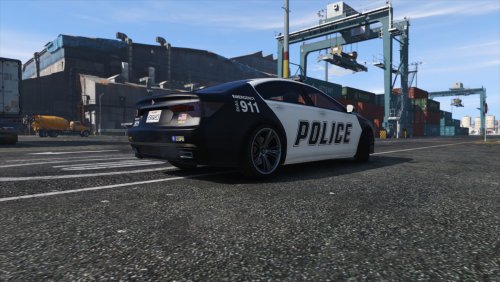
  7. I have the same issue with the car spawning all black but still a great car.
    Awesomelooking car and handles well a great replacement for police 3 but i need more HORSEPOWER LOL

Account

Navigation

Search

Search

Configure browser push notifications

Chrome (Android)
  1. Tap the lock icon next to the address bar.
  2. Tap Permissions → Notifications.
  3. Adjust your preference.
Chrome (Desktop)
  1. Click the padlock icon in the address bar.
  2. Select Site settings.
  3. Find Notifications and adjust your preference.