Nutt
Members
-
Joined
-
Last visited
Everything posted by Nutt
-
Nice!
-
 This I'm not having a problem with. Are you creating a title before you save? Or renaming a previous jurisdiction? Looks like you're forgetting to name them / then saving. Also, jurisdictions must have different names or slight variations to them. Example: [ Port of LS Elysian Islands] and [ Port of LS Elysian Islands] would be considered incorrect. [ Port of LS Elysian Islands] and [ Port of LS Elysian Islands v2] would be considered correct. Please be sure to watch this. https://www.youtube.com/watch?v=pLKJE4S3jEY&feature=youtu.be
- 270 comments
- 19 reviews
-
-

- 1
-
-
I'm looking into this right now... seems female officers are handle differently (model setups).
- 270 comments
- 19 reviews
-
-
- 1
-
-
-
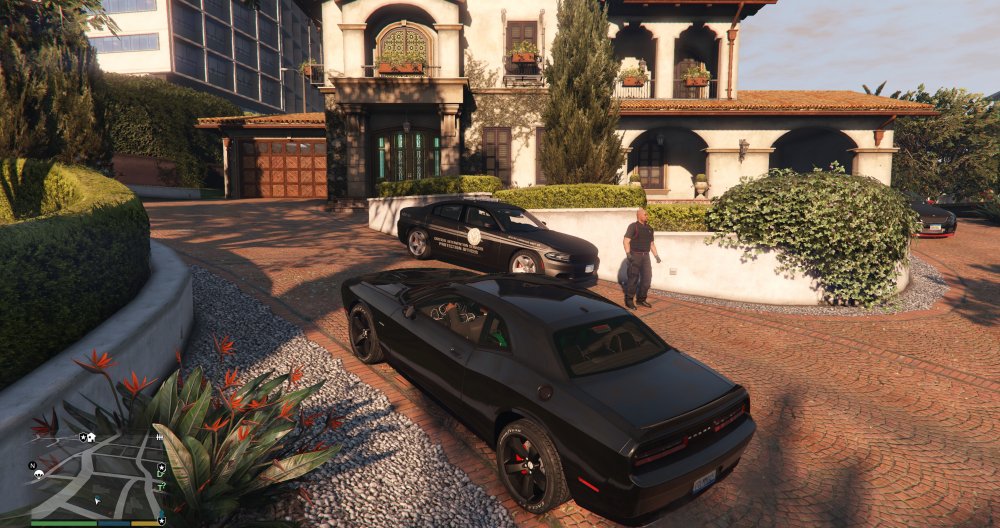
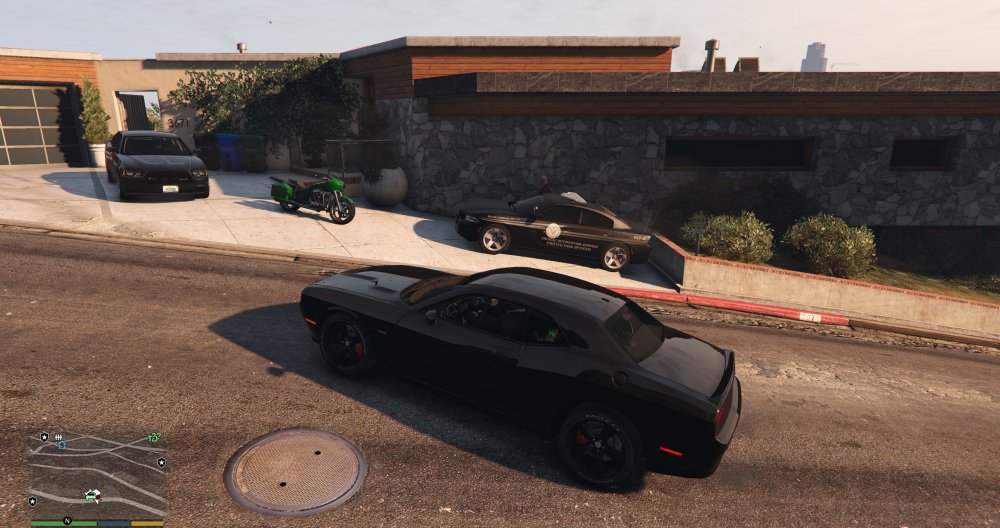
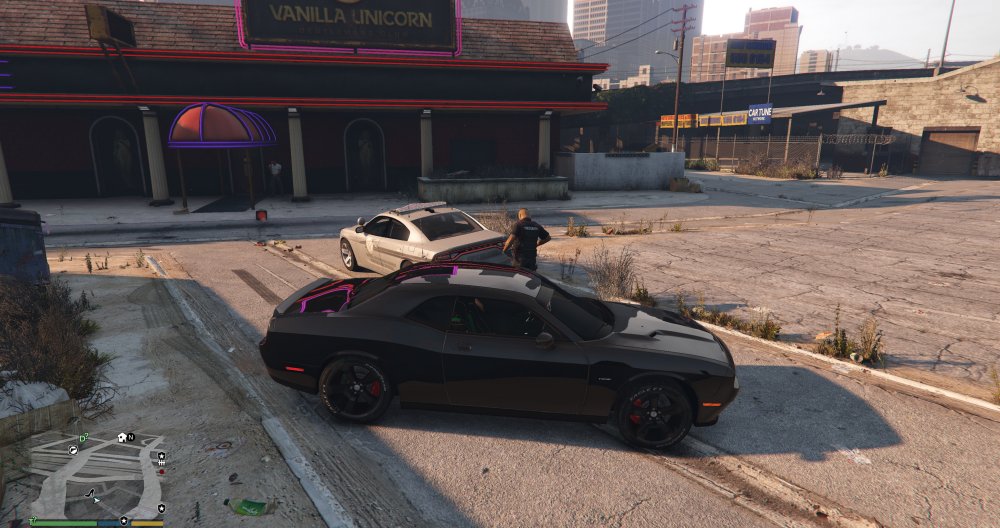
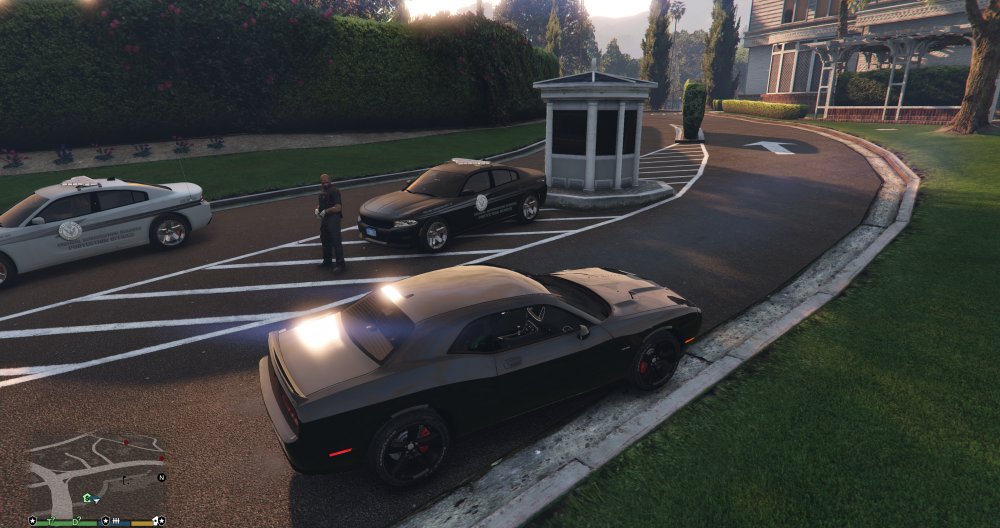
Here are some coordinates setups for private security for Franklin, Michael, Vanilla Unicorn, GWC and Golfing Society and Majestic Movie Lot on Heritage Way (see spoiler). Please remember to insert the vehicle name that you are using, and the ped is already taken care of.
-
-
Yes. Please remember liveries start at zero (0). Example: If the vehicle has five (5) liveries, then it's 0-4. On a rare occasion, some car mods do start at one...
- 270 comments
- 19 reviews
-
Official Law Enforcement Jurisdiction Script coordinates sharing thread http://www.lcpdfr.com/forums/topic/59586-official-law-enforcement-jurisdiction-script-coordinates-sharing-thread/#comment-395661
- 270 comments
- 19 reviews
-
-
- 3
-
-
Welcome to the official Law Enforcement Jurisdiction Script coordinates sharing thread. Here you can share your personal coordinates (must have photos) and setups with others. A very helpful map on understanding zones... http://media.gta-series.com/images/gta-5/maps/gta-5-los-santos-blaine-county-neighborhoods.jpg
-
Released...
-
Introduction Hello everyone, I’m pleased and very excited to introduce the “Law Enforcement Jurisdiction Script” or L.E.J.S. for short. The script was designed and outlined as a team project between Albo1125 and myself. This script was designed in-mind to give the end-user more control over the policing powers within GTA V. By allowing most, if not all, the functionality of governing which departments have jurisdictions over what parts of Los Santos. With this script you’ll have the power on setting up which areas of patrols… what particular vehicles are in use… what particular Law Enforcement Officers are in use... are they stationed or patrolling… what time of (day or night)… and much-much more. Special Thanks Thanks EVI for being the original beta tester and bouncing future ideas off us. Thanks c13, BroCop and Dilapidated on assisting in the second wave of beta testing. Thank you AlexGuirre for the Zones enum-related stuff and Dilapidated once again for the HELI_MISSION native use. Police Jurisdiction Police jurisdiction refers to the legal authority for police to enforce laws and the specific geographical area in which this authority exists. Police officers generally have jurisdiction to enforce the laws of a local geographic area or the entire state in which they serve. By contrast, federal officers, such as FBI agents, carry out the enforcement of federal laws throughout the entire country. Jurisdictions and Policing Possibilities Border and Customs Enforcement. Wildlife and Game Enforcement. City, State and Federal Buildings Patrols. County Roads, Freeways, Highways and Byways Patrols. Road Construction Assistance and Enforcement. Railroads and Train Yards Patrols. Subways and Trolleys Patrols. Airport Policing and Security Enforcement. Marina, Beach and Shipyard Patrols. Coast Guard Patrols. Public and Private Property Security Patrol. Or any other area of Law Enforcement and Security that you can think of. Summary L.E.J.S. allows the end-user to customize their needs within the .INI file (example below), by giving the end-user certain key variables on achieving their goals. The script will be an ongoing project (add-ons, updates, tweaking, etc…) that will give the end-user even more control over time. CREDITS & LICENCE Law Enforcement Jurisdiction Script is coded by Albo1125 (aka The Great OZ). Cee Montana (aka Nutt) is the owner of the Law Enforcement Jurisdiction Script. You cannot upload or redistribute the Law Enforcement Jurisdiction Script without the explicit written permission of Cee Montana (Nutt). Q&A Time Q. Is there a tutorial on getting started? A. Yes. Please see the awesome tutorial video by Albo in the video section. Also, the first time you execute the LEJS Editor - it will automatically link you with the tutorial video. Don’t worry, it’s only a onetime measure on cutting down on some of the learning curve questions. Lastly, the Editor may require the “run anyway” elevated permissions for the first time depending on your OS. Q. How many Jurisdictions Patrol Profiles can I create within the .INI file? A. Creating jurisdiction profiles are limitless. That being said, I would personally suggest on keeping each jurisdiction area or zone, vehicle count under twenty-five (25). Especially if you’re using non-vanilla vehicles and a large activation boundary. In other words: You can have hundreds and hundreds of patrol spots… just keep each jurisdiction or area under twenty-five (25) vehicles if possible. Q. Can the user create jurisdictions and patrol points all across Los Santos? A. Yes. Q. Can the user create sea and air support jurisdictions points? A. Yes. If you’re creating custom air-support and/or sea-support jurisdictions… you can gather coordinates by using a simple trainer or enhanced trainer “airbrake” feature during gameplay, then saving the coordinates data via RHA console command “SaveLEJSLocationInfo MyLocationName”. Q. How accurate are the Jurisdictions and patrolling setups? A. The script is very accurate to what the .INI file is setup to do (by you). The x, y, z coordinates, heading coordinates and the area of patrol size, are very important key components on giving the user as much control and accuracy on creating believable jurisdictions patrols. Q. What is the difference between selecting a “Custom” and “Zone” jurisdiction setup? A. Custom setups gives the user more options (control) for specific needs and accuracy… while Zone setups gives the user immediate selections (over 90 zones) on getting patrols setup quickly - without the needed coordinates data. Q. Can I create “Custom” and “Zone” setups within the same jurisdiction? A. Yes. Q. Is there a default .INI (prebuilt) contained in the download? A. Yes. A few patrol points on getting you started. Q. Can I use custom and/or renamed patrol vehicles? A. Yes. Q. Can I use civilian cars? A. Yes. If it has wheels, wings and it floats - you can use it. Q. Do the LEJS Officers react to crimes? A. Yes and No. Officers will react to Michael’s, Trevor’s and Franklin’s crimes - not surrounding crimes (gangbangers, fights, etc…). We’re working on the latter part… so stay tuned for updates. Q. The Officers that are patrolling - do they roam away from their areas of assignments? A. No. As long as the user sets the correct “area of patrol size” and/or other boundaries within the .INI file… the patrolling Officers will stay within their jurisdiction scope. Q. Will Officers leave their Jurisdictions during a commission of crime? A. Yes. But we’re looking into giving the user the option on “not allowing pursuits beyond the set jurisdiction scope”. Q. How do I get the axis x, y, z, and heading coordinates for my particular custom patrol needs? A. LEJS has a custom console command “SaveLEJSLocationInfo MyLocationName” which allows you to easily save your location information in the required format of LEJS's INI file. Q. Will there be a thread on sharing locations and coordinates? A. Sure will. I figured some end-users may-not want to go through the hassle of plugging in data. So there will be a thread where users can share their Jurisdiction setups and/or patrolling spots (with photos) – so that others can decide if its fits their needs. Q. How stable is the script? A. No major problems to report. Q. How can I edit the .INI file? A. The nice and simplistic .INI Editor of course! Q. Key features? A. Most of the key features can be viewed from the .INI Editor. However, I believe the master viewing mode (F3 Key by default) is quite impressive. You can verify the areas of patrols that you created (per immediate surrounding area), and modify them later based on your observation. And if you set the blip feature (per car) within the .INI file, you’ll see the vehicles in real-time (especially the vehicles that are set to patrol) doing their job within the area of scope that you set. Q. What are the red, green and yellow blips in the master viewing mode (F3)? A. If enabled in the .INI file (per vehicle), the master viewing mode lets the user know which vehicles are stationed (red), which ones are patrolling (green) and which ones are zoned spawned (yellow). Q. How do I reload the script if it stops working completely? A. Bring up the Rage Plugin Console. First, if necessary, unload the plugin by typing UnloadPlugin “Law Enforcement Jurisdiction Script.dll” and pressing enter. You can then reload it by typing LoadPlugin “Law Enforcement Jurisdiction Script.dll” and pressing enter. Q. Can I easily make changes to the INI file while in game? A. Absolutely! When you’re in master viewing mode (F3), you can reload the values from the INI file by pressing F5 (default). You will see the changes you made are immediately reflected by the master viewing mode for easy editing and perfecting your jurisdictions. FYI: * Guys/Gals please make sure to use the correct coordinates when creating custom zones. Especially if it has a negative (-) in front of it. Example: if the coordinate states -34.789 then it should be -34.789. Tutorial Video: https://youtu.be/pLKJE4S3jEY Other Videos: https://youtu.be/DrcY-iGZtzQ https://youtu.be/_L5YLMC_fsk Optional LEJS Livery Starter Pack (Los Santos Included):
- 270 comments
- 19 reviews
-
-
- 20
-
-
Yes. I'm shooting for a 2am est. release. So within a few hours...
-
-
Glad to hear, and thank you for the post. We're just getting started really, we have some other ideas coming up soon with this script and possibly others. But I can't overwork Albo... even the God of coding needs a break.
-
Tutorial by the almighty Oz himself - Albo! https://youtu.be/pLKJE4S3jEY
-
Looks like we're a go for the 25th release. Albo, has wrapped up the last piece of the puzzle - making coordinates gathering a whole lot easier. L.E.J.S. now has it's own built in coordinates saving system.
-
??? The custom vehicles are EVL, not ELS.
-
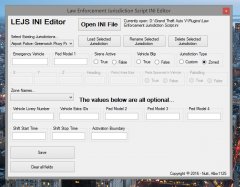
From the album: Law Enforcement Jurisdiction Script Editor
First look at the nice and simplistic .INI editor for editing (duh!) and creating jurisdictions setups. It keeps you from bouncing around and getting crossed eyed in the busy .INI file. More info here: http://www.lcpdfr.com/forums/topic/58472-law-enforcement-jurisdiction-script-012516/?do=findComment&comment=391451 -
First look at the nice and simplistic .INI editor for editing (duh!) and creating jurisdictions setups. It keeps you from bouncing around and getting crossed eyed in the busy .INI file. And lastly, L.E.J.S. will now be able to handle zones (over 90 zones) selections. You now have the option (outside of coordinates) on randomly spawning your vehicles of choice, within the zones you selected. Albo, is putting in work...
-
First look at the nice and simplistic .INI editor for editing (duh!) and creating jurisdictions setups. It keeps you from bouncing around and getting crossed eyed in the busy .INI file. And lastly, L.E.J.S. will now be able to handle zones (over 90 zones) selections. You now have the option (outside of coordinates) on randomly spawning your vehicles of choice, within the zones you selected. Albo, is putting in work... Initial view of the L.E.J.S. editor. Editor displaying some charted points. Editor displaying the "Zone" selection option.
-
Yes, Albo is doing some (hell, lots) of wonderful things...
-
Private vehicle at the moment.
-
A look at the newly updated .INI file, with a jurisdiction point (vehicle) ready for action. The updated L.E.J.S. script (01/25/16 release candidate) now comes with three (3) new options. Vehicle Livery Support, Extra IDs and Activation Boundary. Vehicle Livery Support for supporting which livery you want to use, Extra IDs for supporting any vehicle extras that you want spawned (push bars, spotlights, shotgun/rifle ballistic rack, lighting, etc...), and Activation Boundary on keeping vehicles in memory (alive) within the scope you set (please remember, when using the "Activation Boundary" setting, that it can effect performance based on how many vehicles that are kept alive in memory, and the scope you set for them). FYI: The BOLD lines represents optional adds... meaning, you do not have to use or insert them for every jurisdiction point (vehicle) that you create. Default template look. [Jurisdiction Name] Emergency Vehicle=VehicleModelHere Vehicle Livery Number= LiveryNumber Extra IDs= 1,2,3,etc... (Vehicle extra numbers to be activated, separated by commas) Peds Spawned in Vehicle=True/False Ped Model 1=PedModelHere Ped Model 2=PedModelHere Ped Model 3=PedModelHere Ped Model 4=PedModelHere Sirens Active=True/False Activation Boundary=Number Patrolling=True/False Patrol Area Size=AnyNumberFrom10-350 X=XCoordinate Y=YCoordinate Z=ZCoordinate Heading=HeadingNumber Shift Start Time=00:00 Shift Stop Time=00:00 Vehicle Blip=True/False Jurisdiction vehicle ready for action... [Airport Police: World Way Rd. Fleet Vehicle v2] Emergency Vehicle=cvpidtw Vehicle Livery Number=2 Extra IDs=1,3,4 Peds Spawned in Vehicle=False Ped Model 1=S_M_Y_Cop_01 Ped Model 2= Ped Model 3= Ped Model 4= Sirens Active=False Activation Boundary=250 Patrolling=False Patrol Area Size=100 X=-876.60113525391 Y=-2416.2463378906 Z=13.52522277832 Heading=175.50091552734 Shift Start Time=15:00 Shift Stop Time=21:00 Vehicle Blip=true
-
No. L.E.J.S. is a standalone script, that only requires the latest Rage plugin and latest script hook. That being said, of course you can use it with LSPDFR. Reposting videos for this page.
-
A short video showing the Law Enforcement Jurisdiction Script specifically setup with Policing and Security Services within a particular area. This demo shows the University of Michigan Police watching/patrolling the college campus (only), and Critical Intervention Services watching over our three protagonists properties.