treyjames
Members
-
Joined
-
Last visited
Everything posted by treyjames
-
How is this not the place? I'm pretty sure there was somebody last week who posted a thread about freaking sponge bob and their favorite episode. You're kidding right? Lol I'm not actually! This is more of a legit thread than that man..
-
-
-
-
 Oh jeeze. This is sex.
 -
No need to be a dick to him you guys. And man, screw them! They don't say where and how YOUR life goes. Prove em wrong my friend. We all have some weird in us! That's what makes a vast majority of us different. Like Kurt Cobain said, " They laugh at me because I'm different, But I laugh at them because they're all the same".
-
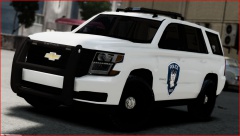
Love this tahoe so much. Think it looks badass man. 5/5. And also, is there anyway you could include an all blue light texture? That'd be rad.
- 13 comments
- 2 reviews
-
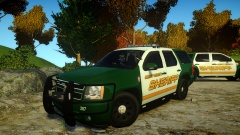 when is this gonna be released? This is fucking radical!
 -
yeah, idk what I was thinking when I typed that.
-
-
-
Yep, only reason I got this one was because I needed it for college; using programs like Microsoft office and school programs, etc..don't buy alienware..just, don't lol. But goodluck to you brother!
-
I've heard good things about sagers, don't worry. And I went with Asus because they're reliable. Every Asus I've had has lasted me a good time. I love em'. The asus has a great cooling setup with the vents in the back, not on the bottom. Mine doesn't get hot at all. It gets..I would say almost luke warm, BARELY.Getting a cooling pad is just your preference if you want to stay on the safe side. And i have all the police cars modded, CryENB V2, els v7, bravehearts police script, LCPDFR, and it runs perfectly on high. I can play mine for 2 Hours plus, IF you find cars that work with your game and aren't really picky, if that makes sense. As of now, the cars I have in game, dont make me crash at all. I can play as long as I want.
-
I have the asus g750 jm. And 12 GB for ram. I have the 2GB gtx 860m,aswell.
-
Hello everyone! I was wondering if anybody would be interested in making some skins for the Calcasiue Parish Sheriff's office (but make it say Liberty Parish?) for a Crown Victoria and a Charger? We use All blue vector light bars, could anybody make these (skins and all blue vector light bars)? It would be so rad! P.s. the crown vic shown below doesn't have a vector but if anybody could use a vector with all blue that'd be awesome too!
-
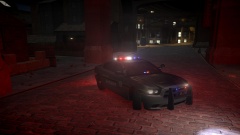 awesome!
 -
I have this same laptop, except with the 12GB ram. It runs it no problem on high, with car mods, lcpdfr, and scripts!
-
yeah, sounds like a disaster. Lol.
-
This. Well said.
-
-
-
-
and the "R" is like capitalized,while the others aren't. If that was fixed it was look amazing!
- 10 comments
- 1 review
-
whats with the letters on the back of the trunk? They're all crooked and stuff..
- 10 comments
- 1 review
-
it's not easy to punch in a car window, at all. The easiest way to do it is with a tipped pointed object like crossfire showed.