Nightmare0802
Members
-
Joined
-
Last visited
Everything posted by Nightmare0802
-
You need to edit the visualsettings.dat and change it in order to turn those indicators off. The Improved Spotlight and LED Lighting V7.0.5 has the instructions on how to do this in the readme.txt file. The visualsettings.dat file can be found under the following string: GTA V (root directory) > update > update.rpf > common > data The settings below are the settings to fix the indicators. car.indicator.day.emissive.on 10.00 car.indicator.night.emissive.on 10.00 car.indicator.day.emissive.off 0.30 car.indicator.night.emissive.off 0.003 Otherwise if you don't want to do the editing then as ratt0114 mention the radiance mod is a good mod as well.
-
-
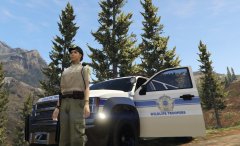 San Andreas State Troopers skin for ES-Roleplay Clan - 1.0 Pack
© achismstudios & Emergency Services RolePlay Clan
-
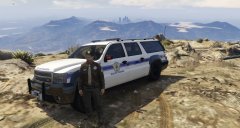 San Andreas State Troopers-Wildlife Troopers skin for ES-Roleplay Clan - 1.0 Pack
© achismstudios & Emergency Services RolePlay Clan
-
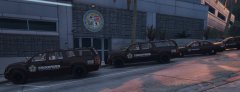 San Andreas State Troopers skin for ES-Roleplay Clan - 1.0 Pack
© achismstudios & Emergency Services RolePlay Clan
-
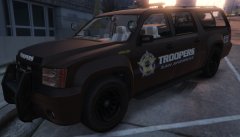 San Andreas State Troopers skin for ES-Roleplay Clan - 1.0 Pack
© achismstudios & Emergency Services RolePlay Clan
-
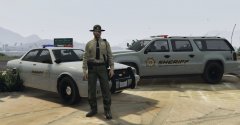 Blaine County Sheriff's Office skin for ES-Roleplay Clan - 1.0 Pack
© achismstudios & Emergency Services RolePlay Clan
-
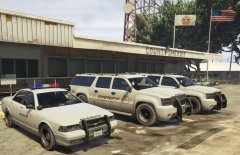 Blaine County Sheriff's Office skin for ES-Roleplay Clan - 1.0 Pack
© achismstudios & Emergency Services RolePlay Clan
-
I disagree completely, even if the game is/becomes mod-able you don't have to run the mod, and that is also why you can set up private lobbies or use public lobbies for that same sole purpose of not having a mod installed. I respect your opinion of mods can ruin the multi player experience (ie trainer with god mode or unlimited ammo/weapon spawn). Some mods enhance the experience such as LSPD-FR which allow you to flip over and play as a cop even if its just a traffic stop and approach or becomes even more then that, versus just playing as a thug. However I do like the idea of letting those who want to mod rent their own servers. :)
-