


SkierPS3
Members
-
Joined
-
Last visited
Everything posted by SkierPS3
-
Bumping this bad boy, hope this doesn't break any rules. Basically my problem is the templates I download have files I'm not allowed to open because OpenIV won't let me run it without scanning for an installed copy of GTAV.
-
The problem I have is when I download these files, often there isn't a texture.png that has the livery which I can design over. I would have to open the yfts and ytds and whatnot in OpenIV, which doesn't work since OpenIV requires an installed game.
-
I'll spare the details and keep it brief: I don't own GTAV. I'm at school with a weak laptop and haven't bought GTAV for my (underpowered) PC at home. But I still want to do some texture design work. I'm majoring in animation, graphic design etc. so I'm all set on software, but for opening car files to extract textures and preview via OpenIV it seems to require an installed copy of GTAV. Is there any way I can make police textures without having the game on this computer? Thanks!
-
Thanks for the guidance, for example I wanted to extract the Police Interceptor and get rid of the ugly "POLICE" on the side and replace it with the LSPD logo like the Police Cruiser (Stanier). So I extract the texture via OpenIV, make it a PNG, edit in Photoshop, return to original format and preview via OpenIV?
-
Alright so be forewarned I'm really new to making content for GTA. I was familiar with importing and adding textures in GTAIV a while ago, but now I want to get into creating my own texture designs for police models. The problem is I have no idea where to start. Where do I get the basic files to design over? Should I use Photoshop for making the designs? And then do I use Zmodeler to preview the outcome of the design before putting it in game?
-
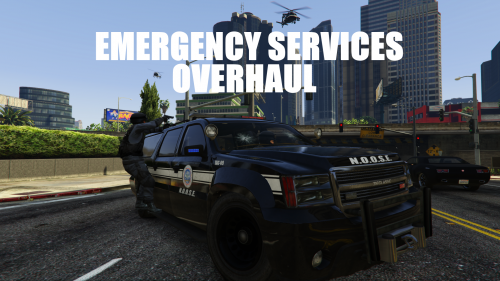 This is fantastic! How much customizability is offerded? For instance, I love having both a Sheriff Granger and a NOOSE Granger for LS/Blaine County, but I'd like to import custom textures or perhaps even maintain the black and white style. For the next update it would also be awesome to try to consolidate a lot of the work done by others with the San Andreas Highway Patrol. It adds a nice little detail to have SAHP cruisers and bikes pursuing on the highways. There's also a Coast Guard Predator skin with Coast Guard peds mod floating around that would be great for spawning in areas outside Los Santos Proper.
- 42 comments
- 10 reviews
-
-

- 1
-
-
I'll give it a shot later, but I don't use ELS for a multitude of reasons, so even if I get it to work it won't be of much help since I prefer running without it. Thanks anyway.
-
Still haven't gotten it to work on the policew, in the mean time I replaced the feroci2 (airport car) with an FIA-themed Crown Vic once again to no avail. I don't know what I'm doing wrong, since this time I tried on a vanilla car and not a DLC one. The commands like +livery seemed to work but it's still just a civilian horn, no lights or sirens. It's non-ELS as well.
-
Does this method work with cars added by EFLC? I've been trying to replace the policew (http://gta.wikia.com/Police_Cruiser#Variant) with an unmarked CVPI model I have (which doesn't run ELS) but I just can't get it to work despite following the exact directions. It still only has a civilian horn and for some (maybe) unrelated reason the black livery won't show up. An important note is that the policew is classified as a civilian car and doesn't come with lights/sirens, hence why I want to replace it with a functioning cop car.
