




gamepro552
Members
-
Joined
-
Last visited
Everything posted by gamepro552
-
 So, the invisible problem is fixed, sorta. When I take a few steps away from the vehicle, the light bar vanishes. I also noticed that sometimes it doesn't even spawn with a light bar, but the lights are still there....any suggestions?
- 221 comments
- 34 reviews
-
-

- 2
-
-
-
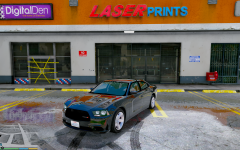 I keeping checking LSPDFR to see if this thing has been released, I'd love a civi version as well as police. Do you know about when this thing will be released? Like, days, weeks, months? No rush :P
 -
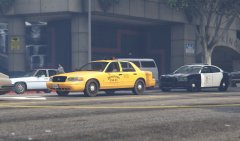
-
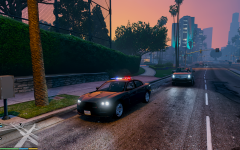 Is there going to be a civilian version, just like your 2015 charger? I'd love to see this driving around. You see the taillights in the distance at night, and your not sure if its a cop or just a regular person.
 -
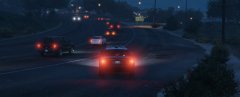 CVPI: http://www.lcpdfr.com/files/file/9726-2011-crown-victoria-lasdlssd/ SAHP Skins: http://www.lcpdfr.com/files/file/9729-4k-lspdsahp-2011-cvpibxbugs123-model/
 -
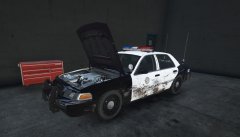 This crown vic was involved in a vehicle pursuit that wen't from Vinewood all the way to Sandy Shores on a very rainy, windy day. SAHP put an end to the pursuit with spike strips, but not before this CVPI took some damage. -Both front headlights/indicators out. -Dents on bumper, front and back. -Scratches on rambar, no damage. She's nearing her mileage limit for the LSPD anyway, probably going to be cleaned up and sold at an auction, $1,500 at best.
 -
I think I am having a similar problem, but putting the car files into patchday7ng didn't fix my problem. Here is what it looks like: https://www.youtube.com/watch?v=qfFfoBMJqjo&feature=youtu.be
-
 For some reason, when I try and replace POLICE3, this happens: https://www.youtube.com/watch?v=qfFfoBMJqjo&feature=youtu.be
- 159 comments
- 53 reviews
-
-
.thumb.jpg.4066677156985e22489bfecddc2f6c45.jpg) So, the model still installed correctly, and looks amazing. It just likes to despawn inches from my character if I look the other direction, but I know how to fix that myself. Despite this issue, really nice model 10/10.
So, the model still installed correctly, and looks amazing. It just likes to despawn inches from my character if I look the other direction, but I know how to fix that myself. Despite this issue, really nice model 10/10.- 376 comments
- 81 reviews
-
For some reason, my OpenIV crashes every time I try to import this car. I've tried running as administrator and re-downloading the file, same problem.
- 376 comments
- 81 reviews
-
-
- 2
-
-
Thank you VERY much. You wouldn't happen to know the locations for the other police vehicles would you? There are some changes similar to this that I would like to make to the other police vehicles.
- 159 comments
- 53 reviews
-
The vehicles.meta stuff has always confused me, I've seen people talk about it and they say do this and that but I just end up getting confused. When I search for vehicles.meta in OpenIV, there are like 12 different files. I've seen some people say that it doesn't really matter as long as the entry is in there, and some say not. I have searched all of the vehicles.meta files and I cannot find an entry for police2. Can you give me some more information about these files or how to do this? I'd like to learn once and for all how these files work. I saw somebody else asking how to make the lightbar always spawn, which I'd like to force also, and if I found the correct file I shouldn't have a problem doing that.
- 159 comments
- 53 reviews
-
-
- 1
-
-
For some reason, the rambar likes to come off and destroy the world. A few minutes ago, I was arresting a suspect and my rambar flew off, made the suspect's car go flying, came back around, hit me and the suspect, killing him, and also hit a box truck that was driving by and it just destroyed all the realism that was going on, Any ideas? For some reason, the rambar likes to come off and destroy the world. A few minutes ago, I was arresting a suspect and my rambar flew off, made the suspect's car go flying, came back around, hit me and the suspect, killing him, and also hit a box truck that was driving by and it just destroyed all the realism that was going on, Any ideas?
- 159 comments
- 53 reviews
-
-
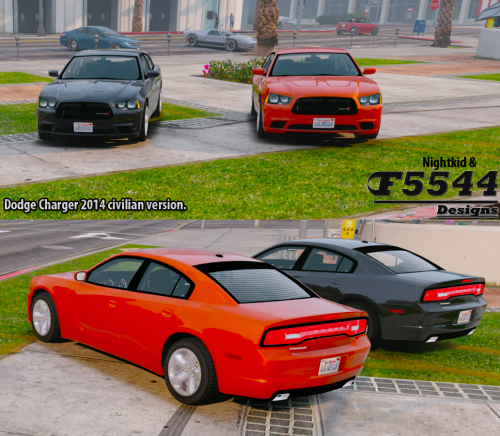
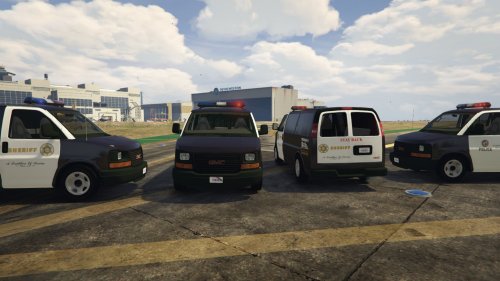 Any way we can get a civilian model? I drive one of these for work and I would love to make a skin for it that matches it in real life.
- 26 comments
- 8 reviews
-
 Oh my F**king god, it looks fantastic.....
 -
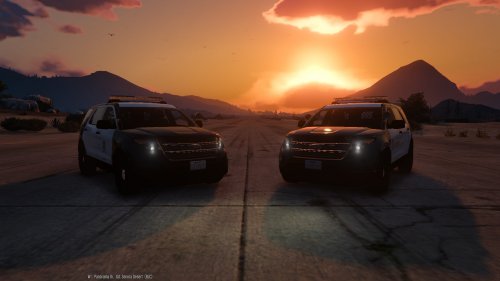 Great skins, and the tail light fix makes it so much more realistic. Thank you.
- 4 comments
- 3 reviews
-
Cool, really looking forward to this.
-
Sounds great. Any way we can get a civilian model as well? It looks equally as good being chased as it does chasing ;)
-
 Hey man, do you plan on making something like this for LSPDFR? Would love to see this in GTA V, I think it would make things much more realistic.
- 132 comments
- 23 reviews
-
 Hey, I don't have a police3 entry in my carvariations.meta file. Can I just add the lines instead? A bit confused here.
- 202 comments
- 51 reviews
-
-
- 1
-
-
-
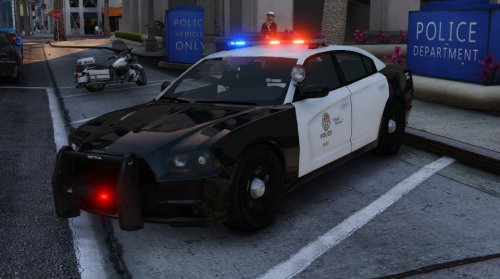 Something else I have noticed, there is no texture for the engine, and when you open the trunk, it just spins all the way around, and when you shut it, it goes under the car. Might just be an axis problem or something.
- 25 comments
- 10 reviews


.thumb.jpg.4066677156985e22489bfecddc2f6c45.jpg)
