Skip to content
View in the app

A better way to browse. Learn more.

LCPDFR.com

A full-screen app on your home screen with push notifications, badges and more.

To install this app on iOS and iPadOS
  1. Tap the Share icon in Safari
  2. Scroll the menu and tap Add to Home Screen.
  3. Tap Add in the top-right corner.
To install this app on Android
  1. Tap the 3-dot menu (⋮) in the top-right corner of the browser.
  2. Tap Add to Home screen or Install app.
  3. Confirm by tapping Install.

PoliceConstableRedfield

Members
  • Joined

  • Last visited

  1. Joel Effler     Went off-duty at Paleto Bay Sheriff Station in Mission Row, Atlee St
  2. Joel Effler     Finished responding to a Stranded Vehicle in Paleto Bay, Great Ocean Hwy
  3. Joel Effler     Reported a PC503 in Paleto Bay, Great Ocean Hwy
  4. Joel Effler     Responded to a Stranded Vehicle in Paleto Bay, Great Ocean Hwy
  5. Joel Effler     Performed a traffic stop on a Black Steal Seminole with registration 02HHU408 in Paleto Bay, Procopio Dr
  6. Joel Effler     Finished responding to a Explosive Found in Paleto Bay, Paleto Blvd
  7. Joel Effler     Responded to a Explosive Found in Paleto Bay, Great Ocean Hwy
  8. Joel Effler     Finished responding to a Traffic Break in Paleto Forest, Great Ocean Hwy
  9. Joel Effler     Responded to a Traffic Break in Mount Chiliad, Great Ocean Hwy
  10. Joel Effler     Finished responding to a [FC] DangerousPerson in Mount Chiliad, Great Ocean Hwy
  11. Joel Effler     Finished responding to a Suspicious individual in rest area in Paleto Bay, Great Ocean Hwy
  12. Joel Effler     Finished responding to a [686] Alleyway Robbery in Paleto Bay, Pyrite Ave
  13. Joel Effler     Reported a PC245 in Paleto Bay, Pyrite Ave
  14. Joel Effler     Responded to a [686] Alleyway Robbery in Cassidy Creek, Cassidy Trail
  15. Joel Effler     Finished responding to a [FC] Pursuit in Cassidy Creek, Cassidy Trail
  16. Joel Effler     Responded to a [FC] Pursuit in Stab City, Calafia Rd
  17. Joel Effler     Finished responding to a Arrest Warrant in Stab City, Calafia Rd
  18. Joel Effler     Responded to a Arrest Warrant in Stab City, Calafia Rd
  19. Joel Effler     Finished responding to a Outstanding Arrest Warrant in Stab City, Calafia Rd
  20. Joel Effler     Reported a PC245 in Stab City, Calafia Rd
  21. I've been playing no problem but just recently when I boot up GTA V and I start GTA V with Rage and then ReloadAllPlugins and once it gets down the list to LSPDFR, LSPDFR will crash and then shortly after GTA V will crash to the desktop. Rage log file is attached. Any help would be greatly appreciated, thanks. RagePluginHook.log
  22.    PoliceConstableRedfield reacted to a comment on a file: Soundoff Signal nERGY 400 Siren
  23.    TrpCharles reacted to a review on a file: Boston Police 2016 Ford Explorer [ELS]
    Car is tiptop Charles, excellent work. You've came a long way since APB Reloaded man!
    • 75 downloads
    • Version 1.0.0
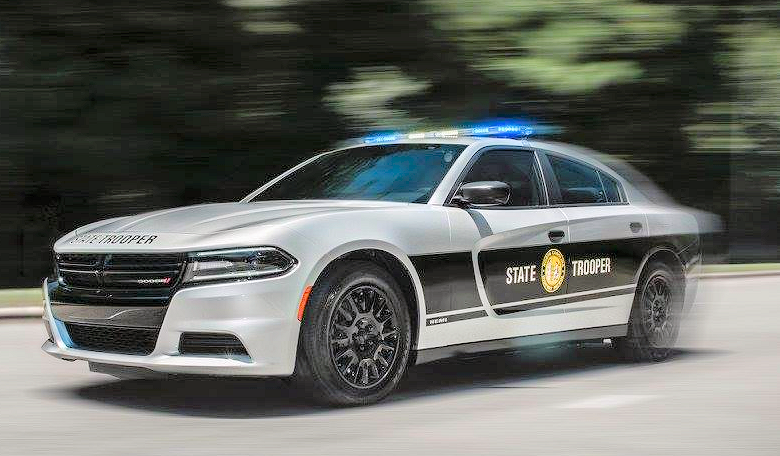
    I was tired of not finding any game warden textures to my liking so I decided to make my take on a lore friendly version of my state NC's state Game Warden texture. I also fixed the black lines on the door frame but didn't take any new screenshots. This is my first texture ever so sorry for any mistakes 😬 This texture is for Terry Sloman's Dodge
  24. These are sweet looking! Now to decide what cars to use with them
  25. Any chance I could get them too? 😅
  26. That'd be awesome if you did 😏. The new livery looks SOO much better imo
  27. We just got a new livery for our new fleet of 2020's 😉
  28. Could anyone make this texture for my local department? They just got a new fleet and have new decals on them. Currently only a picture of the 2020 explorer but will add more in the meantime.
  29. Does this replace EUP SAHP uniforms or are they add ons?

Account

Navigation

Search

Search

Configure browser push notifications

Chrome (Android)
  1. Tap the lock icon next to the address bar.
  2. Tap Permissions → Notifications.
  3. Adjust your preference.
Chrome (Desktop)
  1. Click the padlock icon in the address bar.
  2. Select Site settings.
  3. Find Notifications and adjust your preference.