



LilQ
Members
-
Joined
Everything posted by LilQ
-
-
 Thanks people ! x)
 -
 ^ there is nothing to learn. Just make sure you're ready to waste some time on this. :P
 -
Uhh, it spawned from the second attempt and then it gave me an error. The object remained anyways. I AM still having difficulties with this mod.
-
Just a bunch of object spawning and car saving with SNT... nothing extraordinary really, oh yes, and animations of course. :)
-
From the album: GTA IV screenshots
... has been set up on the way to south bohan in attempt to stop fleeing suspect. -
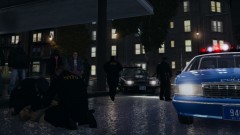
From the album: GTA IV screenshots
First units on scene performing CPR while ambulance is on it's way. -
From the album: GTA IV screenshots
First units on scene performing CPR while ambulance is on it's way. -
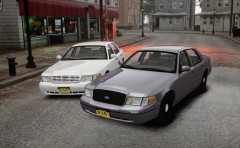 fuckin AWESOME !!!
 -
-
-
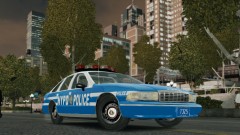 Strange that colors turned out to be like this.... btw, am I the only one how can't moderate hisown images and view options ? Is this a server bug or what ?
 -
From the album: GTA IV screenshots
love this car -
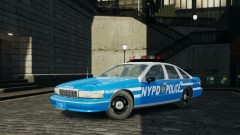
From the album: GTA IV screenshots
dreams come true, finally it's in IV ! -
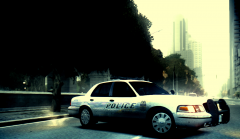 Great screenshot !
 -
I placed everything how it should be, yet it doesn't help. I tried spawning them two times. First - no luck, gave me an error, I reloaded the scripts, tried spawning it once again and the game just froze. Second time - absolutely the same situation... perhaps there is a conflict with another script ? I've got traffic flow v5, spotlight, lcpdfr and indicator script isntalled, just incase that makes anything clear...Came back after trying the resized version. There is an issue... something is wrong with the aerodynic lightbar. Looking from the back, central rotators are missing for some reason + there are some kind of stripes/lines inside the left (red) part of the light bar (pictures below) - it's "big" brother doesn't have this bug. Would you mind checking that out ? 91 doesn't seem to be having any problems.
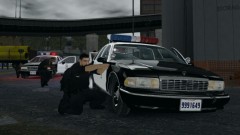 I'd say partly, but for the most part this one was random.I sure hope it will come with a rambar as well. Looks great so far !That was fast, Thank You once again Intense ! I'll test these ASAP.
Thanks ! And um, "more shoot had been fired" ? lol what was I thinkin' , I meant shots damn it !
I'd say partly, but for the most part this one was random.I sure hope it will come with a rambar as well. Looks great so far !That was fast, Thank You once again Intense ! I'll test these ASAP.
Thanks ! And um, "more shoot had been fired" ? lol what was I thinkin' , I meant shots damn it !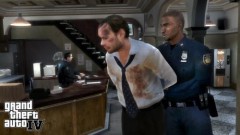 Isn't that a picture R* posted years ago ?
SNT - Player invisible enabled. Then just walk around and get the angle you want.
Isn't that a picture R* posted years ago ?
SNT - Player invisible enabled. Then just walk around and get the angle you want.
From the album: GTA IV screenshots
More shot's have been fired !


