


Creators: Due to background reprocessing of files, approvals and file security checks may be delayed. Thanks for your patience.


Virzza
Members
-
Joined
-
Last visited
Everything posted by Virzza
-
Thanks!
-
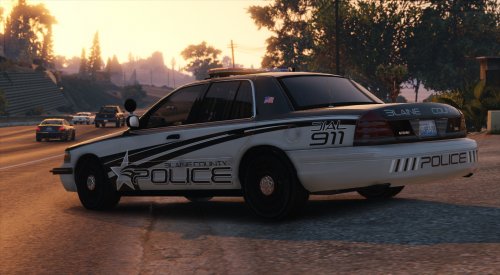
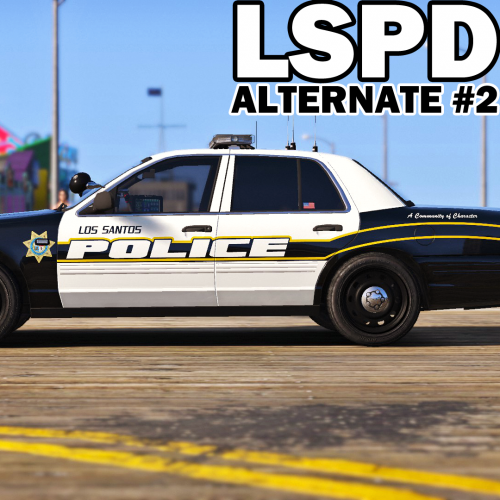
Hello everyone, I am currently working on a pack that will replace all of the main Los Santos Police Department vehicles. The Vehicles Vehicle Name - Slot 2011 Ford Crown Victoria - police 2013 Dodge Charger - police2 2014 Ford Explorer - police3 Progress 2011 Ford Crown Victoria - 95% done http://imgur.com/a/nkjkW WIP shots. 2013 Dodge Charger - 95% http://imgur.com/a/gejZG WIP shots. 2014 Ford Explorer - 50% No shots as of yet. Currently adding all the equipment. Lights have been added.
-
-
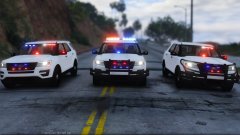 Just gotta say - props man. It looks amazing!
 -
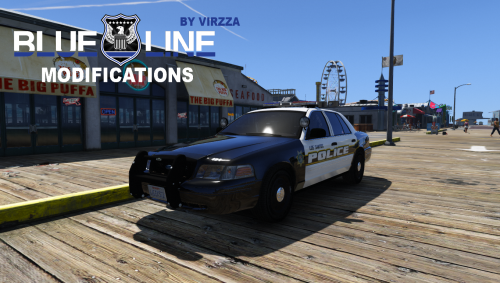 @Hotwingers Yes I know you meant that, but I never said I was doing an unmakred CVPI. Maybe after I finish the other cars for this pack.
- 42 comments
- 20 reviews
-
-
Good job. This needed to be done!
-
"Dream big, work hard" JJ Watt Don't ever tell yourself you can't do something buddy. You can.
-
@AmericanBagel There will be, don't worry. @Hotwingers I am not sure what you're talking about. @trooperMNG It should already support them you just have to add them. @thegreathah Damn, thanks. Here are the textures. Put them in the ytd. @APD657 It will overwrite the any older police models./ Textures.zip
- 42 comments
- 20 reviews
-
 Graphics mod?
 -
-
-
@UNIT33 I am currently working on a couple other cars to match this one to release and so after I could try to make a variant of all blue
- 42 comments
- 20 reviews
-
@nichankinson You can if you make the files for it. Right now it is set to replace police
- 42 comments
- 20 reviews
-
-
Yeah it is. The steelies I am using VisualV and the hubcaps I am using Project Reload with RadianceV.
- 42 comments
- 20 reviews
-
-
-
-
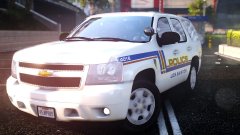 Are you using Project Reload?
 -
.thumb.png.647a35b217b2e1fe6e15e0ccc0c77b3b.png) @TheDivineHustle Currently redoing the entire pack. Push bars will be extras
@TheDivineHustle Currently redoing the entire pack. Push bars will be extras- 47 comments
- 18 reviews
-
-

- 3
-
-
Information This is another release and proudly under represented by the community Blue Line Modifications! (More information soon!) A simple, sleek, beautiful 2011 Ford Crown Victoria with an amazing Code 3 RX2700! This model is probably my favorite I have done so far. I hope you guys enjoy it as much as I do! Installation and Usage Installation for this modification is very straightforward! To install simply navigate to the following path in OpenIV! update.rpf\update\x64\dlcpacks\patchday9ng\dlc.rpf\x64\levels\gta5\vehicles.rpf\ Planned Features None at this time. Miscellaneous Please, PM me any bug or crash reports. I'll try my best to fix any unseen issues that might happen. Thanks
- 42 comments
- 20 reviews
-
-
- 9
-
-
Hello @Thero, Converting any IV .wft part is very easy. You're going to need ZModeler 2 and 3. When you download any developer part that is in a .wft format simply import it into ZModeler 2. After that export it as a .z3d and you will now be able to open the .z3d in ZModeler 2. When it comes to lightbars you must configure them for the V lighting system. If you have any more questions feel free to private message me and I will help you out. Kindest regards, Virzza
-
-
.thumb.png.5fbbb989547defaeeb5c22864df62b54.png) @OfficerKnox Redownload and if that doesn't work I am pretty sure the site is having some problems with downloads right now.
@OfficerKnox Redownload and if that doesn't work I am pretty sure the site is having some problems with downloads right now.- 174 comments
- 47 reviews


.thumb.png.647a35b217b2e1fe6e15e0ccc0c77b3b.png)
.thumb.png.5fbbb989547defaeeb5c22864df62b54.png)