
Jetstream88
Members
-
Joined
Everything posted by Jetstream88
-
 If you find one do you think you could send it over?
 -
I didn't.
-
From the album: My W.I.P
-
 Yeah.
Yeah. -

From the album: My W.I.P
-

From the album: My W.I.P
-
 That looks sick.
 -

From the album: My W.I.P
-
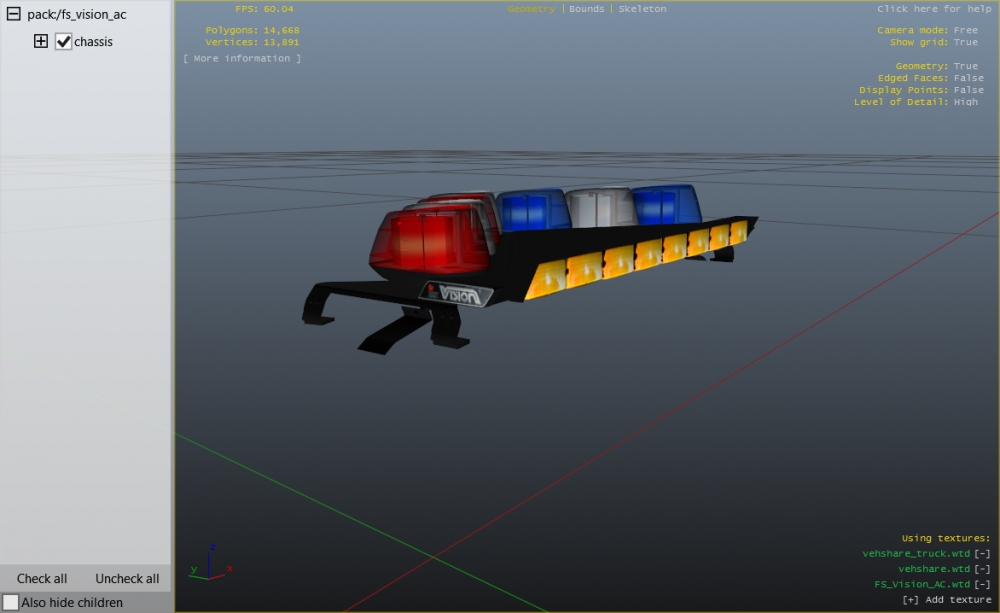
Looks good I would love to make a 96 CVPI and a 94 Caprice with that lightbar it would look sick.
-
Did @Lundy model that CVPI?
-
Yeah I understand that, I'll see what I can do.
-
Yeah cause I also found his Arjent in my folder too. I mean as much as I would love to use the lightbar I be damned if I buy it if I have it.
-
I have to buy a lightbar I already have?
-
I got it from my friend when he gave me his DEV folder. No, I'm trying to find a way to get in contact with KevinDV to ask for perms.
-
Look what I found in my GTA IV DEV folder.
-
I can't wait for it
-
There an update on the the LTD CV?
-
I could do it, I've been wanting to make a detective car for a while now.
-
I could do it, I have a Whelen Edge and the rambar on that car.
-