


Silente13
Members
-
Joined
-
Last visited
Everything posted by Silente13
-
 Having your identical behaviour i think there are compatibility issue with EUP
- 561 comments
- 97 reviews
-
Hey, thanks! I dind't see that the exception was thrown by RageNativeUI
-
I can lunch fine the game, but if i try to load some plugin like EUP menu i get: Exception message: Attempted to read or write protected memory. This is often an indication that other memory is corrupt. The stacktrace doesn't show up any other information. Thanks in advance. RagePluginHook.log
-
Thank you. The only problem was the wrong position.
-
This is the asiloader: // GTA V ASI LOADER (build May 2 2015) // (C) Alexander Blade 2015 LIB: "C:\WINDOWS\system32\dinput8.dll" => 00007FF8C0060000 API: "DirectInput8Create" => 00007FF8C0068F80 API: "DllCanUnloadNow" => 00007FF8C0079EB0 API: "DllGetClassObject" => 00007FF8C0079F80 API: "DllRegisterServer" => 00007FF8C0083CB0 API: "DllUnregisterServer" => 00007FF8C0083F30 LOADER: Loading *.asi plugins ASI: Loading "C:\Program Files (x86)\Steam\steamapps\common\Grand Theft Auto V\BrakeLightsPlus.asi" "BrakeLightsPlus.asi" => 00007FF8FE8C0000 ASI: Loading "C:\Program Files (x86)\Steam\steamapps\common\Grand Theft Auto V\ELS.asi" "ELS.asi" => 00007FF8DC010000 ASI: Loading "C:\Program Files (x86)\Steam\steamapps\common\Grand Theft Auto V\NativeTrainer.asi" "NativeTrainer.asi" => 00007FF8E83C0000 ASI: Loading "C:\Program Files (x86)\Steam\steamapps\common\Grand Theft Auto V\OpenIV.asi" "OpenIV.asi" => 00007FF8DBFE0000 LOADER: Finished loading *.asi plugins It was just a test.. I installed the .xml file in the main directory of ELS, now i i try to move it see what happen, but i don't explain why even the panel don't show up
-
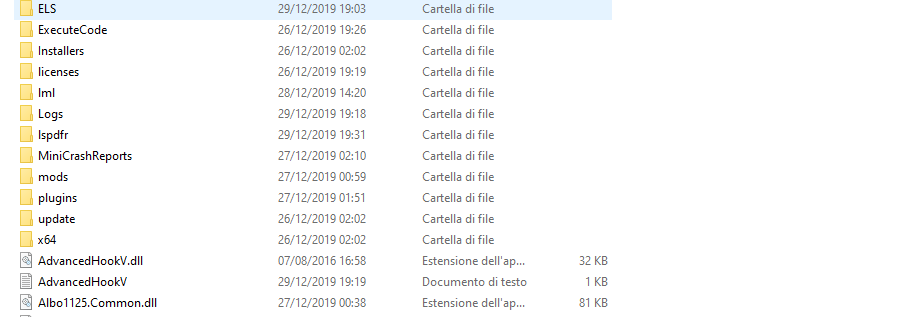
Hello everyone, I installed ELS with no problem, but when I start GTA V, ELS won't start - I installed all requirements. The peculiar thing is if I press ScrLk in the bottom right corner I see "ELS - KEY LOCK ACTIVE", but I i press "CTRL+P" only the map show up and not the ELS modal. Any ideas? ELS Version: 1.05.
-
I can play with GTA 4 without any problems, but when i installed LCPDFR, first give me the dsound.dll error, i read on google, and i fix them with 'run with admin' but then GTA wan't start. I'm on Windows 8.1... And if i disinstall LCPD, GTA come back to work, i really don't know what can I do... My LCPD is 1.0c, and for install it i used the automatic install. And GTA with 1.0.7.0
-
Thank you so much :-D EDIT: I try install both but give me that error :'(
-
Can you give the download please? :)
-
So i need a 2010 and 2012 file?
-
I have a pc with a 32 bit so just one.
-
I installed it but i have that damm error :(
-
When I install the mod, and I run the game, give me an error: "In the computer there aren't msvcr110.dll. I try to disintall and install the game but there are that error, some help? :(
