Skip to content
View in the app

A better way to browse. Learn more.

LCPDFR.com

A full-screen app on your home screen with push notifications, badges and more.

To install this app on iOS and iPadOS
  1. Tap the Share icon in Safari
  2. Scroll the menu and tap Add to Home Screen.
  3. Tap Add in the top-right corner.
To install this app on Android
  1. Tap the 3-dot menu (⋮) in the top-right corner of the browser.
  2. Tap Add to Home screen or Install app.
  3. Confirm by tapping Install.

TF75Chris

Members
  • Joined

  • Last visited

Files posted by TF75Chris

  1. Installation instructions included in readme.
     
    FUTURE PLANS:
    Add more variants from EUP 8.1 
    LE Revamped Model by MajorPaine2015
    Female Uniforms [EUP Done]
    Jacket+Long sleeve rolled up shirt for EUP
    Improve textures
    Lore Friendly LSPD
     
     
    REQUIRED:
     
    https://www.gta5-mods.com/player/lspd-lapd-swat


    EUP is not required, but highly recommended


    Optional Belts:


    Check out my San Jose Police Department Vehicle Textures:
     
     
    • 3,706 Downloads
    • 35 Comments
    Updated
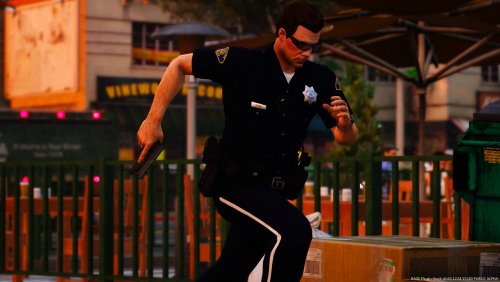
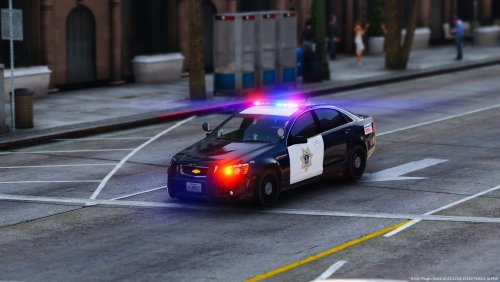
  2. These textures are based on the San Jose Police Department in California. 
     
    COMING SOON:
    Bearcat
    Imapala
    Newer Tahoe
    Liveries
    Lore Friendly LSPD
     
     
    Installation instructions included in readme
     
     
    MODELS USED:
     
    CVPI+TAHOE


    FPIU:


    Chevy Caprice:
     
    https://www.gta5-mods.com/vehicles/los-santos-police-chevrolet-caprice-ppv


    Also, be sure to check out my [UPDATED] SJPD Uniform Pack here!
     
    Installation instructions are included in the readme. 


    Credits and thanks
    Lt.Caine 
    RobertTM
    POLICESCO
    OfficerFIVE0
    F5544
    Thehurk
    Desmond98
    PimDSLR
    t0y
    Virzza
    CJ24
    KevinDV
    KYGO
    Martinct
    vladimir850
     
    Enjoy!
    • 1,289 Downloads
    • 25 Comments
    Updated

Account

Navigation

Search

Search

Configure browser push notifications

Chrome (Android)
  1. Tap the lock icon next to the address bar.
  2. Tap Permissions → Notifications.
  3. Adjust your preference.
Chrome (Desktop)
  1. Click the padlock icon in the address bar.
  2. Select Site settings.
  3. Find Notifications and adjust your preference.