YT.JBUDDTV
Members
-
Joined
-
Last visited
Everything posted by YT.JBUDDTV
-
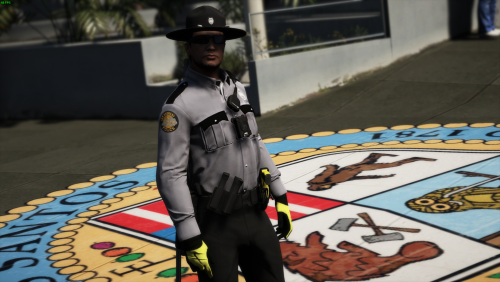 Thank you i'll all files go in the same area of OPENIV or does the one with the _p go into the area that also has _p im not on that computer i right now i can't remember the exact directory names
 -
I can't seem to find the pants or hat in game using the eup menu anyone know the numbers?
-
thanks i didn't even pay attention to the date just saw someone else had the same issue and posted 😄
-
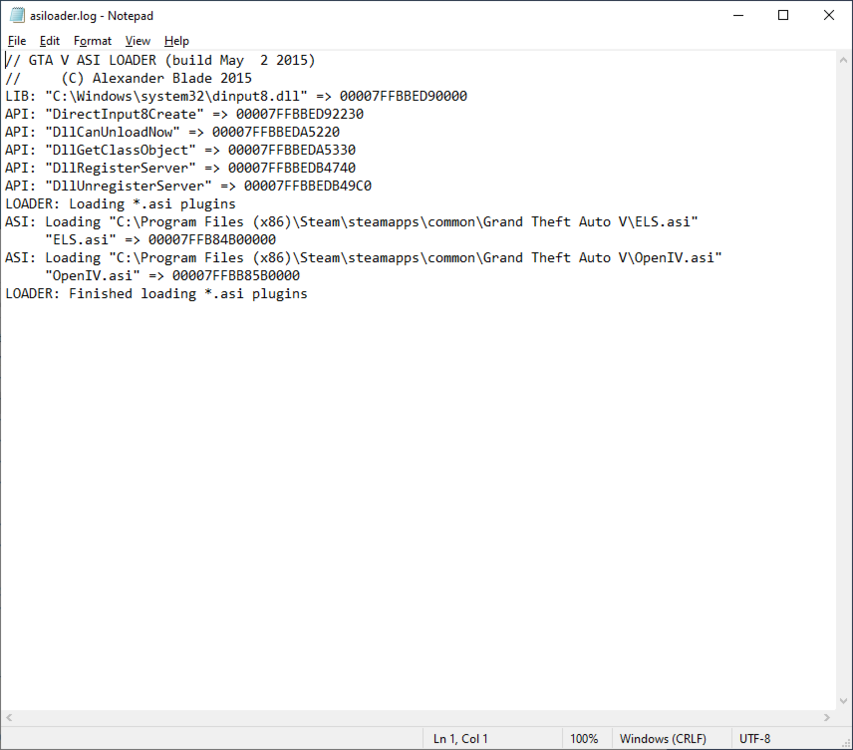
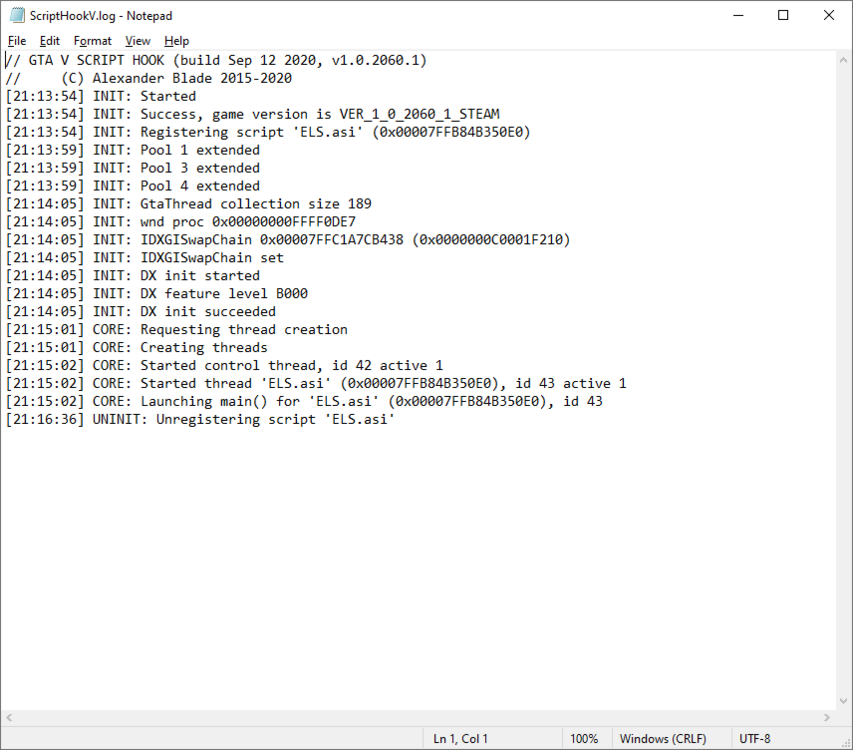
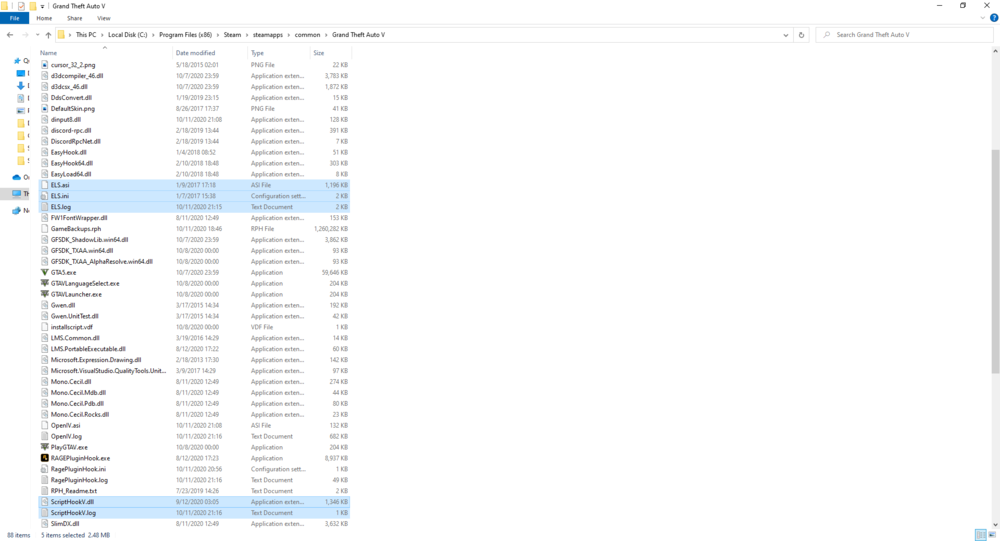
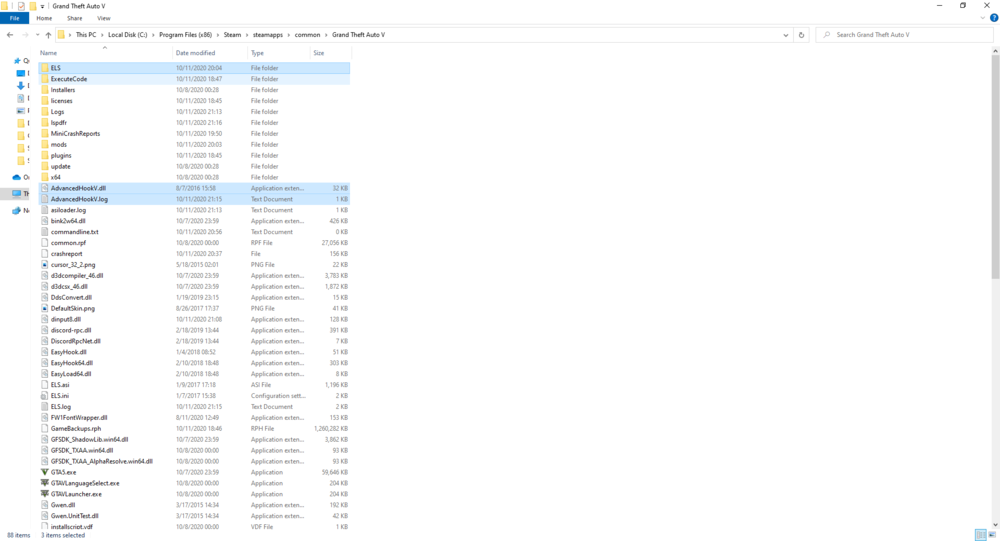
I have script hook installed and still can't seem to get ELS to work on a fresh copy of GTAV any suggestions? i've tried multiple vehicles
-
 Does anyone know if there is a tutorial or some kind of documentation to reprogram which lights flash. I want to change secondary mode to where only the ligths on rear of the car flash like you would do at night time on a traffic stop. Thanks
- 2,677 comments
- 235 reviews
-
 LOVE THIS PACK I'M from Louisville and have slowing been adding cars like this into my game now its all one pack makes it alot more easier! I'd love to see vaccpci pd replaced with a Jtown pack its roughly same size to scale with the game and fits right into the theme
- 214 comments
- 38 reviews
-
Thank you!
-
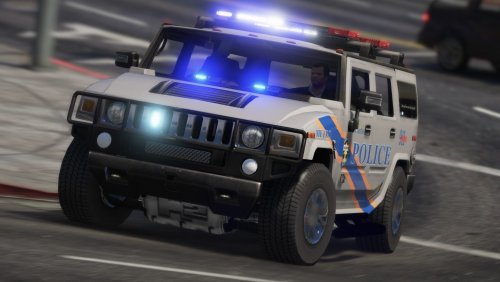 absolutely love this pack I am from Louisville so I see these cars every day IRL mostly we use the CVPI the SUV and the tarsus. Haven't really seen the slicktop marked mustang and charger the are mostly used at shows but im sure they show up in and around the city from time time. Very great detail and very well put together! deff recommend.
- 27 comments
- 11 reviews
-
was that the crash dump file or the ragehookplugin.log file?
-
-
@alexd88 Agency callouts 3.6.6913 shows it is for LSPDFR API 3.1 on their website so it may not work with 0.4 yet... I know Darkmyre updated alot of his plugins but his website still shows 0.31 as the LSPDFR version for agency callouts His website does say there was an update on march 5th so idk if agency's was included or not i would download agency's again and his api file and see if that works. if not try removing agency's all together and see if your game still crashes the log file shows these errors: GetAudioFileForAction: No file found for: STREET_CALAIS_AVE [3/12/2019 1:23:45 PM.909] LSPD First Response: GetAudioFileForAction: No file found for: CENTRAL [3/12/2019 1:23:45 PM.909] LSPD First Response: GetAudioFileForAction: No file found for: CENTRAL [3/12/2019 1:23:45 PM.909] LSPD First Response: PlayAction: Failed to find CENTRAL [3/12/2019 1:23:46 PM.535] LSPD First Response: GetAudioFileForAction: No file found for: EMS_REQ [3/12/2019 1:23:46 PM.535] LSPD First Response: GetAudioFileForAction: No file found for: EMS_REQ [3/12/2019 1:23:46 PM.535] LSPD First Response: PlayAction: Failed to find EMS_REQ I don't think missing audio files would crash your game though
-
 @BernardoFerreira "Callout Manger" or you can use the rage console by hitting F4 and typing "startcallout" then a space and a list of callouts will appear just select one. I do that alot when testing callouts i've made.
- 117 comments
- 19 reviews
-
Great job and great addition to LSPDFR exp for us lazy people that don't wanna go through the menu lol 🙂
- 117 comments
- 19 reviews
-
-

- 1
-
-
best advise is take it one mod at a time try the game out if it doesn't crash the game its add the next one I know the following work with 0.4: Police Radio LSPDFR Computer + Stop The Ped umm pretty much all of Albo's stuff he updated his common file ultimate backup I m not sure of everything I have plugged in but those are the main ones. you can do a filter on the down load page that only shows you plugins that work with 0.4 by clicking "uses LSPDFR PLUGIN:" then selecting 0.4 from the drop down https://www.lcpdfr.com/downloads/gta5mods/scripts/?since=all_time&downloads_field_15=0.4&page=1&advanced_search_submitted=1&csrfKey=f949fbb6553625ab76a00250000a9e01 idk if that link will take you there or not but that will show everything that usings lspdfr api to work. the trainer.ini file just goes back in your GTAV folder where you got it from I'm pretty sure it goes back in the root.
-
No problem if i stop answering i fell asleep lol and i'll pick them up tomorrow. Just sitting here working on a callout plugin. n e who what do you mean? like adding in mod's and hoping they don't crash your game. or adding in mods and making sure key bindings don't overlap?
-
open up the trainerv.ini (should be located same location as the trainerv.asi file) file in notepad and use this chart to reassign keys to your liking https://www.cambiaresearch.com/articles/15/javascript-char-codes-key-codes
-
I think you can reassign the key that triggers that i don't use that one much anymore i just spawn everything i want from the ragehook console
-
@TrentT1 No problem glad you are up and running 0.4 was deff worth the wait and I had similar issue when I first installed it. Have fun with the new Robbery calls 🙂
-
@alexd88 can you provide more details and a copy of your Rage log ? What is happening when the game crashed? Example loading, on a callout... etc
-
@mrepic112 I use it all the time. Sometimes I bump the cord and it comes disconnected even though its like the tiniest of movements and doesn't even come out of the controller. it seems like with the recent update of DS4 it won't just let you unplug and replugin the controller back in. The only thing i've been able to do is restart the computer and the controller starts working again. I would try replacing the cord if you've already tried two different controllers those little teeth on the micro usb like to get disfigured easily and won't hold as strong.
-
@trent184 Are you running 0.4? I had to set the timeout to a higher number to prevent ragehook from crashing before the game loaded this is the paragraph from the 0.4 support forum: On certain systems, LSPDFR can take too long to load. If you're seeing this issue, LSPDFR will hang with a perpetual black screen and there will be an error message on the bottom left of the screen. Your log may also mention something along the lines of 'Warning! Plugin "LSPDFR First Response" was terminated because it caused the game to freeze' Fix Open the RAGEPluginHook settings menu (hold down SHIFT immediately after clicking RPH) Increase 'Plugin timeout threshold' to a higher value (e.g. 30000) Save and Launch I've also included a direct link. It still takes a little bit to load but rage hook does not time out and close its self before your computer loads it after increasing the timeout amount. If I was on my Desktop i'd take a screen shot for ya but this is explains it pretty well. Let me know if this helps
-
Thank you soo much!
-
@epicmrjuan no you did great! its just a simple stolen vehicle callout that starts off as a chase in progress. So It sounds like I do not even need to make the blip manually since I start the pursuit when the call out starts. I probably should of gave you more code to look at in the last response sorry. so far I have created that the stolen vehicle one and a stranded motorist. I tried doing a vehicle fire but I have yet to figure out how to start a fire with RAGE lol. Its mostly just taking the time to get familiar with the API. I'd like to get it up to at least 5 different calls before I post it for downloads 🙂 Thank you for your help! .
-
Thanks everyone! Didn't Know the LSPDFR API creates one when you start a pursuit. I did make one manually at the initial load of the call after accepting the callout. Wasn't there some type of documentation on the website at one point for the LSPDFR API? I am fairly new to the API and have been looking for references. I've been coding in C# for years and have finally decided to start making plugins for the game I love! Suspect = SuspectVehicle.CreateRandomDriver(); Suspect.IsPersistent = true; Suspect.BlockPermanentEvents = true; Suspect.Inventory.GiveNewWeapon("WEAPON_PISTOL", -1, false); Suspect.Accuracy = 33; SuspectBlip = Suspect.AttachBlip(); SuspectBlip.IsFriendly = false;
-
Is there a call back form LSPDFR to be checking if visual on the suspect has been lost or do you just set a distance from player to delete the blip? In my plug in the blip stays on the fleeing suspect after the X appears on the mini map showing last known position. Thanks