


gatekeeper
Members
-
Joined
-
Last visited
Everything posted by gatekeeper
-
![LCHP Commercial Enforcement - [FINAL] Chevrolet Tahoe](//s3-gallery.int-cdn.lcpdfrusercontent.com/gallery/album_3066/sml_gallery_29300_3066_2349803.png) Looks great
Looks great -
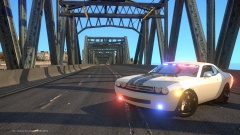 Nice looking car
 -
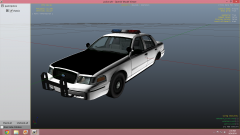 I think it's too early in the game to judge whether or not to release it crown vics are always cool but put some more work on the car
 -
![LCHP Speed Enforcement Unit - [FINAL] 2015 Ford Mustang GT 5.0 Shot #2](//s3-gallery.int-cdn.lcpdfrusercontent.com/gallery/album_3066/sml_gallery_29300_3066_1644130.png) Design looks great on these cars it actually accents the shape of the car
Design looks great on these cars it actually accents the shape of the car -
![LCPD Highway Patrol SEU - [FINAL] 2015 Ford Mustang GT 5.0](//s3-gallery.int-cdn.lcpdfrusercontent.com/gallery/album_3066/sml_gallery_29300_3066_750383.png) He has a bad reputation for steeling peoples models
He has a bad reputation for steeling peoples models -
Happy b-day
-
![[WIP] NYSP 2011 Caprice PPV](//s3-gallery.int-cdn.lcpdfrusercontent.com/gallery/album_2838/sml_gallery_120090_2838_1846320.png) The car looks good but you need to smooth the polies around the doors it looks like they are bulging out
The car looks good but you need to smooth the polies around the doors it looks like they are bulging out -
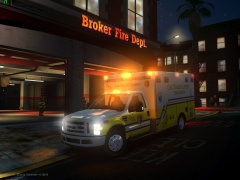 Looks great just need to fix the headlights white light should only be coming out of the bottom
 -
 Nice looking
 -
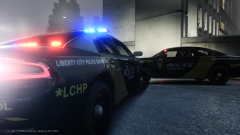 Don't forget the 5.0 :-)
 -
-
![[WIP] 2015 Ford Police Interceptor Utility](//s3-gallery.int-cdn.lcpdfrusercontent.com/gallery/album_2838/sml_gallery_120090_2838_1934672.png) You have to change the hubcaps to make it a 2015 https://lh3.googleusercontent.com/proxy/nGLcuWOp15IBIcW2urwhAtjxznDu9XAPSI07cENi01g8g5LK2CDziVX-LEG-utHP3DtaCwsXBieEnGQD00kHdWGGWCFyj4o-Xlj4fq8PAzFfoK4=w225-h150-nc
You have to change the hubcaps to make it a 2015 https://lh3.googleusercontent.com/proxy/nGLcuWOp15IBIcW2urwhAtjxznDu9XAPSI07cENi01g8g5LK2CDziVX-LEG-utHP3DtaCwsXBieEnGQD00kHdWGGWCFyj4o-Xlj4fq8PAzFfoK4=w225-h150-nc -
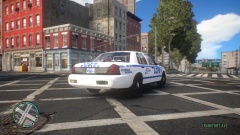 Cars are nice but you made a mistake on the rear of the car there is no lettering and they have regular passenger plates http://www.google.com/imgres?imgurl=https%3A%2F%2Ffarm4.staticflickr.com%2F3885%2F14872116979_533420d16b.jpg&imgrefurl=https%3A%2F%2Fwww.flickr.com%2Fgroups%2Fus_police_cars%2Fpool%2Fwith%2F9219571572%2Flightbox%2F&h=683&w=1024&tbnid=Dv8YGsGPgpZU_M%3A&zoom=1&docid=Nr05Nvk8X6yoGM&hl=en&ei=_iIiVI_8M6irigLPsYBQ&tbm=isch&ved=0CFQQMygtMC0&iact=rc&uact=3&page=5&start=40&ndsp=10 https://lh4.googleusercontent.com/proxy/ZcV2PoFDBSXhGZsw7RH60OxciR33Fp-yuhAo0SfNbkf2kYJu4tLsKAz8U6a2-yNXszAAC047_-soyVb0v1mt3ep1sYj4GDYH0vRVaL2liHE=w636-h411-nchttp://www.google.com/imgres?imgurl=http%3A%2F%2Ffarm4.static.flickr.com%2F3733%2F8886201807_ea1380ddae.jpg&imgrefurl=http%3A%2F%2Fwww.flickriver.com%2Fphotos%2Ftriborough%2Ftags%2Fhwy%2F&h=680&w=1024&tbnid=LY2ovgHYU6XWTM%3A&zoom=1&docid=L-SqMh56FB2OsM&ei=vSQiVLCzEIiwjALOmoHwDQ&tbm=isch&client=ms-android-samsung&ved=0CEIQMygbMBs&iact=rc&uact=3&page=3&start=22&ndsp=10
 -
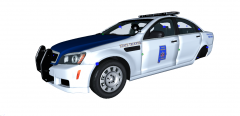 The doors look a little off
 -
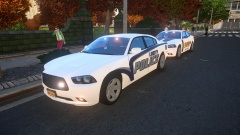 They look good hope the cars will be released
 -
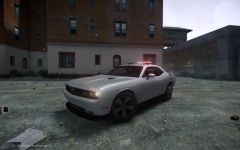 Looks good
 -
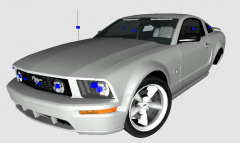 Beautiful car hope it's going to be released
 -
1989 and yes the st.regis is an under cover car You are correct that was a comemorative car Yup and they got the heavy duty suspension the patrol units were actually V6's the highway cars were V8's and as i said before some unmarked cars had the highway package but they were far and few in between
-
![[WIP] LFD Pack V2.0](//s3-gallery.int-cdn.lcpdfrusercontent.com/gallery/album_722/sml_gallery_3386_722_405374.jpg) Looks amazing and the headlights on the ambulance looks much better
Looks amazing and the headlights on the ambulance looks much better -
 Looks great, release it please
 -
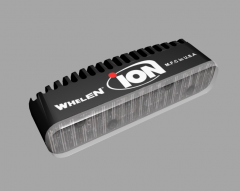 Looks sweet hope this is for release
 -
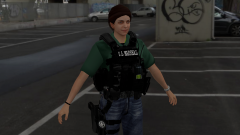 Nice try but i agree way too much equipment on those vests
 -
I believe that they are manually operated
-
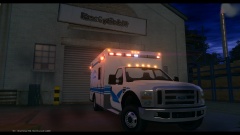 Looks great but those headlights still need a little work maybe use a image to texture them
 -
I Remember driving the gran fury's they were ass light except the highway packages they were tight I drove a few unmarked highway packages v 1982-1989 Gran Fury
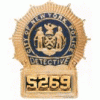
![LCHP Commercial Enforcement - [FINAL] Chevrolet Tahoe](http://s3-gallery.int-cdn.lcpdfrusercontent.com/gallery/album_3066/sml_gallery_29300_3066_2349803.png)
![LCHP Speed Enforcement Unit - [FINAL] 2015 Ford Mustang GT 5.0 Shot #2](http://s3-gallery.int-cdn.lcpdfrusercontent.com/gallery/album_3066/sml_gallery_29300_3066_1644130.png)
![LCPD Highway Patrol SEU - [FINAL] 2015 Ford Mustang GT 5.0](http://s3-gallery.int-cdn.lcpdfrusercontent.com/gallery/album_3066/sml_gallery_29300_3066_750383.png)
![[WIP] NYSP 2011 Caprice PPV](http://s3-gallery.int-cdn.lcpdfrusercontent.com/gallery/album_2838/sml_gallery_120090_2838_1846320.png)
![[WIP] 2015 Ford Police Interceptor Utility](http://s3-gallery.int-cdn.lcpdfrusercontent.com/gallery/album_2838/sml_gallery_120090_2838_1934672.png)

![[WIP] LFD Pack V2.0](http://s3-gallery.int-cdn.lcpdfrusercontent.com/gallery/album_722/sml_gallery_3386_722_405374.jpg)
