



ASTK9
Members
-
Joined
-
Last visited
Everything posted by ASTK9
-
Oh ok. Thanks for helping.
-
It works thanks but what causes that?
-
Yea the codes just translate in the error code file
-
so i changed the graphic settings to all high and restarted. as it was restarting i launched rage hook and it worked. BUT when I quit the game and tried to launch straight through rage hook it crashed again.
-
How do I know which code error i am getting? When I crash it does not tell me.
-
still did not work... now that i think about it, I think this started happening after my graphics driver updated.
-
No I haven't. How do I do that?
-
It is fine without RPH. I have Kaspersky and the windows defender firewall. I'm pretty sure that's all I have and I was playing fine after I disabled both a while back. And now I'm crashing.
-
I'm pretty sure I did that but here is the log RagePluginHook.log
-
I have been playing fine all this time and just played last night. But all of a sudden today my game crashes on startup. Something is wrong with my ragehook and I can not figure it out. I have a crash report so can someone help? Rage hook crash report.txt
-
Yea I had to play around with it in game to get it fixed
-
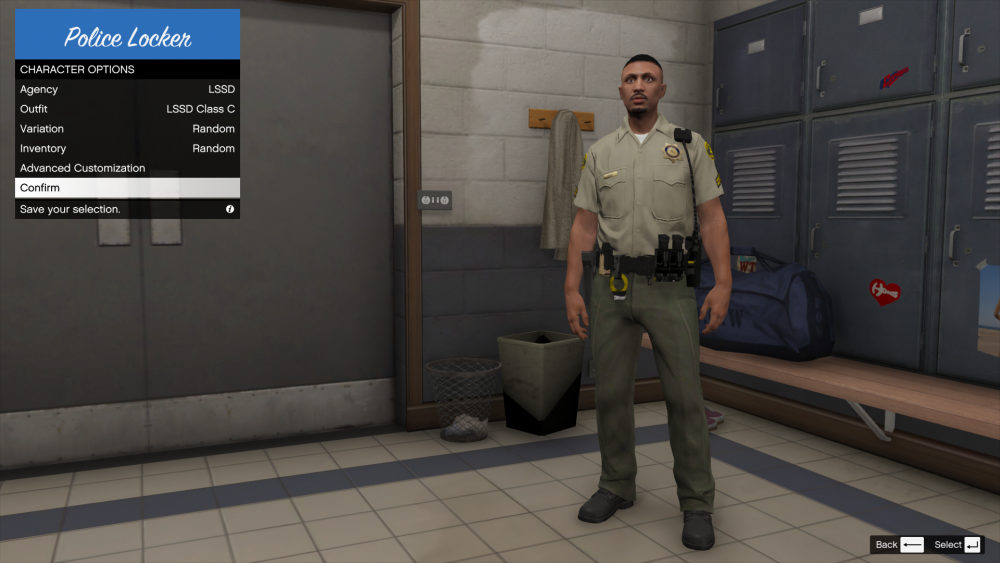
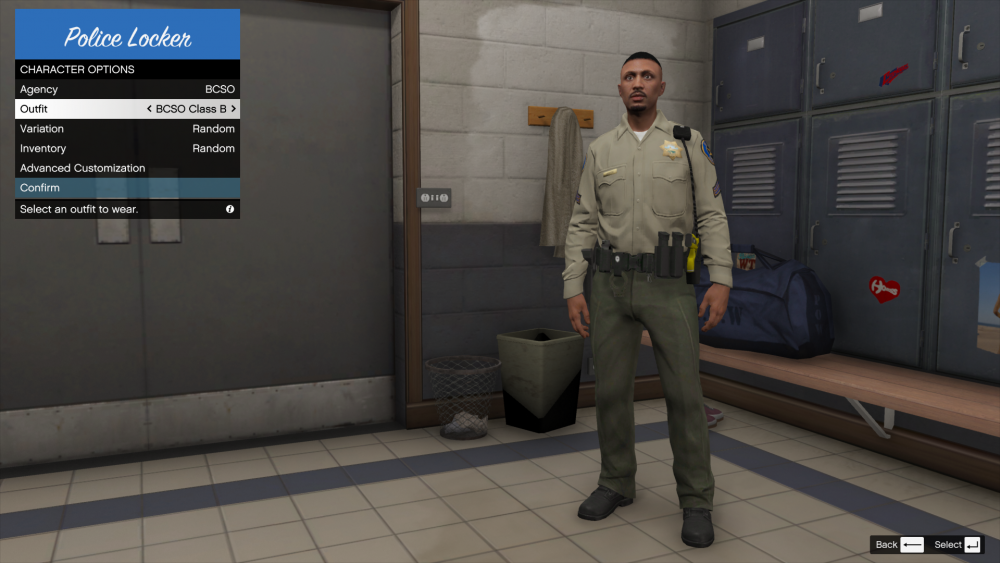
So It works for the BCSO ped but not the LSSD ped. I forgot to quote you.
-
hang on I think I firgured out something. BRB
-
It did not show up correctly
-
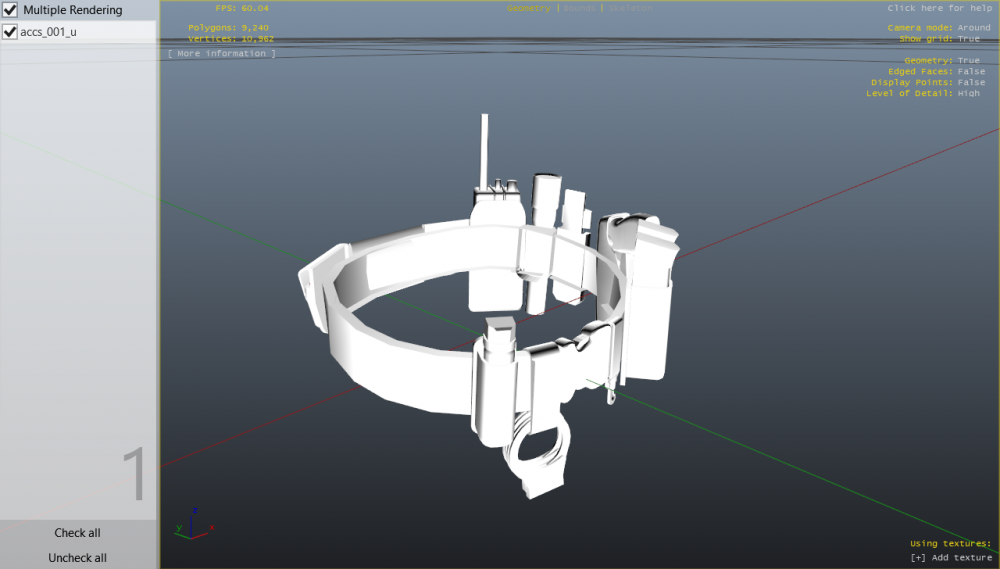
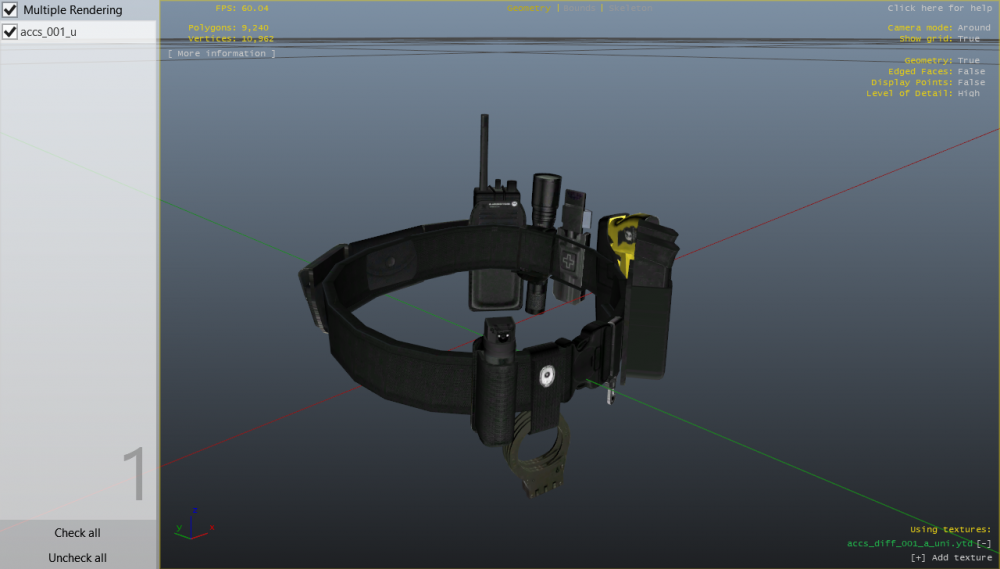
When I installed the new EUP belt the textures in open IV didn't get added right so it looked like this. But I hit add textures and put the right file in to fix it But when I close out of it then open it back up, it doesn't save it so it goes back to the all white texture. Anyone know how to fix?
-
 Nice. All we need now is for a mod that can get big trucks to move when responding code.
- 24 comments
- 2 reviews
-
-

- 1
-
-
So you've updated it and it still crashes?
-
Oh wait!!! I remember when it done this to me a while back and I believe it was the same. Check your ragehook settings and see if they are in "Forced window mode"
-
It still kind of sounds like your update.rpf file isn't updated. If you say you have done it then I'm not sure right now.
-
Did you copy the update.rpf from the root folder and pasted it in the mods\update folder?
-
Is it crashing on the loading screen?
-
so you copied the update.rpf in the root folder under update and pasted it inside your mods\update folder?
-
Gta just released a new update recently. You have to go into your root folder\ update\ and copy the update.rpf file then paste it inside the mods folder which should have a update folder inside it.
-
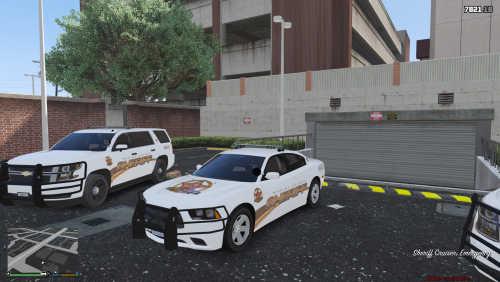 Finally after almost a year if pc issues I've finally finished the Shelby County Sheriff's Office pack. It includes 3 vehicles which are 2 tahoes and a charger. I plan on making a CID (Crime Investigation Division) pack for Shelby County in the future as well. But I have fixed all of the major issues I had while making this pack but there is a minor thing that I want to look into fixing if possible. But as of now enjoy!!
- 4 comments
- 3 reviews
-
-
- 1
-
-
ok thanks. I even tried on my phone and it gave me the same error.


