


colcrunch
Members
-
Joined
-
Last visited
-
Sometimes I feel like I am the only one out there that finds the obligatory black and white livery of police cars completely ugly? What do you guys think? Are black and white liveries or unique liveries better?
-
In both GTA IV and GTA V I have looked for good Boston Police vehicle skins and always come up empty. So currently there are two liveries that BPD uses... the older one (really only seen on CVPIs these days, and the transports... I still call them Paddy Wagons): And the new one: (On FPIs both the Utility and standard) (Never seen a caprice on the streets, but this is basically how it would look on a Taurus FPI) Bonus SWAT SUV: Boston EMS:
-
.thumb.png.e88f1892e13ddb98db35e668d465c34b.png) After doing everything in the installation instructions I cannot get this model to spawn in the game. Has anyone had this issue and solved it?
After doing everything in the installation instructions I cannot get this model to spawn in the game. Has anyone had this issue and solved it?- 182 comments
- 44 reviews
-
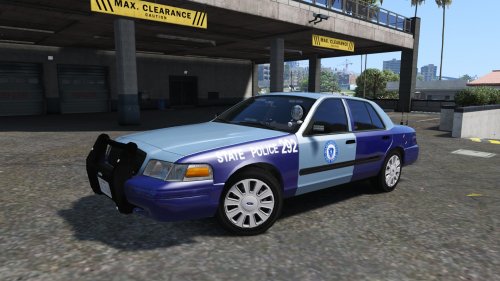 Think you could change those red lights to blue? Never seen red lights on an MSP vehicle, other than 2 lights on the back of the lightbar. Otherwise, this looks pretty good (if a bit blurry)
- 5 comments
- 4 reviews
-
So, I cant get this model to work, cant spawn it in game, and OpenIV crashes when I try to preview the .yft. Any ideas how to fix it?
- 182 comments
- 44 reviews
-
 I have a quick question... what did you use to make the wav files for the alphabet? I would like to replace them with the NATO phonetic alphabet, but I would like the voice to be the same.
- 3,646 comments
- 306 reviews
.thumb.png.e88f1892e13ddb98db35e668d465c34b.png)
