



strike
Members
-
Joined
-
Last visited
Everything posted by strike
-
Nice job, mate. Glad the wheels problems are solved. Looking forward the police version;)
-
-
-
That would be awesome Harper =')
-
Hey guys, wondering if anyone could convert this V8 beast from San Andreas to IV, and maybe change the lightbar: http://gta.com.ua/file_sa_details.phtml?id=2031 And if possible, also make a taxi version:
-
You can only replace it, since there's only one FF texture. Plus, the same texture is spawned in every borought.
-
-
What I don't understand is how did you fail on setting the possition of the numbers, is just placing them over the template in the correct place (in this case I guess in the trunk), you don't need computer for doing that, I mean, for example you'd need to test in the computer for correcting minor errors, but just for placing that... Anyway, if you don't have good computer, you could ask out there if someone would be willing to test your textures. Don't worry about it, the first textures don't use to be always the best;)
- 19 comments
- 6 reviews
-
Here you have a tutorial about it, buddy:
-
I know Dhruv, but converting cars is a better start than modeling from scratch, also with the tutorial I posted he can learn some util things.
-
True, here you have a tutorial about converting cars from GTA SA to GTA IV
-
Just a friendly advice, if you don't show anything, people won't comment.
-
Cool, that seems funny, where can I get the game?
-
Well, when I installed ENB, at first, worked perfectly, but now when I start GTA IV it doesn't matter if I launch normaly or running as an admin, it crashes anyway when launching. This is the error I got: C:\Users\User\AppData\Local\Temp\WER34D5.tmp.WERInternalMetadata.xml C:\Windows\MEMORY.DMP Anyone knows what's the problem and how to solve it? Thanks in advance.
-
I'd also like it, and I don't play multiplayer. Can you, at least, show something of it?
-
Hey, althought I'm not very fan of the mercedes, that looks really nice, looking forward to see it textured, but are you going to keep working on the 97 Crown Victoria?
-
No, haha, each livery is the equivalent of whole car texture, as you can see in Asuna's texture, so these multiple liveries allow you to install multiple different textures (with multiple I mean just 4 different haha), but for making them all appear ingame you have to do what I told you in another post: "go to your GTA IV directory and go to Common > Data, and look for a file called vehicles.ide. Open it with the notepad, and in the end of the line of the vehicle you are installing the textures add +livery. That will allow multiple liveries (textures) appear ingame;)" Hope it helped;)
-
Open ( click on edit) the wtd file, select the file of the texture, usually called as police_sign, livery, paintjob, or something so, and import the texture you want, it hasn't got more. About the other, I'm sorry but I can't help you.
-
I don't see its point, what matter if the color of the template is white or black? when you do a texture you create new layers over the template, with different colors, etc Even I think the model white and the backround is black more eye-pleasing than on the contrary...
-
Open Spark IV (click Browse), go to models>cdimages, open (edit) vehicles, select the car files (wtd,wtf) you want to install, click on import, search the files of the car you're installing, and click open. Then click on save, and close SparkIV. Then go to your GTA IV directory > Common > Data and open with notepad these files: vehicles, carcols and handling. Replace these files with the respective that comes in the car mod's rar file. And you are done!
-
No problem, mate :thumbsup:
-
The polpatriot files are the model files, install them with Spark IV and then open the polpatriot.wtd, look for some file called like police_sign, paintjob, or something so (there should be 4), and import to it the png file. Do the same with the other png files you've got with the respective police_sign files there are. When you finish click on Save and Close, then again on save. Finally you have to go to your GTA IV directory and go to Common > Data, and look for a file called vehicles.ide. Open it with the notepad, and in the end of the line of the vehicle you are installing the textures add +livery. That will allow multiple liveries (textures) appear ingame;)
-
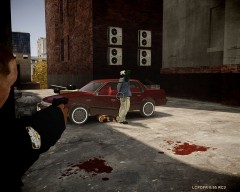 Hey, thanks bro, always out there, reporting the truth of what happens in the streets! ;)
 -
From the album: Strike's
...and got it. This morning, in Brooklyn, the police arrested a man who, after having a discussion with his wife, took his Cutlass Ciera and runned over her. Neighbors called police after hearing an intense discussion in an appartment block; when the two caprices of the Brooklyn Task force arrived to the scene, the suspect already was on his car, in a back alley, over his wife, just runned over her. The NYC EMS estabilized and carried the woman to the hospital, and now is safe. Tomorrow the suspect will go court, charged with attempted homicide. -
No problem, I'm also looking forward to it;)

