



strike
Members
-
Joined
-
Last visited
Everything posted by strike
-
With ios 6 you lost features like the G.Street View (something I love :P), I have the ios5, and until they don't fix that I won't upgrade it. I hope Itouch is not another crappy Apple product, yesterday I bought one :smile:
-
-
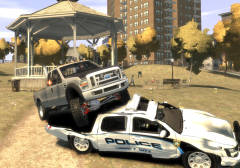 Isn't that F350 originaly made by Policefanatic?
 -
I don't like the white and blue theme, I've thought making in a future the older style (blue) NYPD painjob.
- 7 comments
- 1 review
-
I'll see if I can get one.
-
No, until is released not. But I'd love to see a wooden plank textures for the sides, I suggested MrBolleck about it, but seems isn't interested on doing that, but Solo told me he might do that, but when the model is released. About the police version, Intensified will make it.
-
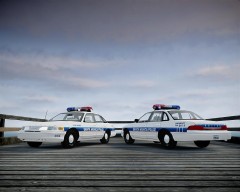
Hey guys, since the summer is gone up here, I have something for you to not miss the sun and the beach so much Santa Monica Police 1994 Ford Crown Victoria textures for Accurate Studio's (Teddy) 1994 Ford Crown Victoria * 2 different textures (regular patrol car and park ranger) * Link for the model in the Readme * Installation instructions in the Readme Download ------> Enjoy it;) __________________________________________________ Next, I'll try to release the Nassau County Classic Pack asap :wink:
-
Santa Monica Police 1994 Ford Crown Victoria textures for Accurate Studio's (Teddy) 1994 Ford Crown Victoria * 2 different textures (regular patrol car and park ranger) * Link for the model in the Readme * Installation instructions in the Readme Enjoy it;) Screenshots
- 7 comments
- 1 review
-
Have you seen it? It's still work in progress, I guess it won't take too long until it's reade to release. For the those who haven't seen it, here's a wip picture of it:
-
 Awesome!
 -
I've been thinking on doing someday a realistic 1980s pack (including the vehicles from before), but not enought every day vehicles to make a good one. Btw, any news yet about the police Fairmont :sad:
-
From the album: Strike's
Release: later today. Hope you like it;) -
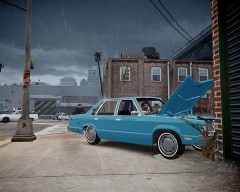 1992 Chevrolet Caprice Wagon NYPD, with a custom paintjob WIP: http://www.gta4-mods.com/vehicles/1992-chevrolet-caprice-police-f15650
 -
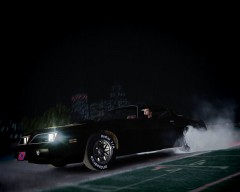
From the album: Strike's
This is what we the tough guys do at night like a motherfucking boss!!! -
Nice, also I can see some nice classic cars there Btw, what do you use for recording? I'm trying to make my vids, but Fraps slows down my pc :confused:
-
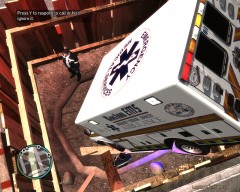 That texture looks pretty good:)
 -
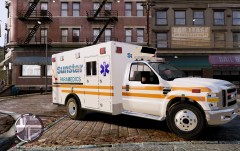 Nice one;)
 -
From the album: Strike's
A mob member who skipped a red light, fled a patrol of the Chicago Police Dept, that ordered to pull over, which derived in a chase around the suburbs and industrial areas of Chicago that ended in a crash due to the wet road. The driver of the vehicle suffered minor injuries. When the police surrounded the car, the suspect, shocked, was trying to get his weapon from the drivers seat, but after some tense seconds he surrender and was arrested. The car was clean and police didn't have charges against the suspect, therefore the CPD is trying to find out which made him trying to escape. First hypothesis points that lately the mob might be fear of something, and then more nervous with normal encounters with police. -
Also the NY courts police paintjob is similar. Nice job btw :thumbsup:
-
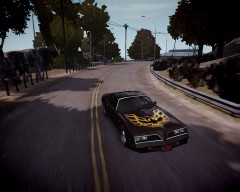
From the album: Strike's
A 1977 Pontiac Firebird, Lynyrd Skynyrd blaring on the radio, the windows down and breeze on my face and a long and empty road in front of me, it ain't me a free bird? -
Maybe not the strangest, but for me the most impressive thing I've seen and I've remember with police involved is a NYPD drill last year, I was in a taxi going through the FDR drive, direction to Battery Park, and suddenly starts passing by the other lane police cars with the lights on, I counted more or less 40 cars. We thought it was something like the shift change. Then, I knew it was a drill. I have a part recorded in video, with the last cars, not uploaded anywhere though.
-
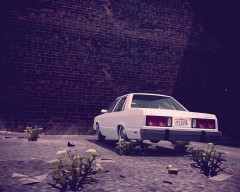 Yeah, 1978 model. Theoricaly a new version of the mod is coming soon, with details fixed, along with the police version.
 -
From the album: Strike's
Early-Mid 1980s, a parking in the West Side at morning, near the old docks. Stuck in the window of the car the photographer could appreciate a note saying "no radio inside", anyway, in the case of thiefs target the car, they would probably find another thing that make them break the glass... -
Someone has converted the Mach 1 and done a HQ model, it hasn't been released yet. I don't have much info about it since is a russian site and translator doesn't help much, but after seeing the advanced progress of the pictures I guess sooner or later will be relesed. Anyway I guess a not so high poly model will be welcome
-
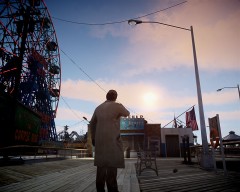 Nope. Its a mixture betwen Vito Scaletta and Tony Montana peds:)


