



bonehead
Members
-
Joined
-
Last visited
Everything posted by bonehead
-
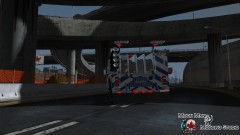
From the album: just for fun (by bonehead)
Skin will be pending approval in 5 min I hope you enjoy -
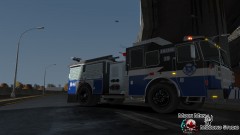
From the album: just for fun (by bonehead)
Skin will be pending approval in 5 min I hope you enjoy -
The official SIU release http://www.siu.on.ca/en/news_template.php?nrid=1748
-
 Send me a link the the model and i'll see what i can do
 -
From the album: just for fun (by bonehead)
Skins by bonehead Tahoe by Chippy -
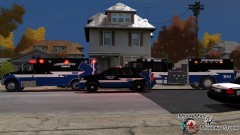
From the album: just for fun (by bonehead)
Skins by bonehead Tahoe by Chippy -
 it's in the download section :D
 -
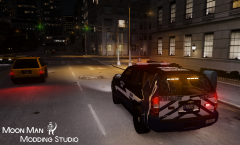 That window template lines up perfectly with the skin :D, it was the longest part of the skin
 -
 Dude you just made my day, amazing screen man looks way better then mine
 -
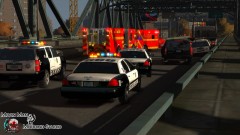 and there ya have it :P
 -
-
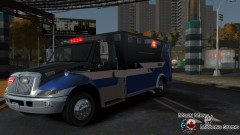 Skin is currently pending approval from LCPDFR staff should be up by tomorrow night at the latest
 -
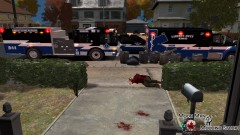
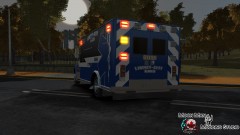
From the album: just for fun (by bonehead)
MODEL : http://www.gta-modding-chest.com/database/233-international-durastar-ambulance-fdlc-v1-0fq-els/index.html -
From the album: just for fun (by bonehead)
MODEL : http://www.gta-modding-chest.com/database/233-international-durastar-ambulance-fdlc-v1-0fq-els/index.html -
-
Skins I made when i was bored skin based off of the Pittsfield Fire department ambulance. Enjoy the skins please leave as much feed back as possible it helps me out. Please do not reupload these skins anywhere else without my written permission.
- 12 comments
- 19 reviews
-
New video is up now skin will be up later today
-
Not at the moment it's a model made for the lvmpd clan skinned y myself and modified by chippy. maybe after the pack is given to the clan we can release some of the mofels but as of this moment no
-
It's just preference i Like my cars to be wider then normal i find default just too thin and smushed
-
no it's my aspect i play in 16x10 i think it is
-
Paint.net is no excuse for anything you can make skins just as good as Photoshop trust me
- 9 comments
- 5 reviews
-
-

- 1
-
-
I think it's page up and down that do the chat text
-
that is the most disgusting model i have ever seen, and i've seen this http://sketchup.google.com/3dwarehouse/details?mid=3fbf5bf8773c428147e352738da73849&prevstart=0
- 3 comments
- 7 reviews
-
-
From the album: just for fun (by bonehead)

