



TaylorSwift
Members
-
Joined
-
Last visited
Everything posted by TaylorSwift
-
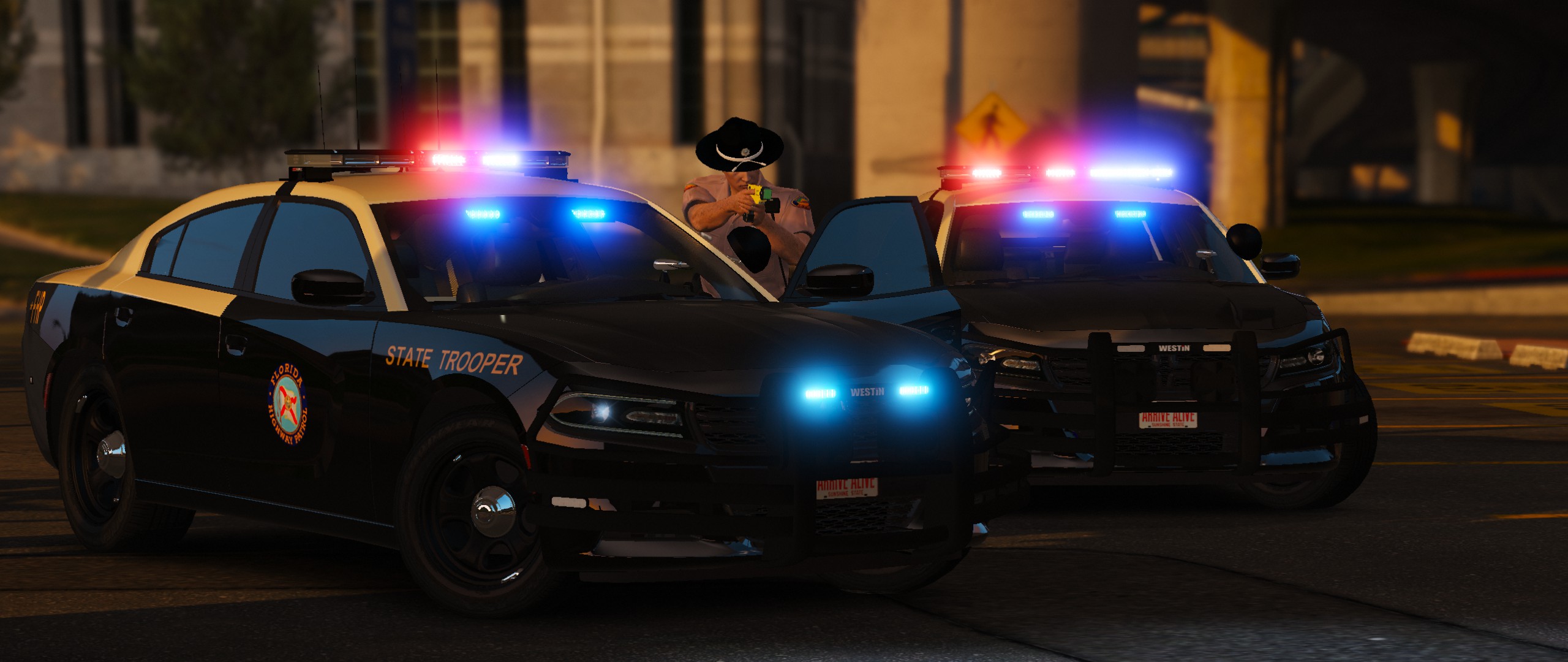
 I Didn't make the cars, but i know what you mean... The brake lights are a little unrealistic, but in game, they are cool as hell! It looks nice with the slicktop with less lights (In the pack there are 2 cvpi slicktops) And the charger also has two small lights on the back that look amazing.
 -
-
From the album: LCDoJ Cars and pics
Just another day in Liberty City. :) (And no i did not steal the cars, i am part of LCDoJ) -
switch to cloudy lol or afternoon
-
-
Oh and i use polecat's 10.0 pack (As i am in LCDoJ) Which has pretty much all police and some civ cars replaced, so car mods should not be a problem. Do you use a commandline? 1366x768 I can run on 1080p but it lowers 10-20 frames.
-
Well i have a GTX650 SuperClocked. And i run the London ENB With a solid 40FPS On high graphics (Literally everything is on high) But when shadows and other things on medium it's a solid 60FPS And i use Vsync, for some reason it helps. Try out the london enb by double doppler and if you need any help tell me. I'm friends with polecat, he gave me V4 aswell but it does not work for me -_- If you need help my skype is " Zander Asinas " Just call whenever.
-
Well what are your specs?
-
OPPiffuvrt Haha positioned my hands wrong!
-
Thats what i did :P
-
They weren't i clean installed
-
Hey man it's done It just finished
-
Ok it'll take me an hour or so, talk to you later. Thanks for the support.
-
Yea and then i put lcpdfr and scripts in should i do another and leave it alone? Either way i did two clean reinstalls then put lcpdfr with dsound and it stopped working but xlive works fine. Weird....
-
ok sorry lol Image 1 http://imgur.com/TVxkE6H Image 2 http://imgur.com/qOh04Ed Image 3 http://imgur.com/HvyLP6W There was three due to about 4 folders out of the second pic
-
http://saints5468.imgur.com/all/
-
Ok just a sec "upload skipped error 500" When i tried to attach the screenshots
-
Yep gimme just a minute Wow it's pretty huge for a directory It was like five screenshots You want them anyways? or should i take a pic of the directory i reinstalled, its much smaller
-
1.0.7.0 Always. It was just recently this started happening. But if i have xlive in everything is fine! oh and i ran lcpdfr diagnostics and everything was fine as usual
-
ok ill be right back i have to restart my pc. But one more thing, i have had gta4 for about 7 months and ive never had this problem! After that british pack for some reason all my directories stopped working with dsound, only xlive. im gonna go restart to see if it worked. Thanks for the help man, it's greatly appreciated! Im back. Going to launch gta now Nope same crap. Gets to the first license screen then starts to play intro music then it just dissapears!
-
Yes, and what is UAC?
-
I Re installed twice and it still doesn't work with dsound, any ideas? Sorry, i must be a pain, but i do youtube and i'd love to get back to Multiplayer!
-
I Understand that very well, but i did not think installing a car like usual would be stuck in my game for good. And i "had" about five more game directories and for some reason they no longer work unless i have xliveless in. I Had a topic on that a few days ago, but received no help. Sorry i put it in the wrong forum im kind of new to this.
-
Ok guys i have another problem, besides my game not working with Dsound.dll, there is once again another problem. About 2 weeks ago i installed Double Doppler's Met police skoda octavia in Police.wtd and police.wft. Now, every time i put a different car in police using open iv, i get in game and spawn police And its still the met police car! Even though i replaced it! I Guess his pack is what really messed my game up. :(
-
False! The person below me likes goats!

