



TaylorSwift
Members
-
Joined
-
Last visited
Everything posted by TaylorSwift
-
Wow! Very nice man! Anyways, I Don't know where, but i feel like it needs one or two rear lights.. Good job. Keep up the good work...
-
-
I Would check this out, Find something you like and download it. '?do=embed' frameborder='0' data-embedContent>> (And, You are not the only one who bought this game for lcpdfr, there are like another 100k lol) And, No you do not "Need" to do the first mission, But it is recommended unless you feel like doing it every time you play lol Hope i helped :P
-
-
-
-
-
Here ya go, This should have the red and blue TA But just so you know, They do not have a red/blue TA. So it is unrealistic. But that should be what you want. '?do=embed' frameborder='0' data-embedContent>>
-
Thanks ;)
-
I Have a roof mounted spotlight, And would like to make it turn on with the ELS Takedowns. I Have seen people do this with normal spotlights. Will i need to map the spotlight? Or what will need to be done? Thanks. EDIT: I'm assuming it has something to do with extra 5-6 ? Right?
-
-
-
Well, I Was unsure if i was going to announce this. But uhh... Here ya go lol Due to there not being accurate ELSv8 cars, Besides a few, I Am making an AST pack, That will try to be very accurate. To the best of my ability. So far, These are the plans and progress for the pack. -Marked CVPI - 100% (As of 2/2/15 New base model, Partion and more.) -Slicktop CVPI (DUI) - 100% -Marked '10 Charger - 100% -Slicktop '10 Charger (DUI) - 50% - Marked Tahoe - 100% - Slicktop Tahoe - 0% - Marked F-250SD (AWT) - 0% And, For those wanting it. Since i do not have access to an expedition. I Will be making a marked and unmarked, heavily edited landstalker. Here are the previews. Video Preview: The video features the slicktop CVPI and the marked Charger. I Will update this thread with my progress. Most likely daily. Leave your thoughts below, Thanks! And if you have a request for any AST related vehicle to add to the pack. Tell me. I Will consider it for sure :P (If anyone knows how to template vehicles, I Could use some help. Pm me if interested.) EDIT! DUE TO THE DELAY OF GTAV. WORK ON THIS PACK WILL RESUME AS OF TOMORROW. (1/17/15) YOU CAN EXPECT THIS PACK TO BE RELEASED SOON, THANK YOU FOR THE PATIENCE. :)
-
God bless you man.. I Really understand you man. I Did not know my dad for a long time, But got to meet him a couple years ago. I Hope you find him, I Know the feeling of not really knowing him, Best of luck man! And don't worry, I See some weird shit on this site, But this is by far not the weirdest but the most heartfelt. (Again, The above answers should help out, Do what they all suggested.) -Zander
-
-
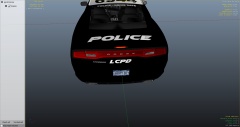 Drive safe? Since when has the LCPD encouraged that! HAHA! but really, Good job, looks nice lol
 -
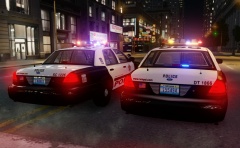 Quick question, What did you use for rear lighting? The two rear lights are nice...
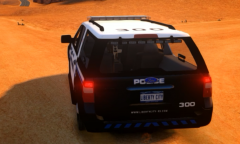 Way to be nice about it lol This is why i hate when people upload pictures bragging about what they have. Just as bad as telling them, "You'll never have this!"
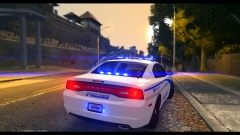 very nice!Yea i know, I Just now found that. I Might replace it in a future update. But for now, I'm leaving the 2100
- 20 comments
- 2 reviews
Turned out pretty nice man! Good job!


