


ErinLindsay
Members
-
Joined
-
Last visited
Everything posted by ErinLindsay
-
Skins by Vertex3D
-
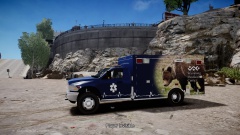
From the album: Wyoming Medical Center
4th addition to the Wyoming Medical Center Pack Model by gangrenn -
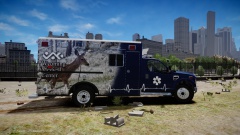
From the album: Wyoming Medical Center
3rd addition to the Wyoming Medical Center Pack Let me know what you guys think! Model by ssanchez10 Thanks -
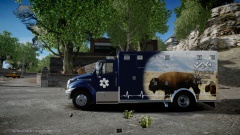 Got the F350 and the Dodge 3500 to do then I will post it as a pack. Thanks
 -
From the album: Wyoming Medical Center
Should I post this? Let me know what you guys think! Thanks Model by KevinDV -
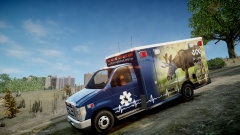 A Liberty City Pack is next Thanks
 -
From the album: Wyoming Medical Center
Texture for Lt.Caine's E-450. Should I release it? Let me know guys! Thanks -
As a graphic designer I would like to make some Wyoming Med. Center Skins for the Ambulances in the modding community. Examples of the decals- http://wyomingmedicalcenter.org/pulse/2013/10/29/best-paint-scheme-ever-a-belgium-youtuber-is-our-ambulances-biggest-fan/ Post the link to the ambulance you guys want this skin to be on, the ambulance with the most links will be the one I do first. If anybody has the link to the Chevy Express Ambulance, please share it! Thanks!
-
 Thanks! I realized that, my BPD pics have no hud or radar.
 -
 Yeah they actually do https://www.google.com/search?q=birmingham+police&source=lnms&tbm=isch&sa=X&ei=i9btUqn8CM20kQfrnoGoCQ&ved=0CAgQ_AUoAg&biw=1920&bih=919#facrc=_&imgdii=_&imgrc=YFReyLmLxC9COM%253A%3BZwaJGXSbMyWooM%3Bhttp%253A%252F%252Fwbma.images.worldnow.com%252Fimages%252F21893448_BG1.jpg%3Bhttp%253A%252F%252Fwww.abc3340.com%252Fstory%252F21893448%252Fbirmingham-police-warn-of-vehicle-break-ins-theft%3B650%3B424 https://www.google.com/search?q=birmingham+police&source=lnms&tbm=isch&sa=X&ei=i9btUqn8CM20kQfrnoGoCQ&ved=0CAgQ_AUoAg&biw=1920&bih=919#facrc=_&imgdii=_&imgrc=Fmj5TaBI9ya5SM%253A%3BQOq6TZvPOARYbM%3Bhttp%253A%252F%252Fimgick.al.com%252Fhome%252Fbama-media%252Fpgmain%252Fimg%252Fbirmingham-news%252Fphoto%252F2011%252F11%252F-5ceb62c960f871b3.JPG%3Bhttp%253A%252F%252Fblog.al.com%252Fspotnews%252F2011%252F11%252Fbirmingham_police_department_a_1.html%3B620%3B369
 -
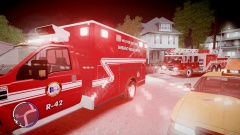
From the album: Fire & EMS
Truck 1 and Rescue 42 from the Hoover Fire Dept rushed to a possible heart attack in progress, in the late evening. -
Birmingham Police Stuff
-
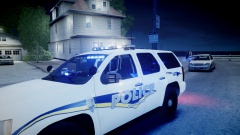
From the album: Birmingham PD
Unit 538 from the Birmingham PD on a domestic violence call. -
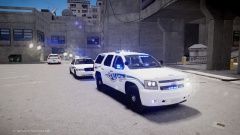
From the album: Birmingham PD
A normal day in the Birmingham PD. -
Vehicle Textures for the Birmingham Police Dept. Import your desired vehicle in the vehicles.img using Spark IV or Open IV Model LINKS: 2013 Caprice: http://www.gtainside.com/en/download.php?do=comments&cat=371&id=47383 2007 Tahoe: http://gtapolicemods.com/downloads.php?do=file&id=34 2007 Crown Vic: http://www.gta4-mods.com/vehicles/rcmp-2007-ford-crown-victoria-v1-f19537
-
I have that weapon and its comes in a Black and Silver version and a Black version. PM me
-
![[WIP] 2013 Ford F450 - FDNY ambulance](//s3-gallery.int-cdn.lcpdfrusercontent.com/gallery/album_547/sml_gallery_2101_547_14574.png) Nice! http://slg.serv1.free.fr/driver.html - for the interior
Nice! http://slg.serv1.free.fr/driver.html - for the interior -
I graphic design
-
![[REL] 2010 GMC Sierra 2500HD](//s3-gallery.int-cdn.lcpdfrusercontent.com/gallery/album_547/sml_gallery_2101_547_1646580.png) You are a great modeler! I will be like you in a couple months!
You are a great modeler! I will be like you in a couple months! -
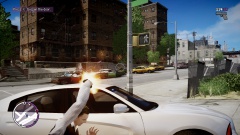 Thanks
 -
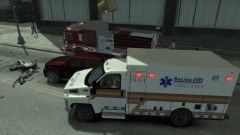 Nice pic! Can you pm me that ambulance?
 -
Thanks
-
From the album: LC Patrol
On Jan. 30, 2014, Detective Jones followed up on a routine traffic stop. Behind him, he noticed that a Jamaican black male kept ramming his lowrider against Jones' car. This resulted in Jones pushing the lowrider trying to get the suspect to stop. The suspect appeared violent and wanted to fight Jones. Jones pulled out his semi-auto Glock 17 and aimed it at the suspect, but he had a piece of his own, a micro smg. Jones then discharged 4-6 rounds into the suspect mortally wounding, if not killing him. !BANG! !BANG! !BANG!, Jones hears shots coming from the distance, unsure of what direction he took cover by his police car. Multiple Jamaican gang members were trying to attack/kill Jones because he shot one of their members. Jones took action and fired blindly at the combatants. He called for backup but they said they were a couple minutes away. When they finally arrived, it allowed Jones to stand up, return fire, and eliminate the suspects. Afterwards Jones put his nitrile gloves on and examined the weapons used by the gang members. There was 1 shotgun, 2 sidearms, and 1 sub machinegun. The police department is still trying to gather evidence as to where they acquired the guns. As a detective in the Intelligence Section, Jones will be working full fledge to solve this case. Jones' statement, "It... was like a nightmare, I just used what I learned in the academy and 10+ years on the force. We are working very hard to solve this case. I'm glad I could protect the people of Liberty City." -
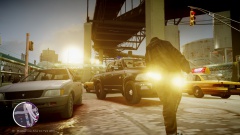 Haha
Haha -
From the album: LC Patrol
A sunny day in Liberty City!


![[WIP] 2013 Ford F450 - FDNY ambulance](http://s3-gallery.int-cdn.lcpdfrusercontent.com/gallery/album_547/sml_gallery_2101_547_14574.png)
![[REL] 2010 GMC Sierra 2500HD](http://s3-gallery.int-cdn.lcpdfrusercontent.com/gallery/album_547/sml_gallery_2101_547_1646580.png)
