




Black Jesus
Members
-
Joined
-
Last visited
Everything posted by Black Jesus
-
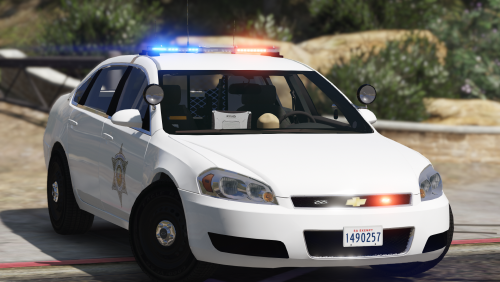 Nope it's straitdill's pattern from B.E.L. Ah yea, forgot it. Will update soon
- 19 comments
- 10 reviews
-
-

- 2
-
-
-
-
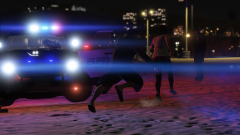
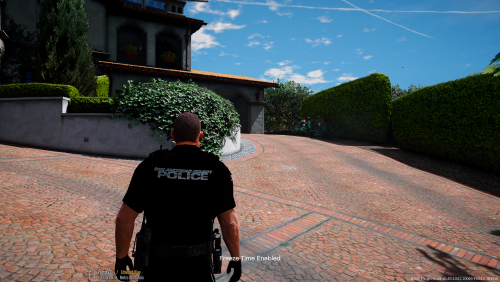 @LukeDaus Next time, base your rating off the actual quality of the file, not because you don't like the name of the place he used. That's like me giving thehurk's CHP mega pack a 1 star rating because I don't like CHP or because the "California" Highway Patrol doesn't exist in San Andreas...
- 17 comments
- 6 reviews
-
-
- 9
-
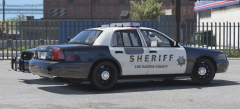 It's suppose to be this(Grip for the dog when getting out through the window?). Would look better as an actually object on a model.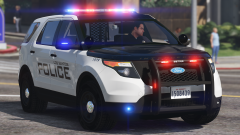
From the album: Black Jesus GTA V WIPs
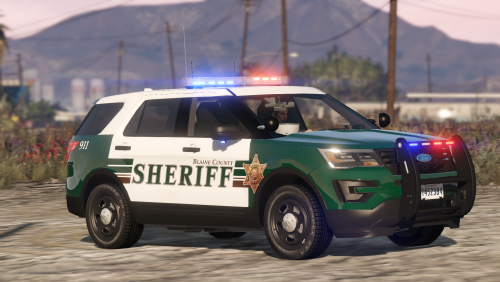
FPIU for the pack is pretty much done. Might add 2 more lights in the rear hatch or side window© Black Jesus
You can still be arrested and possibly convicted of a DUI if you blow under .08, police just need more evidence to prove you were too impaired to drive.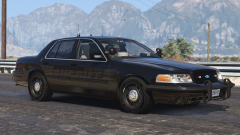 Kygo's
From the album: Black Jesus GTA V WIPs
© Black Jesus
 on your skin, make sure the parts labeled "other" and "front bumper" on the template are kept black. That part of the car is black irl
Not going to be added, will be a separate release. Van is going to be a separate release too
on your skin, make sure the parts labeled "other" and "front bumper" on the template are kept black. That part of the car is black irl
Not going to be added, will be a separate release. Van is going to be a separate release too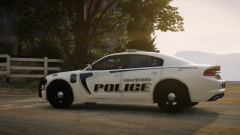 Hottttt
From the album: Black Jesus GTA V WIPs
Decided to make some ghost graphics for the slicktop cvpi. Did a traffic unit, and an anti crime unit skin. Skin is transparent, so it works with any color(only looks good on dark colors because the design is a light color)© Black Jesus
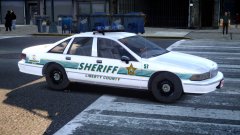 I mean...it's been over a year. So probably no lol
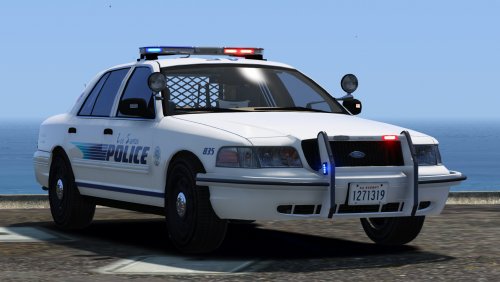 @CouthInk4 I really don't like to go back to old stuff, unless it's a bug that's need to be fixed. So idk if I'll add the option for hubcaps anytime soon. But, when I do mass updates for my stuff (whenever els comes out) I'll be sure to include them.
- 64 comments
- 29 reviews
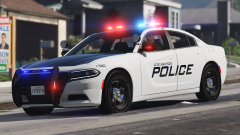 Both are going to be SSV
@OfficerUnderwood
Both are going to be SSV
@OfficerUnderwood

Account
Navigation
Search
Configure browser push notifications
Chrome (Android)
- Tap the lock icon next to the address bar.
- Tap Permissions → Notifications.
- Adjust your preference.
Chrome (Desktop)
- Click the padlock icon in the address bar.
- Select Site settings.
- Find Notifications and adjust your preference.
Safari (iOS 16.4+)
- Ensure the site is installed via Add to Home Screen.
- Open Settings App → Notifications.
- Find your app name and adjust your preference.
Safari (macOS)
- Go to Safari → Preferences.
- Click the Websites tab.
- Select Notifications in the sidebar.
- Find this website and adjust your preference.
Edge (Android)
- Tap the lock icon next to the address bar.
- Tap Permissions.
- Find Notifications and adjust your preference.
Edge (Desktop)
- Click the padlock icon in the address bar.
- Click Permissions for this site.
- Find Notifications and adjust your preference.
Firefox (Android)
- Go to Settings → Site permissions.
- Tap Notifications.
- Find this site in the list and adjust your preference.
Firefox (Desktop)
- Open Firefox Settings.
- Search for Notifications.
- Find this site in the list and adjust your preference.