




Black Jesus
Members
-
Joined
-
Last visited
Everything posted by Black Jesus
-
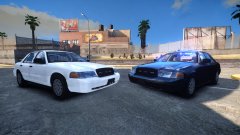 Couldn't get the lightbar on a 93 caprice to work
 -
Nope
-
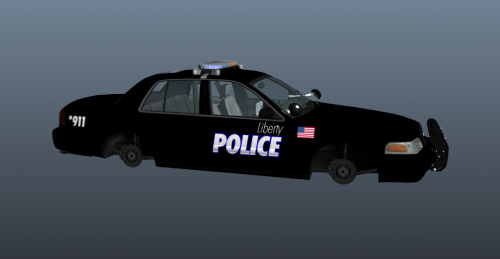 Not bad, good job for your first texture. I find recreating real agency designs(like actually recreating, not paste a picture and cut out a the design) is really good practice
- 3 comments
- 5 reviews
-
-

- 1
-
-
Pack is almost done. just have this, and the fpiu's(both slicktop and lightbar) + peds
-
Got the idea to make all the patrol equipment extra_10 because I'm retexturing some plain clothes peds. And I thought the tan interior would be kinda nice. Car has a ghost graphic, normal patrol, and 2 unmarked skins(black and grey)
© Black Jesus
-
if you play with a controller press A to go through the different variations during the ped selection
-
The very idea of it is very cool. But like everyone's said, there isn't a lot of interest in it. I prefer 21st century law enforcement anyway ;)
-
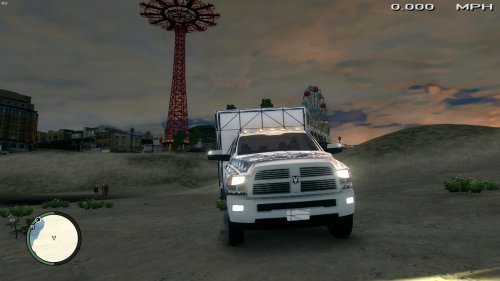 Awesome job, not a lot of ambo dev parts outs. @ Tenzwood , the point of a development model is to put the lights on yourself using other dev parts or parts you make. So no need to rate it 1 star, it's not suppose to be used ingame right out of the box
- 14 comments
- 6 reviews
-
-
I heard Stark Arms/VFC is more realistic and has better detail, but KSC performs better and is more reliable.
-
Hmmm, that makes no sense at all. Did you name it according to the livery that was already there? Is this a random car or a car that you made?
-
Wat
-
You don't add them in zmodeler, you add them in openiv. So if the car only has police_sign_1 as an example, simply add a livery for it and rename it police_sign_2 and then so on.
-
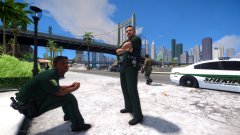 Messed around with the ped head textures and made some more textures. Basically just mixed and matched so there's more facial hair options. In this case, mustaches. More pics of them chilling:
© Black Jesus
-
YAAAAAAAAAAAAAAAAAAAAAAAAAAAAAAAAAAAAAAAAAAAAAS
-
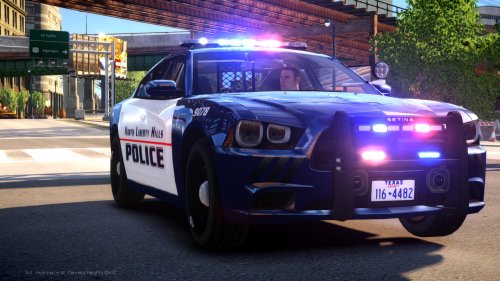 Just use whatever you want, it wasn't made for a particular one. I left the one I used on the vid in the file description
- 48 comments
- 5 reviews
-
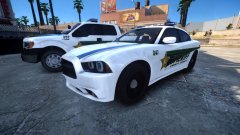 F150 is done, and the charger is about half way done. I don't think Seminole County uses chargers but I felt like it would be better than another crown vic. The F150 also has the old design.
© Black Jesus
-
I believe it's an edited form of Eurostile, maybe
-
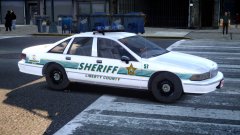 I did it for you baby
 -
Maybe you're just a bad cop...
-
Having trouble making them work
-
Lights are fucked, so it won't be released until I figure those out.
-
You're welcome Lund
© Black Jesus
-
-

