


Hawkeye
Members
-
Joined
-
Last visited
Everything posted by Hawkeye
-
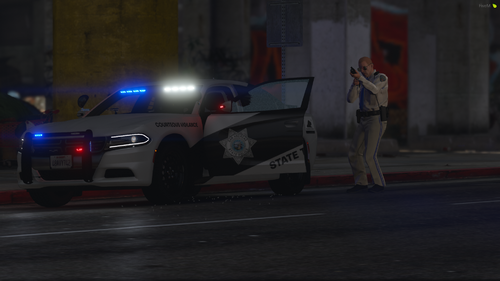 The CVPI livery doesn't line up correctly. It seems like something shifted right before you saved it and the two sides smooshed together some
 -
 I've only had this issue once and it was with somebody else's model. In that case, it was solved by installing the car in a different slot. Try a few different slots and see if that fixes it. I've reskinned Torz cvpi with no issues
- 261 comments
- 37 reviews
-
Love the pack! Just replaced my entire setup with your cars because they're that good. One question. All the cars have a takedown bar on the pushbar but only the Taurus doesn't have it illuminated when activating takedowns. Was this intentional?
- 261 comments
- 37 reviews
-
-

- 1
-
-
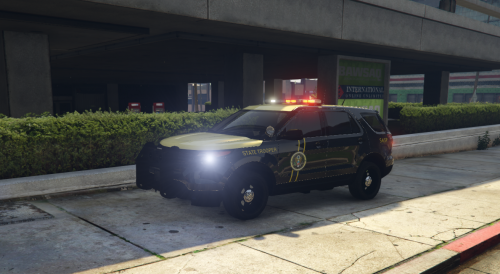 I don't know if it's intentional but the double yellow stripes are angled in different directions between the explorer and taurus. At least they are in your pictures
 -
-
-
-
-
-
Well I appreciate the suggestions and I will do this in the meantime but I would still like this particular layout modeled if someone has the time and know how.
-
I would but I haven't seen any model that matches. I've only seen one model with the CB antenna mounted on the driver side rear quarter panel but it also had the wrong lights and a wrap around bullbar. That link you gave, does that change the color of the outside casing or is that just for the lights inside? It doesn't look right if the lights inside are colored but the outside casing is still clear. iiKonrad: I'm not sure what lightbar it is or if anyone has made this type.
-
If anyone could replicate Maryland State Police's CVPI that would be amazing. I really like their lightbar, how it is colored instead of clear, and the fact that they don't load down their cars with more lights than a Christmas tree. I'd like it to be as accurate as possible. I have already made the texture for other models, I just need this model and a template to convert my texture onto. Thank you to anyone willing to undertake the task.
-
I've deleted my saved game and reinstalled LCPDFR 1.0b but no change
-
The logs for scripthookdotnet show no problem so here is the LCPDFR log. What's my issue as I have no idea what these warnings mean? [iNFO - 9:03:28 AM] [Log] Started [iNFO - 9:03:28 AM] [Main] Main: Initializing... [iNFO - 9:03:28 AM] [Main] Main: LCPDFR Engine © 2011-2013 LMS [iNFO - 9:03:28 AM] [Main] Main: DO NOT USE THIS WITHOUT PERMISSION. YOU MAY NOT SHARE, MODIFY OR DECOMPILE THIS FILE. [iNFO - 9:03:28 AM] [PluginManager] Initialize: Loading custom plugins [WARNING - 9:03:29 AM] [settings] ReadSettings: Invalid entry [iNFO - 9:03:29 AM] [settings] ReadSettings: Suspect transporter POLICE [iNFO - 9:03:29 AM] [settings] ReadSettings: Suspect transporter POLICE2 [iNFO - 9:03:29 AM] [settings] ReadSettings: Suspect transporter PSTOCKADE [WARNING - 9:03:29 AM] [settings] ReadSettings: Invalid entry [WARNING - 9:03:29 AM] [settingsFile] GetValue: Value not found: DisableCameraFocusOnWorldEvents (Main) [WARNING - 9:03:29 AM] [settingsFile] GetValue: Value not found: DisableSuspectTransportCutscene (Main) [WARNING - 9:03:29 AM] [settingsFile] GetValue: Value not found: DisableRandomPoliceChatter (Main) [WARNING - 9:03:29 AM] [settingsFile] GetValue: Value not found: PreloadAllModels (Main) [WARNING - 9:03:29 AM] [settingsFile] GetValue: Value not found: Language (Main) [WARNING - 9:03:29 AM] [settingsFile] GetValue: Value not found: ClientPort (Networking) [WARNING - 9:03:29 AM] [settingsFile] GetValue: Value not found: AbortSuspectTransportCutscene (KeybindingsController) [WARNING - 9:03:29 AM] [settingsFile] GetValue: Value not found: AbortSuspectTransportCutsceneModifierKey (KeybindingsController) [WARNING - 9:03:29 AM] [settingsFile] GetValue: Value not found: AbortSuspectTransportCutscene (Keybindings) [WARNING - 9:03:29 AM] [settingsFile] GetValue: Value not found: AbortSuspectTransportCutsceneModifierKey (Keybindings) [WARNING - 9:03:29 AM] [settingsFile] GetValue: Value not found: RequestRoadblock (KeybindingsController) [WARNING - 9:03:29 AM] [settingsFile] GetValue: Value not found: RequestRoadblockModifierKey (KeybindingsController) [WARNING - 9:03:29 AM] [settingsFile] GetValue: Value not found: RequestRoadblock (Keybindings) [WARNING - 9:03:29 AM] [settingsFile] GetValue: Value not found: RequestRoadblockModifierKey (Keybindings) [iNFO - 9:03:29 AM] [Plugin.Main] Changing language to en-US [iNFO - 9:03:29 AM] [Main] Main: Initializing done [iNFO - 9:03:29 AM] [serverCommunication] InitializeConnection: Internet connection available [ERROR - 9:03:29 AM] [serverCommunication] GetPublicIP: Error when using local internet gateway as UPnP device: An address incompatible with the requested protocol was used [ERROR - 9:03:30 AM] [stats] CollectSystemInformation: Failed to upload stats: The remote server returned an error: (404) Not Found. [iNFO - 9:03:33 AM] [serverCommunication] InitializeConnection: Public IP Address is:
-
Yeah sorry I didn't take the time to install a more realistic model for the pictures. They don't use the stock rims and the light bar is slightly different but if you're downloading this I imagine you already know all this and have a suitable model for this texture.
- 8 comments
- 4 reviews
-
-
-
All depends on the lighting in the game. At night it looks too dark if I darken it any more. Those pictures were with extra sunny so it looks more yellow. At night it looks greenish.
- 7 comments
- 1 review
-
-
-
-
Frederick County, MD Sheriff skins for CVPI and Charger Frederick County Sheriff uniforms, made by OfficerBaboso, can be found here: Many thanks to him!
- 6 comments
- 4 reviews

