Quasar
Members
-
Joined
-
Last visited
Everything posted by Quasar
-
Got one tonight. Its a Chase bank ad, with a person walking a pig on a leash. LOL. Started auto playing while I was reading the description of a vehicle model. Also had started to play the sample youtube video for the model and the ad volume blasted right over the top of the video volume.
-
 Awesome!! Thank you! Having my modded Silverado crew cab in Sheriff livery was throwing me off big time, but that is what I stuck in the FBI2 slot. This will make it perfect!
- 781 comments
- 85 reviews
-
-

- 1
-
-
@PNWParksFan So I just updated the mod, and stupidly on my part I just overwrote everything from the last version. But now I am realizing that the new version of the myemsunits.xml doesn't have any references to the Firesuv or Brush truck in it. It actually looks to be same as the stockemsunits.xml? Is this the way it should be in this update? or anyway you may be able to upload the previous myemsunits file? Thanks,
- 781 comments
- 85 reviews
-
A little bit of crown vic trivia for those that don't know. The way you can immediately tell a crown vic/CVPI/Grand Marquis etc is a 2005 is if it has a old style am/fm whip radio antenna on the passenger side rear quarter panel. 98-2004 & 2006-2011 the am/fm antenna was built into the rear window glass.
-
Absolutely love the 03-05 hubcabs.so much nicer looking than the 06+ ones, on the real car and in the mod also
-
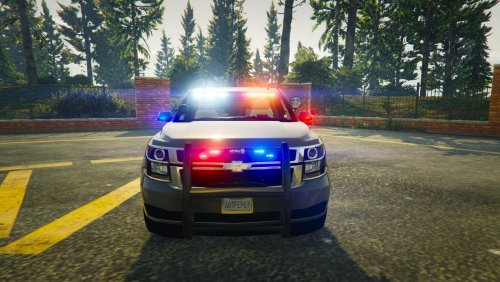 download his fully marked version of it. This one is the slicktop/unmarked version. Just view all of captain14's files
- 24 comments
- 14 reviews
-
Disregard, I fixed it. I took a Carvariations.txt from another model using sirensettings1 and changed model to policeold1 and put in mpchristmas2.. Works like a charm.
- 24 comments
- 14 reviews
-
amazing model. This now makes my game complete as far as modded police vehicles. I only have one issue. Since I am using this model to replace the Policeold1 model(North Yankton Rancher) the sirens work but I have no lights. I know it says it needs sirensettings 1 etc and I am pretty sure that is probably not matching up. I just don't know which vehicles.meta or carvariations.meta I should edit to fix the lights. Can anyone help me figure that out? Thanks,
- 24 comments
- 14 reviews
-
Well, I have not ever run my game without the mods folder.. so proceed with caution. But, i would assume the same issue occurred, when the update released it overwrote the files that were modified by the eup 7.3 oiv file. I would think you should be set if you reinstall it like i was.
-
Mine was doing the exact same thing. To fix it I had to reinstall the EUP 7.3 OIV file to my "mods" foder in openIV. I am assuming that some of the files were overwritten when I updated my update,rpf file after the stunts update. EUP now works perfectly again.
-
This question has been answered several times already. Have you read the comments section in the mod and this thread?
-
 Did you read these comments? Your question has been answered several times...
- 1,742 comments
- 172 reviews
-
Thank you PNW, I actually just finished updating your mod to the new version. When I was going thru the extras folder I discovered that my_emsunits.xml file as soon as I opened it I realized what was wrong, I originally installed your mod, quite awhile before finding the "firesuv" addition and had deleted all the extras folder from my computer after install because I didn't think I'd ever need them. It works like a million bucks now. I do want to keep the fire truck, but didn't really care for the bright red FBI2 model that sometimes alternated. After renaming the my units.xml to emsunits.xml and removing the lines for the Fire Brush truck and the FBI2 altogether. I then went thru and edited the "chance" to 50/50 on everything. It now works perfectly!! I know you know all of this already, lol But hopefully if others read this it will help them out and save duplicate questions.
- 781 comments
- 85 reviews
-
-
- 1
-
-
-
Trying to get the"firesuv" to work with this mod like in the video. I have the model correctly installed, it will spawn in the game, if i spawn it by model name, i have changed all of the entries in the .ini file for the fbi2 model to the "firesuv" but now all I get when they respond is the fire engine. Not sure what the heck i am missing., ive not done the update yet. Would like to figure out how to make this change work, then upgrade it all at once. Thanks for any assistance
- 781 comments
- 85 reviews
-
 So I am currently using a combination of VisualV for graphics and RadianceV for the emergency lighting. Would this overwrite any of those changes if I add your mod?
 -
Ok, I really hope this is the right place to put this. I have downloaded Captain14's 2015 Tahoe model, and trying to use it in conjunction with pnwparkfan's Firesuv skins and all red lights. So i followed the readme and changed the .yft and .ytd files from sheriff2 to firesuv. I placed them in Patchday4 per PNW's readme for the firesuv and of course updated the Vehicles.meta and Carvariations.meta So here is the weird part. When I am in openIV and I doubleclick on the firesuv.yft file unlike every other .yft file for other models, there is no image of the vehicle its just blank. This is the same way if I leave it as sheriff2 and just import it into patchday9 to test the files. Either way, if I run GTAV via ragehook, everything works fine until I try to spawn the firesuv and then the game freezes for awhile then crashes. Is there something wrong with the download or am I doing something wrong. The reviews on his model have all been perfect, and I have never had a problem like this before? For those that already have this model? was the file size only 16 MB? Anyone have any other ideas? Thank you Tom
-
Definitely Albo1125's full suite of mods are a must in my opinion. Also check out youtube and watch some of Jeff Favignano or Polecat or Bay area Buggs videos. They usually have a list of the mods they are using listed in the video. Ultimately it comes down to your play style though. I am changing things up constantly as new things get released or updated.
-
I swear I replied to this last night. Switching the mouse input to rawinput worked for me. Loving this mod so far!!
-
@PieRGud Problem Solved. Very very impressive mod. Other than the same issue as Banana Man. Hopfully they get that all fixed up.with 0.39
- 1,742 comments
- 172 reviews
-
Still having the same issues as before with a complete fresh install of the new version. It is the same issue that everyone else is reporting now too. The mouse just won't move.
-
Having exact same issue also. I just can't figure it out. Was having this issue in the first version, and hoped it would be fixed in the update. I even went into the ini and switched the skip login to true. Once I did that I got the computer to pop up but still can't do anything with it.
- 1,742 comments
- 172 reviews
-
Definitely will try this again when it comes back up for download. Still baffled as to why I was the only one it didn't seem to work for at all.
-
Ok, so I am having an odd issue with this also. The mod files are installed in the plugins/lspdfr folder, I am on duty, I press and hold E till the computer pops up, it shows the user and password as set in the INI(tried default and custom) and the background shows differently depending on which car I chose, but from there I can't do anything, I can't get the arrow to scroll down to the login button, I also can't get out of the computer screen and return to the game once I opened it. My only choice is to ctrl alt delete and force quit the game. It did this on several attempts and even fresh download and reinstalls. Any Idea what the heck I am doing wrong?
-
I love the look of the mod, unfortunately I seem to be having issues getting it to work. The computer won't log in and I can't get back out of the computer either. I am stuck force quitting the game from the task manager. Not sure what I could possibly be doing wrong
- 1,742 comments
- 172 reviews
-
-

- 1
-