
KingzRicky
Members
-
Joined
-
Last visited
Everything posted by KingzRicky
-
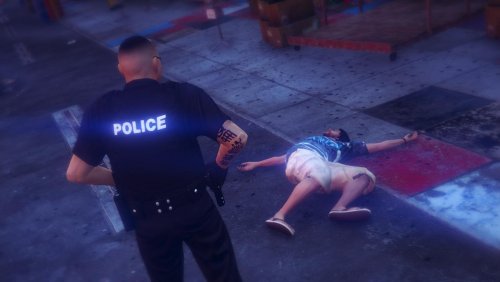 Looking forward to the new features in V4. Do you plan on adding in a Los Santos Sheriff Version/Re-texture in the future?
- 273 comments
- 61 reviews
 Routine traffic stop for a vehicle that ran a red light. Run driver's ID and end up finding that he had a warrant for his arrest.
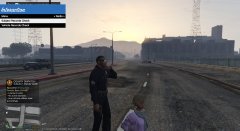 Respond to a call of a person with gun. On arrival, detain the woman and check her id only to find out she was fellow officer. Since no trouble was being caused with a weapon we release her from detainment.
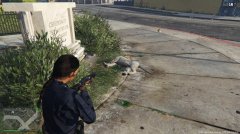 Responded to a call that there was a mountain lion that had found its way into Los Santos.Discipline is starting to lack now a days and really a way to bring it back if for parent to discipline their children at a young age. Since the longer you wait the lower the chances of them gaining the discipline to be right and do right which will continue to lead to terrible things like this occurring again and again.There is a slight difference but you really can't tell that much.Yeah the models I have are pretty close in handling.Well I'm using a Tahoe for polpatriot and a Explorer for nstockade but the handling line works with nstockade was just trying to fix that stuff that I'm glad y'all were able to assist with.Yeah the video actually goes great with the song.I was wondering what I would need to do to be able to place an SUV in the nstockade slot like a Tahoe/Explorer. So far when I try to place an SUV in that slot the doors/player end up bugging a little getting in & exiting the vehicle. Also the vehicle still has the nstockade engine sounds and reverse beeps.
 Well its finally here. Downloading it now and I will let y'all know how it goes.
- 162 comments
- 338 reviews
Okay yeah so I found the disable planes option and that was simple enough. Also I successfully made the driving course on the runway which I can load each time I enter the game. Basically to load it you go to objects menu > more objects menu (bottom option on 2nd column) > save/load object file (Like you can design a course and save it to load in a different session). Still haven't located items that can be used in a firing range though. Oh well guess I just gotta keep searching the objects list.Okay thanks themanwiththeplan I'll check that out and guess I'll just have to explore those objects even though there is a ton of them. Although I think I may have an idea of where that barrier is.Hey everyone I was thinking about designing a driving course and possible a firing range in GTAIV. First of all I was wondering if anyone knows how to remove the airplanes in-game at the airport so I can use the runway for the driving course. Also does anyone know where I can find the concrete barrier found below in trainer (the name of it). Also any ideas of in game objects that can be used for a firing range?Yeah this definitely looks great. Can't wait to hop into game with LCPD:FR 1.0 and all the other current scripts that work with the current LCPD:FR when they are updated. Also if I had to guess when it is being released I would have to say December 28, 2013 at 7pm EDT(Exactly 3 days after Christmas and 3 days before the New Year)/December 29,2013 12am GMT. Anyways can't wait and the developers did an amazing job. SN: SInce you haven't answered the posters above me yet just wondering which Police Ped Models are those because I really like the white shirts?@Jewish_Banana have you finished designing that shoulder patch?