Custo
Members
-
Joined
-
Last visited
Everything posted by Custo
-
 Reloading with some fine American led!!! Custah
 -
Pilots seem to be civilians, even military pilots seem to act like civilians too.
-
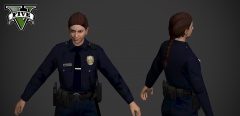
Sheriff male and female?
-
I use pretty much stock everything in my game, except some ped models. http://steamcommunity.com/sharedfiles/filedetails/?id=230014718 http://steamcommunity.com/sharedfiles/filedetails/?id=232544639 http://steamcommunity.com/sharedfiles/filedetails/?id=234877923 http://steamcommunity.com/sharedfiles/filedetails/?id=236262955
-
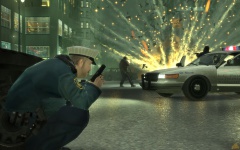 Not even his pic, this is a screenshot of the game to advertise it. http://store.steampowered.com/app/12210/ It's the 10th picture.
 -
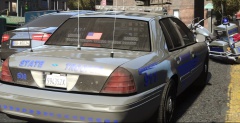 It is a picture.
 -
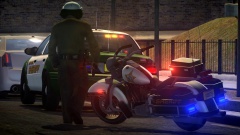 Florida plates, Florida sheriff badge... Still in LC.https://db.tt/R8udIOV6Boges is Beazt, his mods make me so wet.It was a Jesse Ventura joke.It's a conspiracy by the MSA, I USE TO BE A GOVENER!Where's the download?! I want to install this virus mod right away!
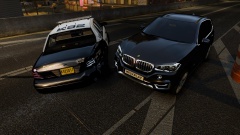 Liberty City isn't in Europe.I did year of the snake first, then after that, I started a new game in the normal story line. But I can't tell you for sure if this will work correctly or not, because I can't remember the last time I played Sleeping Dogs. But that's how I remember it.For me, I had to finish year of the snake first then start a new game in the original just to get the outfit.hi
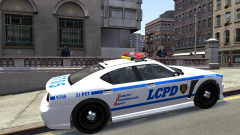 God I hate those shoulder mics.At least he wasn't throwing grenades like Trevor did once when I stumbled apon him.Regardless, the police should still be seen patrolling the streets. I doubt they never drive around.So, there aren't any cops in LA? Only if you get in trouble do they magically pop up or something? Is that what you are saying? Because if not, you're wrong.Well, in GTA4, the vehicle transition is based on a timer, not island hoping. Anyways, you know what's funny? Ever been in Mission Row in GTA5? The game randomly spawns cops driving around in different LSPD cars (2nd gen stanier, 3rd gen stanier (one that is always used), unmarked 2nd gen stanier, police transporter, police buffalo, and police bike), spawns them walking around, and spawns random scenarios that has a parked police car on the side of the road and two police officers talking to people. So with this little "glitch" (which I use the term glitch very lightly), it shows that the game is suppose to be spawning all of the vehicles patrolling the streets of LS. I just think Rockstar fucked it up, really badly. They didn't fucking notice at all, apparently.I'm disappointed that the AI's have to use 100% accuracy all the time, regardless of how far away they are from you and regardless of what they are doing (like driving a car at insane speeds or in a helicopter keeping the amazing aim). I'm disappointed that during police chases, the police need to speed boost just to keep up with me and they abuse the shit out of it. It's fucking annoying and the joy in it is lost fast when you need to constantly drive left and right just so the chase can be "normal". I'm disappointed that the police do not patrol at all in the game, no cops walking around, no cars driving around, what is this shit. There's way more in GTA Online, but I'm sure everyone already knows about those problems.