




Oatmeal
Members
-
Joined
-
Last visited
Everything posted by Oatmeal
-
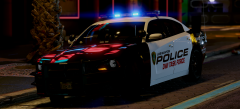 Stop teasing me daddy 🙄.
 -
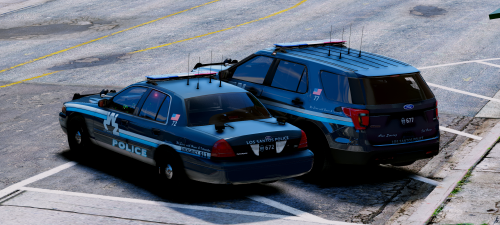 Stop it you beautiful Bastard. I'm literally only going to have your models in my game at some point.
- 9 comments
- 19 reviews
-
-

- 1
-
-
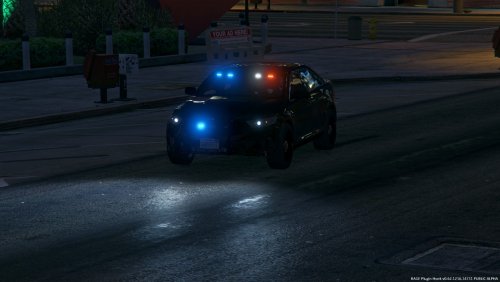 I hope you do eventually release a mega pack. These models are really high quality, looks like you put good amount of effort into them :).
- 80 comments
- 28 reviews
-
-
- 1
-
-
 Police 3 works fine for me, or just try using the meta of a popular pack that includes a Taurus and just change the handling id in yours.
- 60 comments
- 44 reviews
-
 The cvpi els.xml file is the default, other then that fucking amazing pack. Really enjoy your work, keep it up :D.
- 89 comments
- 45 reviews
-
-
- 1
-
-
Brings me back to the first time I played LCPDFR.
-
Actually I fixed the tint, my only problem now really is the bugged pull over for the added slots and when I do call for backup and one of the added vehicles show up there lights are not on.
-
All my other vehicles work fine though, I changed it. Still having problems with the tint.
-
I have tried cleaning, does not work. By "bugged" I just mean that they drive in a straight line when I attempt to pull them over or they just don't respond. Updated carvariations.meta and vehicles.meta below. carvariations.txt vehicles.txt
-
I don't think the problem is in my carvariations.meta or vehicle.meta, since my police 5 works fine. Attached them below though. Also the Tahoe in police 7 as the blacked out light bar, I tried the diffusetint with no luck and changing it in the trainer doesn't help. Any help is appreciated, thanks in advance. carvariations.txt vehicles.txt
-
Hi, So, I am trying to change the default hotkey (F4) for opening the RPH console in game to F5. It won't let me though, even when I change it in the ini. Also how do you unbind certain keys in the GTA 5 menu completely, the game won't let me unbind them to nothing. Thanks in advance.
-
I am getting the same problem, just need to wait for scripthook to update to the latest patch and redo your mods folder.
-
Also when the game updates, you can't play till rageplugin and scripthook update?
-
ahh, ok.
-
For having no tint though, don't you use the same "diffusetint" for every car?
-
One of the FPIU from this pack:
-
Umm nop, and yes.
-
Ya I was able to change the tint via the trainer, still weird that editing the vehicles.meta did not do it... The ELS thing though is quite annoying
-
If i scroll lock that disables everything on the keyboard. I still want to use the keyboard of ELS, just do not want multiple keys to be able to activate the same thing or do the same function. I just looked at the vanilla version of the vehicles.meta and <diffuseTint value="0x00FFFFFF" /> is already in. IDK its weird. It is still tinted for me...
-
Hey, So I have two problems that I need help resolving, the first one being when I disable the controller option in the ELS.ini it makes it so some of the keys are double binded. So I can turn on my lights with what it is binded to in the ELS.ini "J" and I can also use "Q" (Dont want) which I have not bound to do anything regarding els. This annoying has it conflicts with many other plugins and scripts. My other problem is tinted lightbars on some ELS enabled vehicles. Currently I am having a the problem in the PRanger slot, with the light bar being tinted. This makes it so I cannot see any lights flashing on the light bar when they are enabled. I have tried with the vanilla vehicles.meta and also changing the diffuse tint line to this: <diffuseTint value="0x00FFFFFF" />. Neither of them fixed the problem. Any help is appreciated. Thanks in advance.
-
Thanks so much dude, appreciate the help and quick responses!
-
So, it won't delete any added files like ragehook and scripthook, but just revert changes made to the vanilla files?
-
Would that also deleted all the mods I have installed?
-
Hey, I need help uninstalling the Sheriff and FBI replacement pack (http://www.lcpdfr.com/files/file/12668-sheriff-fib-replacement-pack-els-style-lights-2013-tahoe-2013-charger-2011-cvpi/). The LSPD version of the pack came with a uninstall.ovi, but this one did not. SO I'm having trouble uninstalling the files. I messed up and installed it directly into the game folder, realising after I should have made a mods folder... whoops. I ended up doing that and installed my enb in that, xD. Any help is appreciated. Thanks in advance.
-

