


Sweedle
Members
-
Joined
-
Last visited
Everything posted by Sweedle
-
I've always been torn between the FedSig Valor and the FedSig Vision, a la CHP.
-
I do, I actually went looking for his "Archive" channel after he abruptly deleted his, but I think he deleted that one as well.
-
I really like this. Simple, yet not lazy.
-
Nice work, not my thing, I'm not sure why everyone likes the Pinnacle as a police vehicle tbh.
- 4 comments
- 1 review
-
-
Thank you! I guess it was because I was using Handling.dat from my old clan, and the guy really liked damage. :D
-
So, I'm unsure what caused it, but the vehicle damage in my game feels like it's been turned up to 11. I did a quick experiment, here are the pictures: http://imgur.com/a/9NuFh If anyone could take a look at this, and see if they notice anything, or if I'm just overly sensitive to this recently.
-
Hm... I've seen this before... :P Anyways, looks good Kyle.
-
Well, I think this wins best Lifeguard pack on the site! :p But all jokes aside, they look really, really nice.
- 9 comments
- 3 reviews
-
GIMP. But wouldn't it end up as the same .png?
-
How did you nail the color? When I tried to make a SJPD skin, it ended up looking perfect in GIMP, but the second I went ingame, it looked like a silly purple mess.
-
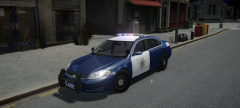 I know this is really late, but good God, this is gorgeous. I tried my own SJPD skin, and it came out bright purple in game... How did you get this color?

