


MooHamOinkBeef21
Members
-
Joined
-
Last visited
Everything posted by MooHamOinkBeef21
-
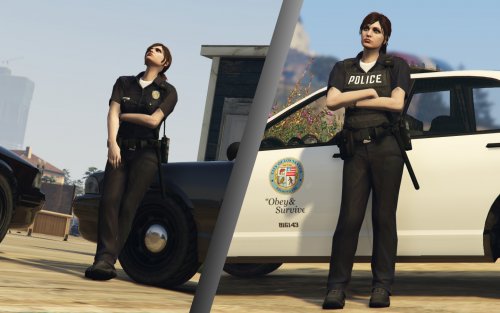 Oh I have no doubt I absolutely love EUP was just hoping for a filler until the next update =D
- 45 comments
- 8 reviews
-
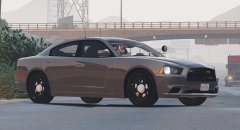 Gimme gimme gimme, but in all seriousness this is looking so great man can't wait for the release.
 -
I really like this idea it seems to add in a lot of little things EUP is missing, but how does it work with EUP are they compatible or are there going to be some things getting overwritten?
- 45 comments
- 8 reviews
-
Huh I really have no idea, what's the exact graphics error message?
-
Personally I think Simple Trainer is just a must have with the amount of options it gives you, and I'm sure once you try it out you'll agree.
-
Hmmm, this is interesting because I have a full fleet of added Sheriff and Highway vehicles and I have 0 issues with crashing from them. Does everything work when you first spawn the car in? Lights Siren and all that?
-
Well this is more meant for the support thread, but it's an easy question to answer. If you're using Simple Trainer for GTA V you have many options on time, such as freezing, causing time to move at real time or even syncing up time to your system clock as well as tons of other features.
-
-
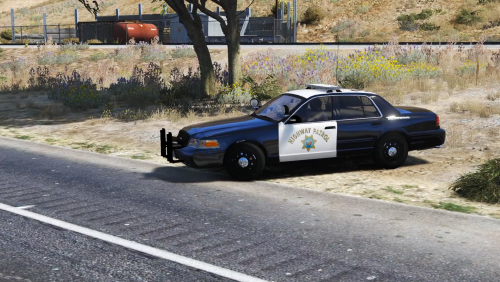 Hey Polecat, love the sirens glad to see someone else loves the CHP siren. I have a rather odd request though, is there any way you could add the file IDs for the CHP siren in the readme? I only ask as I love to use the CHP siren with pretty much everything outside of the LSPD, but as the new pack has the Unitrol (which is still a great siren btw) for both the police and sheriff slots I sorta have to choose between my Crown Vic engine sound mod or the CHP siren for my Hipo CVPIs. Don't want any special edit or anything but with the file IDs for the sirens I could just edit it myself.
- 32 comments
- 11 reviews
-
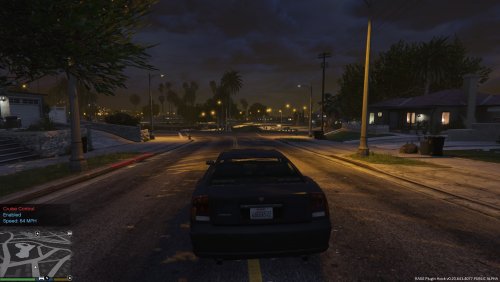 Woooo updated for .3 and RPH .34 such a simple yet awesome mod that you really miss when it's gone.
 -
 Seriously cannot wait for this awesome mod to be updated, hopefully with some compatibility with some other popular mods like EUP. But one suggestion I would make (if it's possible) is to maybe speed up the K-9 because as of last version usually the suspect and I would both end up outrunning my trusty companion.
- 542 comments
- 98 reviews
-
-

- 1
-
-
 go to (mods/update/update.rpf/common/data/levels/gta) and open up the vehicles.meta find FBI2 and change it's handling ID to Police3
- 221 comments
- 34 reviews
-
That was a known issue with the older version, are you sure you're on the newest update of the model?
- 221 comments
- 34 reviews
-
In the carvariations just copy the section out for Police3 and then change the name of it to whatever model you're using the explorer with.
- 221 comments
- 34 reviews
-
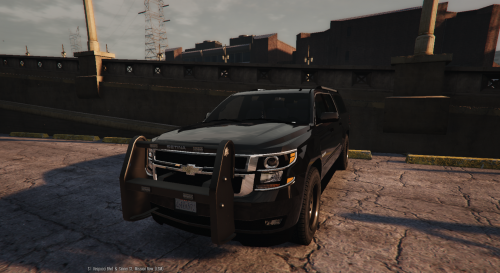 Not sure I was hoping for a fix for that as well as the sexy new unmarked explorer that PoliceCo has been working on.
- 38 comments
- 21 reviews
-
Not a problem man sometimes those files can get messy can't count the number of times I've had to go on a vast search for some conflicting carvariations that I edited for a different model.
- 221 comments
- 34 reviews
-
I mean all I can suggest is making sure you go back to the file path I posted above and making sure it's police3 for the car model you're using it with and then going through the vehicles.meta in all the other folders in dlcpacks and make sure you don't have another vehicles.meta with conflicting info because there shouldn't be any flipping issue if it's installed correctly. I'm assuming there might just be some conflicting vehicles.meta(s) somewhere from some of your previous edits or something.
- 221 comments
- 34 reviews
-
Just posting this here as well I'm having a slightly similar issue with F5544s 2015 charger and since this essentially uses the same lights I have a feeling they're connected. As shown in this picture (this is the 2015 charger btw) the left blue dash light is sorta having the same issues as the dashlights on the explorer though unlike the explorer it's not like this all the time. Though it appears the issue is these lights seem to have like a light "texture" in front of the standard flashing light and with the 2015 charger at least when driving around and stopping is seems like the texture clips through behind the light and effectively disappears so I'm wondering on the explorer that possibly when moving the dash lights around maybe these lights textures got set a little further back then usual and ended up behind the dashlights which is why they appear to be like the default GTA emergency lights.
- 221 comments
- 34 reviews
-
 Did some more testing thinking that maybe this weird texture error I was noticing was from using some visualsettings mod like RadianceV so I went back to the default settings and while it's much harder to notice the issue is definitely still there. This is the same situation as I posted earlier but with default visual settings and while it's much harder to notice it's quite clear that the light "texture" (look to the left and right of the actual blue light source) for the blue light has disappeared or like clipped behind the rest of the light. Now I've been checking this pretty thoroughly and it only appears to mess with the dash lights and the traffic advisory lights. Can anyone else do some checking and driving around to see if this issue is just on my end, it doesn't take away from this great model but unfortunately now that I know it's there I can't help but notice it all the time and it's quite distracting.
- 159 comments
- 53 reviews
-
If you're looking in the right vehicles.meta there should be a police3 (mods/update/update.rpf/common/data/levels/gta) And the proper handlingID for this car is police3 if you try to switch it to FBI2 or Sheriff2 it will be flippy it's not meant to have a SUV style handlingID.
- 221 comments
- 34 reviews
-
Maybe or if that doesn't work maybe 2 seperate lines like: <Vehicle extra_3=true> <Vehicle extra_4=true> I'm not 100% sure on that one I haven't really played around with the backup.xml much more than just setting the various vehicles called in yet.
- 159 comments
- 53 reviews
-
-
I'm assuming that there is some texture on the lightbar and the dash and back lights to make them look like the LEDs vs the stock gta emergency lights. I am getting a strange glitch though with the front dash light (similar to a glitch I had with the traffic advisory lights where they would disappear randomly and come back after moving the vehicle like an inch) But with the front dash lights randomly as I drive and stop they will flicker unnaturally and sometimes get stuck in like the default gta style I'll show below in some screen(s). I'm also asking because there is a similar issue with PimDSLRs Explorer with the front dash lights and if we could figure it out here or there it could fix the issue with both vehicles. You can see in this case the right red dash light is working as intended but the left blue one is stuck in the default/pushbar style flashing. If I walk around the vehicle I can sorta make the texture flash back in place for a second I'm not sure if it has something to do with like a dip in the road that's causing the texture to go like behind the light and not appear or something. I believe for the full wrap around push bar it's extras 3 and 4 (3 is the pushbar and 4 is the wraparound bit)
- 159 comments
- 53 reviews
-
So weird, because they're perfectly normal on the original model release. lol how strange.
- 221 comments
- 34 reviews
-
Hey Pim any word on the dashlights? It's definitely not a carvariations installation issue unless the one in the download is wrong. Or are the dashlights just supposed to be the same style as the push bar for some reason instead of the rear lights?
- 221 comments
- 34 reviews
