DragonSkin
Members
-
Joined
-
Last visited
-
Excellent I will try this! Thank you for your help!!
-
Having the same issues. All standalone vehicles are having problems with their Siren and Lights. I have installed the McLaren 650s GT3 Pursuit edition & the HAKUCHOU Police Motorcycle. Both of these are replacement vehicles; Their Sirens and Lights work just fine. Not finding any empty <audioNameHash>/> and I don't know what you mean by changing siren / light setting to 1 or adding flags for a police vehicle.
-
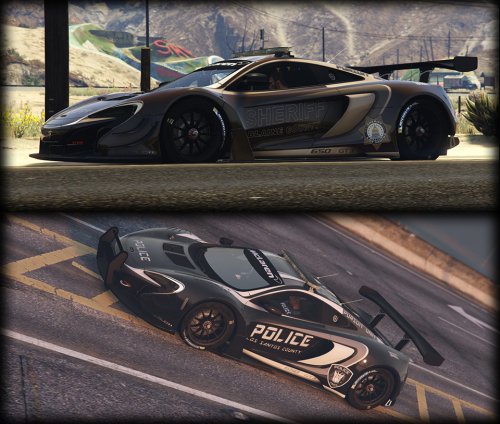 Car handling is perfect, and the model is gorgeous! Thank you!! Not sure if this is a WIP but either way, it's an amazing edition to LSPD FR!
- 48 comments
- 11 reviews
-
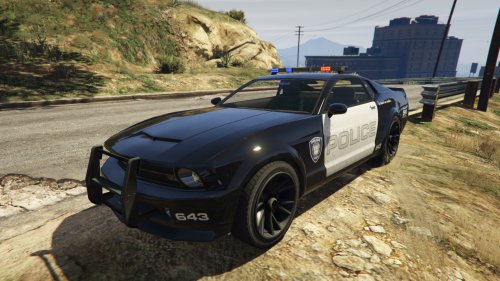 i cant get the Siren/Lights to come on. Any ideas? EDIT: Just installed Cross (Corvette Cop car) and it's doing the same thing. It would seem I did something wrong or I'm missing a different mod/plugin. Not sure what though.. the only information I was able to find was from GTA IV when someone did not have ELS installed.
- 35 comments
- 9 reviews
-
Great car mod! The blue and black version looks a bit funny to me but the black and white version looks great
- 35 comments
- 9 reviews
-
Yep I can do it. Would you like me to take care of this for you? Take a screenshot of the building in game and where it is located on the map. Never made roads before but I will need to learn for the project I am working on.
-
Hehe yea I guess it all depends on how much of this type of stuff a person has already done. Everything is a learning experience!! Oh, I forgot to mention.. If you still want to try shadowmapper you can download it here: http://www.gtagarage.com/mods/show.php?id=9747 I have not personally tried it. The method mentioned above is far less buggy then what shadowmapper describes itself as. Plus im sure you get a whole lot more options. Of course its probably tons more complicated but having loads of options almost always complicates things immensely.
-
ineseri is correct. I use 3DS MAX, GIMS, and OpenIV. Alternatively you could use SparksIV instead of OpenIV, although I cannot vouch for it. GIMS is a plugin for 3DS MAX so you cannot use GIMS without it. For the road, I believe you would need Cityscape 1.8 in order to accomplish that. For the building: Install GIMS. After that, look in the folder "C:Userswindows usernameAppDataRoamingGIMS_IVmodules Youre looking for "map_1.jpg, map_2.jpg, etc" My personal preference is to copy these images out of that folder, to someplace more accessible Use these images to locate what ZONE of the map your building is located. (manhat03, nj04w, etc) Install & Run OpenIV. In the left pane navigate to data -> maps -> and your building will be in either east (bronx and queens), jersey, or manhat Find the .img that corresponds with the ZONE that your building sits in and double click on that .img file Here is where it gets kind of tricky. First, click the word "Type" at the top of the columns to sort by file type. WDR's are models and WTD's are textures. You are going to have to go through this list of WDR's and find your building. The items in these lists could be buildings, pieces of buildings, or they could be certain objects like rooftop AC units. Pay close attention to the name of the file. Once you have opened a few of them you will start to figure out what the names mean. "Glue" means its a piece of something like maybe the base of a strut (ap_strut_glue_03.wdr) that goes to a building. "det" means detail and will be something like a row of windows that gets attached to your building base model (hk_block02det_mh3.wdr). Not all of these files will follow the same naming conventions. I'm sure that these models were made by lots of people who all named most of them along the same lines but not exact. In a lot of cases you really just need to open the file to see what it is. ch_ammunation_mh01.wdr is two buildings together. One has a deli canopy and the other is an abandoned looking apartment building. I see nothing that looks like a gun shop in this file!! Once you find the building youre looking for right click on the file name and click export to openFormats. Stop right there! Open the folder you exported it to and see what textures were included. Most likely some of the texture files did not come with it. Go back into OpenIV and double click on your building again. In the bottom right corner look for WTD files. Click once on the WTD file name and the window will close but it will navigate to that WTD file in the main window. Double click on the WTD file from the list. In the texture viewer you will see all of the textures inside that WTD file. Sometimes the only textures that are in there are the ones for your building or object.. sometimes there are a lot of textures for multiple objects and you will need to find the one you are looking for. Once you have exported the model(s) you want and the texture(s) that go with those models, run 3DS MAX with GIMS already installed. Then, follow this tutorial: So, yea its a little complicated.
-
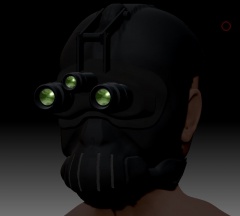
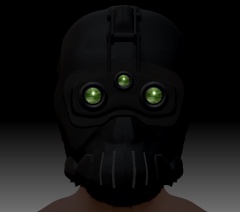
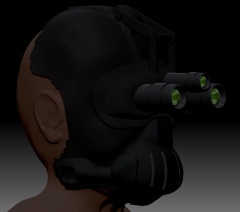
Some of the material for the S.T.A.R. Unit Mod that has been created so far.