


FriedChicken
Members
-
Joined
-
Last visited
Everything posted by FriedChicken
-
Wow, really takes some skill to pull something like this off. 5/5 10/10 100/100 Looks great!!
- 9 comments
- 2 reviews
-
-

- 1
-
-
![[WIP] Department of Transportation Vehicle](//s3-gallery.int-cdn.lcpdfrusercontent.com/gallery/album_3381/sml_gallery_130556_3381_8660.png) Interesting?
Interesting? -
no
-
From the album: WIP
Soon! Gotta re-map the sign textures but other than that its almost done. Amber IONS will also be placed on tailgate and grille. -
WIPs
-
 It's good. Thanks I'm releasing a pic with it on a truck soon.
 -
-
Maybe it's just me, but I do not think that the mixing of LED lights and halogen lights looks very good. Maybe make an all LED or all halogen version? Also some missing textures. Other than that looks good. 2/5
- 13 comments
- 1 review
-
![[UPDATE] Releasing unlocked soon! (Development Resource)](//s3-gallery.int-cdn.lcpdfrusercontent.com/gallery/album_3381/sml_gallery_130556_3381_135244.png)
From the album: WIP
Releasing unlocked soon as a development resource based off real life model. -
Releasing unlocked means its a development resource to go on a vehicle. And this is based off a real life scale model. It has two rows of LED trips and one for each arrow strip.
-
From the album: WIP
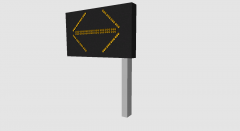
A utillity arrow I'm working on releasing soon. Any suggestions? -
Indeed, first navigate to your GTA IV main directory. You should see a file folder labeled "ELS", open the folder and open the "default_config.ini" or whatever config your using for this vehicle. Once you've opened the .ini with a text editor, locate the follwing "[ WRNL ]" "[ PRML ]" and "[ SECL ]". Under each of those you should see a line right under it that looks like this: "Type = halo". replace "halo" with "leds". So each line should look like this: "Type = leds". Hope I helped! If your still having problems send me a PM and I'll send you my ELS config file.
- 14 comments
- 1 review
-
-
No not at the moment. I have to re-map all the ELS lights for that. Either All Blue or All Red.
- 14 comments
- 1 review
-
They still aren't fixed?...I'll re-import them and upload an updated version to this post soon. Sorry about that.
- 14 comments
- 1 review
-
Comments: Please only post reviews if you've actually downloaded it and looked at the model in game! Thnx! :D
- 14 comments
- 1 review
-
-
- 1
-
-
lol
-
-
----------------------------------------------------------------------------- Slicktop CVPI Version 2.1 ----------------------------------------------------------- ELS 8 Optimized ------------------------------------------------ DO NOT UPLOAD ANYWHERE ELSE ------------------------------------------------- This file is an LCPD:FR Exclusive. If you see this on any other GTA IV websites or modding websites please notify me at: gamingmills@gmail.com ------------------- Files Included ------------------- - police.wtd - police.wft - README.txt - template.png
- 14 comments
- 1 review
-
I'd have to re-map it for that. It's either all blue or all red if not. But my next version will most likely have the option.
- 16 comments
- 3 reviews
-
Actually everyone..It is as simple as just exporting it to IV. Maybe we should do a little research before posting these comments hm? Heres the link to a plugin and how to do it: http://shadow-link.nl/projects/sketchup-iv-exporter/
-
OK EVERYBODY. Coming out with v2 here in a little bit. I really shouldn't of released this version. Next version will have Traffic adviser in the back and mapped wig wags that work. Also middle takedown lights will be removed as they were not installed correctly and were overlapping mirror.
- 16 comments
- 3 reviews
-
Umm...Hashtag ELS 8 has them built in. Konrad lol you were the one who told me not to map them.
- 16 comments
- 3 reviews
-
-
Well it really made no sense to put more lighting in the back. If I was going to put more lighting in the back what would you put in? Any suggestions?
- 16 comments
- 3 reviews
![[WIP] Department of Transportation Vehicle](http://s3-gallery.int-cdn.lcpdfrusercontent.com/gallery/album_3381/sml_gallery_130556_3381_8660.png)

