BCeltics
Members
-
Joined
-
Last visited
Everything posted by BCeltics
-
Thanks, bro. :smile:
-
haha OK I get to choose. I thought the community gets to vote :P http://www.gta4-mods.com/vehicles/2003-chevrolet-suburban-noose-f6637
-
You got a monster for a computer and you don't know what it is? :confused:
-
 haha Nice :smile:
 -
I hope I get the "format" correct. Pics: http://members.fortunecity.com/nypolicecars/nypd/nypd1668.jpg (patrol) (port authority) And maybe one all black like the type those government hustlers use. Files: http://www.gta4-mods.com/vehicles/2007-chevrolet-tahoe-f3658 (2007 Tahoe) http://www.multiupload.com/C1S7RNLCK9 (2006 and 2008 Suburban ELS) http://www.gta4-mods.com/vehicles/2003-chevrolet-suburban-fbi-f6636 (2003 Suburban non-ELS fib) http://www.gta4-mods.com/vehicles/2003-chevrolet-suburban-noose-f6637 (2003 Suburban non-ELS polpatriot) I LOVE the Suburban. Classic piece of art. :wub:
-
lol Love the pics.
-
Way to be specific, bro.
-
It's been a while since I've played TF2. Maybe I'll try it again.
-
Personally, I love the cabs. Have you ever been to New York?
-
For LCPDFR .91? I think you're referring to .95.
-
What GTA IV program? Just download the installer in the "downloads" section and run it as administrator. Find the GTA IV directory and keep pressing next until it is installed.
-
There is an option in ELS so you can switch to auto mode. Turn that on.
-
When you pull a car over you have to wait for the dialogue at the bottom of the screen to tell you that you can exit the vehicle after parking behind the car. After that just enter the red marker.
-
With some car mods you just need to replace the .wft and .wtd files but in the readme, which should come with the download, there will most of the time be instructions telling you to modify some GTA files such as carcols.dat, handling.dat, vehicles.ide etc. These, I think, aren't necessary in order to use the mod unless you want the car to have specific attributes. In the other topic you've created, you mentioned a handling.dat. This file is located in GTA directory\common\data. Open this with notepad and replace the line it tells you to in the readme.
-
-
Operation Repo is fake as fuck.
-
 Ahhh Sam is getting blind
 -
 Nice picture! :smile:
 -
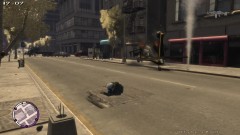 Nice description. :turned:
 -
Southland... I can't find it in the Philippines but I do remember it when I lived in the NYC. I also remember liking it. Wow thanks for the suggestions guys. :smile:
-
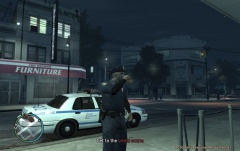 :turned:
 -
Got this off of Steam Forums. This is the location of the DLC: C:\Users\YOUR USERNAME\AppData\Local\Microsoft\XLive\DLC In that folder you will see folders with numbers (or only one folder with numbers if this is your only GFWL dlc) When you enter that folder, you will see either 1 folder if you have ONLY tbogt, or 2 if you have tlad as well. Within those next level down, you will find a logo image which will help to identify which DLC you are looking at. Formats etc are all the same so as long as your tool supports the latest GTA IV, it supports the DLC's as well. Just in case it reads fugly, when you are in bogt, it will look something like this: C:\Users\YOUR USERNAME\AppData\Local\Microsoft\XLive\DLC\some numbers\more numbers\game files. If you do not see the appdata folder, either type it in, or enable the viewing of hidden files.
-
You got a link? Did you replace both the .wtf and .wtd files? Did the readme mention you have to edit some files and if so did you edit them?
-
Wow... This is great. Thanks for sharing. :biggrin:
-
Maybe the key configuration for the siren is different. Check your settings.