computerdude100
Members
-
Joined
-
Last visited
Everything posted by computerdude100
-
 Would be really great if we had links to original models... I can't find most of the vehicles I'm looking for just going by creator names.
 -

-
Unfortunately, this did not help either. Still stuck around 30-40 FPS, which seems absolutely unreasonable for an i9 9900K, 32GB of RAM, and a RTX 2080 Ti. It happens as soon as LSPDFR loads, and when it's not running (or crashes lol), then it shoots right back up to 120 FPS. I don't even know if LSPDFR is recognizing some of those commands, for example "Callouts.DisableBigRadar" I assume is supposed to stop the map in the corner from going big when a callout comes in, right? It doesn't.
-
I didn't have these specific lines in the original .ini, is that alright? Or should there be more? There were only four lines in the original. Regardless, it didn't help. Thanks for the suggestion, though.
-
I know, you'd think with a system at this price tag, it'd be running much smoother. Bringing most, if not all the settings down to high only gives me a 5 FPS increase when on-duty.
-
Hi! I haven't used LSPDFR since version 3, so 4.2 is kinda new to me. When I go on duty, my performance drops from 120 fps to 30. It gets so bad at times that I get texture loss. What can I do to bring the performance back, without sacrificing graphics quality and scripts? Edit: This is on a Core i9 9900K system with a RTX 2080 Ti and 32GB of RAM, 1440p display (with G-Sync if that matters)
-
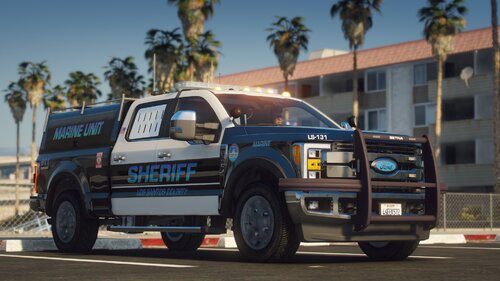
 Just my own personal taste, but I'd like real plates instead of skins. Also, it's not flex fuel, it's ecoboost!
- 62 comments
- 44 reviews
-
-
 This modification no longer works with the latest version of GTA V. Causes traffic stops to exit unexpectedly, passengers to run out of vehicles, and traffic to behave irregularly.
- 91 comments
- 21 reviews
-
-

- 1
-
-
 It was the Road Traffic Collision callout, and I was calling a taxi for one of the affected victims. Maybe it's time I recycle that script, haha.
- 1,915 comments
- 242 reviews
-
Hey, don't know if you fixed this yet or not, but I have another crash for you. It's when calling a taxi for a ped. RagePluginHook.log
- 1,915 comments
- 242 reviews
-
-
-
 Anyone else getting a crash when calling for a taxi? Right when the taxi shows up, LSPDFR crashes.
- 3,646 comments
- 306 reviews
-
-
-
-
-
-
-
-
-
-
If they don't have the correct flash pattern, then shut up, and go away! Simple as that.
- 27 comments
- 6 reviews
-