Skip to content
View in the app

A better way to browse. Learn more.

LCPDFR.com

A full-screen app on your home screen with push notifications, badges and more.

To install this app on iOS and iPadOS
  1. Tap the Share icon in Safari
  2. Scroll the menu and tap Add to Home Screen.
  3. Tap Add in the top-right corner.
To install this app on Android
  1. Tap the 3-dot menu (⋮) in the top-right corner of the browser.
  2. Tap Add to Home screen or Install app.
  3. Confirm by tapping Install.

Bueno

Members
  • Joined

  • Last visited

Everything posted by Bueno

  1. http://gyazo.com/30e8bb54fe9a2c33bb90d667a28ab524 The second one
  2. what about the wheelmesh L1 and make sure the helpers are in the right place as well
  3. I was meaning the actual object not the hierarchy
  4. You've either moved the [wheelmesh_lf_L1] or the wheel_lf [COL] (Check all 4 of the collisions)
  5. Remove the grill lights and see what that does
  6. There isn't anything wrong with the bonnet, its just openiv making the visuals fail. So you have an issue elsewhere.
  7. Th greatest creation ever, the "Punchometer"
  8. For some reason whenever i do it, even if the only thing i do is change the amount of money i have it freezes at the loading screen, i commented on the forum just waiting for a reply
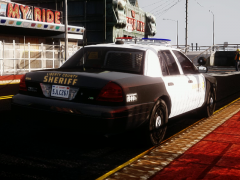
  9. Bueno posted a gallery image in GTA IV Galleries
  10. Export with store textures and sliced mode off
  11. As far as i know support is no longer available for this.
  12. Feel free to like and subscribe to this guy too
  13. And yes i know what i did wrong, i just wasn't thinking and its already been fixed. LOL
  14. Looks like a EVI model to me, which i believe has been taken down.
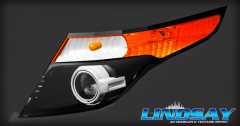
  15. Bueno commented on ErinLindsay's gallery image in GTA IV Galleries
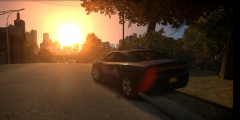
  16. Bueno commented on Bueno's gallery image in GTA IV Galleries
  17. Images added to a gallery album owned by Bueno in GTA IV Galleries
    Alaska State Trooper Clan Photos
  18. Bueno posted a gallery image in GTA IV Galleries
  19. Bueno posted a gallery image in GTA IV Galleries
  20. The day before it was uploaded
  21. yea they were lol

Account

Navigation

Search

Search

Configure browser push notifications

Chrome (Android)
  1. Tap the lock icon next to the address bar.
  2. Tap Permissions → Notifications.
  3. Adjust your preference.
Chrome (Desktop)
  1. Click the padlock icon in the address bar.
  2. Select Site settings.
  3. Find Notifications and adjust your preference.