


BenH6021
Members
-
Joined
Everything posted by BenH6021
-
Hi, We added the Immersive Dispatch 10 codes into Grammar Police, all you need to do is create a custom.ini and set your agency code to IMMERSIVE. Feel free to open a support ticket in the discord if you require further assistance
-
 Please note that these XML's will not work with the newest version of Grammar Police as Immersive Dispatch is no longer supported. Synysterfence7x an update to the preface xml is required.
 -
Pretty much Lenny, OfficerPope created Immersive Dispatch, which always was an add on to Grammar Police, its important to note that all the speech recognition was always handled by Grammar Police. I then came along and assisted with some of the devlopment. When OfficerPope took a leave of absence, I took over updating various features of Immersive Dispatch. He then made it clear he was not going to return, Opus and I then added most of the functions directly into Grammar Police, which made having Immersive Dispatch in game redundant.
-
 Whilst I'm sure this may be of use, we did include a phrase guide with the Grammar Police download which includes all of the possible phrases for all agency codes, this can be found in plugins\LSPDFR\GrammarPolice\documentation folder if required.
 -
 Really liking this callout pack, ideal for UK players to use with National Highways, Dev is fantastic and has taken the time to answer my questions.
- 160 comments
- 20 reviews
-
Are you on Discord? I would love to ask you some questions about how you've coded using the lspdfr config as that may explain what's spawning from where, it seems to be using the lspdfr agency config for the fire and highway patrol but not for the ambulance, and the backup.xml doesn't seem to have any effect 😄 Thanks
- 160 comments
- 20 reviews
-
Really liking these callouts, I would recommend adding a custom agency file though, this would allow the cusomising of the highways, fire and ambulance crews that spawn to be made a lot easier. I've managed to do the highways and fire but am struggling with the ambulance, does it read from the Los Santos Fire Department (EMS) agency inside agency.xml?
- 160 comments
- 20 reviews
-
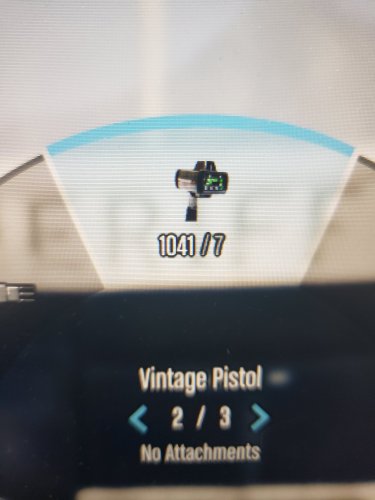 @Medicmojo Drop me a line when your around mate, I have figured out the weapon text
- 24 comments
- 3 reviews
-
-

- 1
-
-
Nice Job!! Works great in game...I have put a link to the file on the Discord Server, make sure to claim it if you are on there!
- 24 comments
- 3 reviews
-
-

- 1
-
-
-
I'm really liking this callout pack, its nice to have something diffrent! A suggestion would be to make the timer on the traffic control callout configurable? I'm finding by the time I arrive, set up cones and pathways it can sometimes be down to 2 or 3 mins. Thank you and keep up the good work!
- 160 comments
- 20 reviews
-
 No worries mate, thank you, I managed to find the issue in the end.
 -
Do you have a VCF to make the LEDs work? I can get the rotators working perfectly but the LEDs won't come on at all.
-
Have you updated to the newest version of LML? Mine was doing the exact same thing after the last GTA update
-
Same issue here, with Version.dll in the main game folder, the game refuses to load, either with or without RPH. With version.dll removed the game loads normally. I have a feeling the lastest update has broken something (thanks Rock*!)
-
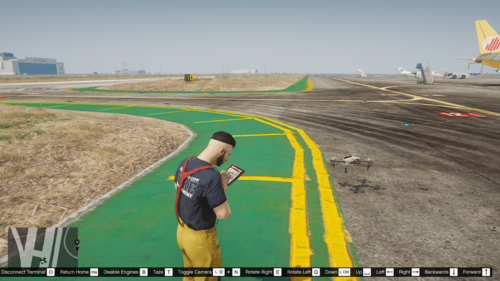 In the rage console type toggledronesystem true to start the plugin, and toggledronesystem false to stop it
 -
Cannot fault this plugin, I keep finding more uses for it, from Search&Rescue to escaped prisoners. Dev is very responsive and provides top level support. Highly Recommended!!
-
make sure the toggle bool is set to true. So it should read ToggleDroneSystem true
-
 Would love to see an API so commands cound be given via voice using Grammar Police
- 242 comments
- 18 reviews
-
-
- 1
-
-
RagePluginHook.log
-
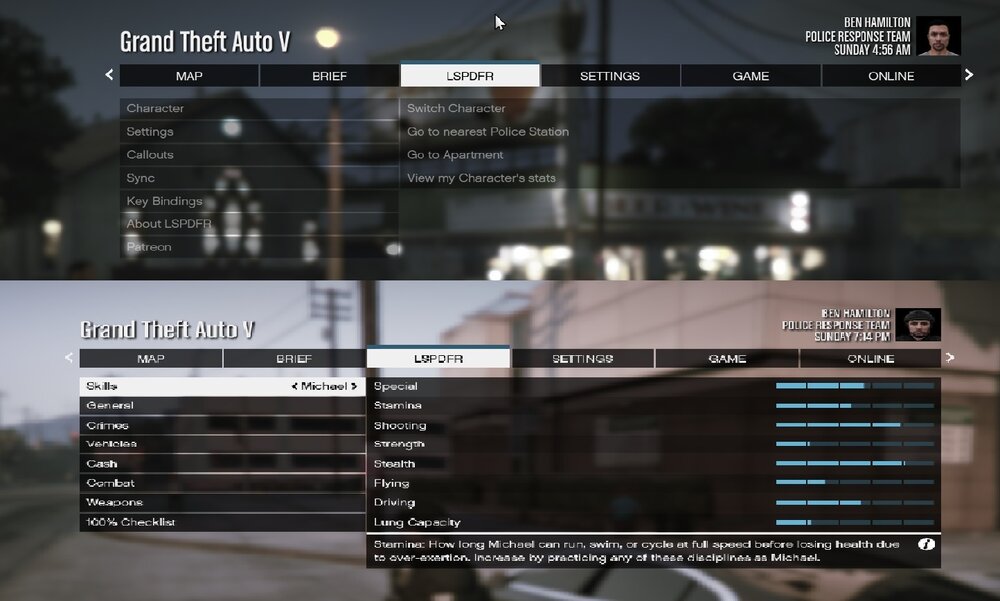
Hi all, The LSPDFR menu tab keeps changing back to the vanilla game stats page even though LSPDFR is running. This happens no matter which agency I'm playing as, sometimes after a callout other times it changes while I'm patrolling. It also happens after I've reloaded all plugins from the rage console. I've tried changing the texture directory in the agency.xml but that's had no effect. Any advice would be appreciated. Thanks
-
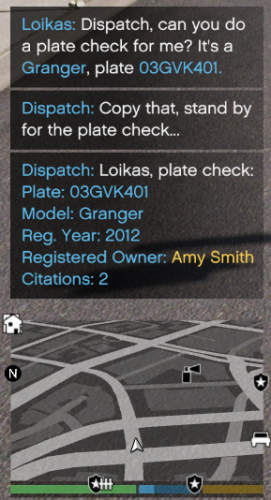 Great mod, hoping to see an API added so that Grammar Police / Immersive Dispatch will be able to call on its functions.
 -
I would be really interested in chatting with you about adding in some of the functions from the British Policing script if you have some time at some point?
-
 Hiya, yeah I took a good look at it myself but it seems the british persona is linked to LSPDFR+ ect so its quite a diffucilt one to pull out 🙂 Thanks anyway
- 112 comments
- 21 reviews
-
- lspdfr plugin
- legacy
- lore
- non-lore
-
Tagged with:
-
Any chance of pulling the British Persona out of the British Policing Script?
- 112 comments
- 21 reviews
-
- lspdfr plugin
- legacy
- lore
- non-lore
-
Tagged with:



