



Chris780
Members
-
Joined
-
Last visited
Everything posted by Chris780
-
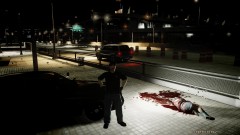 Hahaha it was a mod. I think More Blood FX. Got it from GTA4-Mods.comThis was actually somewhat beliveable. But only to someone not as familiar with gta like us guys. It was a good fool. I give the guy props xD
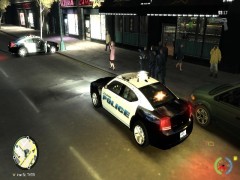
 Is the UC CVPI BxBugs123 night rider? Thats the one I use O.oHey all, here is another one of my texture mods. This is a Crown Vic Stealth Version. I've noticed these tend to be hard to find, so I thought I could make one. Hard to see at night, and hard to see at day, the slightly visabale words "POLICE" and "City Of Liberty" can be viewed. Feel free to view a preview video of it by clicking here. Files Include: READme Pictures Car Texture Note: An appropriate car for this texture would be a slicktop(No lightbar) CVPI Enjoy
 I laughed. aha Funny name
I use Traffic Load over traffic flow xD But I use both mods as it is, which is hectic enough. I tried using this mod and they spawn in chunks. I dont like it
I laughed. aha Funny name
I use Traffic Load over traffic flow xD But I use both mods as it is, which is hectic enough. I tried using this mod and they spawn in chunks. I dont like it- 28 comments
- 12 reviews
Anyone know how to make the Fat Cop run like the Skinny one? I wanted to create a female cop and I would prefer if she, well, didn't waddle. I've looked in my Common > Data and I cant find anything to control the running style. I know you can edit it with the trainer, but that's for the player your being at that moment, I want the WHOLE group of fat cops to walk normal. Thanks :)Not what I expected. I get the noose car spawning in groups of 3 and the fat cop driving. Im going to swap back to traffic flow :)- 28 comments
- 12 reviews
-
-

- 1
-
The belt is the holster. The one that goes along the chest THANK YOU SO MUCH! :o Thats the one!! :D The things people at LCPDFR know are shocking. Thanks again! Helped out SO muchYea, but I want the sstrooper modelHey all, I was wondering if anyone knew how to remove the sstroopers holster. I really dislike it. Anyone know how? Or If there is a DL for it w/ out? Thanks =]THANK YOU SO MUCH! :D Now I can complete my sheriff ped! Exact same hat! Thanks SO much- 27 comments
- 23 reviews
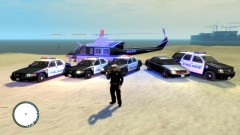
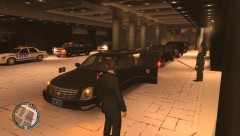 Thats awesomeThese are my LCPD police cars. I figured I could share them here. If you want to see a preview of all the textures click here. Thanks :) Used for: CVPI Updated Ford Taurus 2012 Dodge Charger Chevy Tahoe
- 6 comments
- 4 reviews
If you want to add another police car to patrol, as I just recently discovered how to do this the other day, yo have to edit the cargp file and remove the "fbi, noose, etc" from the Groups_Police and add it to other places like Group_midtown. Look for the post all ready made. It is very helpfulYea I know how to edit it. I just edit the traficflow file right? EDIT: This is right in the file: "SECOND NOTE: Traffic Flow doesn't actually spawn these vehicles, it only loads them // into the game's memory which affects the way that the game spawns vehicles in general // therefore vehicles which don't normally spawn on the streets such as the NOOSE cruiser // still will not spawn, even if all 20 slots are occupied by it. Instead, when you get // 4 wanted stars, you will be pursued by more NOOSE cars than you could ever imagine."Nah didnt work :(

