
SeabrookGaming
Members
-
Joined
-
Last visited
Everything posted by SeabrookGaming
-
 LOL.
LOL. -
-
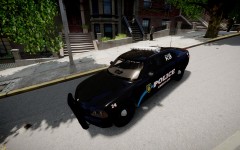
From the album: Riverside Police Department
New Charger, what do you think? Private mod, not being released. Made by: http://www.lcpdfr.com/user/472-fartknockr/ Apply Today; http://riverside-dvs.enjin.com/home -
 Pretty good, love the skin.
 -
-
-
Great to hear.
-
Good point.
-
Looks good, can't handle these mods though as there High Poly or whatever! lol.
-
Or he is releasing one of his own mods he made..?
-
Don't think there is one, i'll try and find some on Google.
-
-
Damn..... it actually worked!
-
I think it's a good idea. I also heard it though
-
Probably more pursuits, wide-range of calls, and more call-outs. I remember in 0.91 there was calls EVERY second. I like this idea.
-
That sucks, lol. Could always suggest the idea for being able to edit the keys on the forums.
-
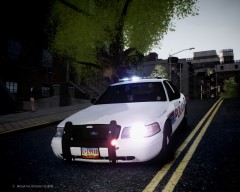 NICE
NICE -
I'm looking forward to buying one at the moment, i have my brothers, but he doesn't let me use it so. Commentary will be coming up soon! Maybe for like my 5th video or something. Thanks Sharp!
-
Thanks guys! New video has been released! http://www.youtube.com/watch?v=EQgZdIySwww
-
I'll go to the computer and buy stocks! lol
-
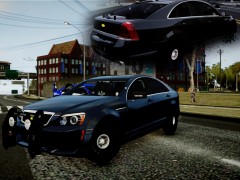 Love the car, no link though.
 -
-
-
Oh :P Besides the point, thank you for watching! Thanks for the positive feedback! More to come =)
-
Thank you sir! Stay tuned for more episodes including Bait Car! lol, i'd be so happy if i could use ENB, trust me. I have a good gaming computer, but it cannot handle ENB.