


Dhruv
Members
-
Joined
-
Last visited
Everything posted by Dhruv
-
I'd recommend NOT to download this pack.It says its for high-end PCs.Even I have a way too powerful rig than yours and I ignored this pack when I first saw it.Plus,its not tested on multiple computers under extreme conditions. But,if I'm asked for my personal preference,I'd redirect you to: http://www.gta4-mods.com/vehicles/the-essential-200mb-car-pack-v10-f12404 I'm using a customized version of this where I've replaced/added more cars in it.Still,seeing your PC setup,I'd advise you to do it the regular manual way- test it,keep it.Try the cars what you want to,and if you see other people as well as yourself aren't having any issues,keep it.If it does make problems,remove it.Packs restrict you to models you won't want.And they'll take away your textures,too. In nutshell,I won't recommend this particular pack to be downloaded.At least,after seeing your system specs.
-
Yes,you can do so.Here:
-
http://www.gta4-mods.com/vehicles/saab-jas-39-gripen-f13987 Don't forget to take a quick glance at the comments.
-
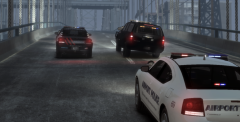 Its a 2008 Suburban.
 -
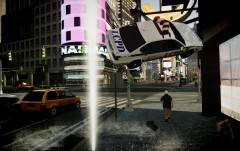 Nice to see our government has hidden landmines just beneath our feet.Terrorists most welcome!
 -
Grr... Still ain't workin'! I'm going crazy over this! EDIT: From what I guess,that .ttf font file is missing and thats causing the problem.I don't see the same Dashcam folder in scripts folder as seen in the archive. I'll check and report back. EDIT2: Okay,I just accidently spotted that the .exe installer had created a folder GTA:IV/scripts/*dashcam scripts and stuff* in my EFLC directory.Must've got confused mid-way during the installation.Thanks for the help,Sniper. You may close this thread,now.
-
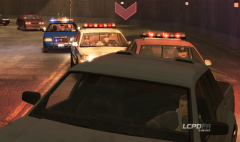 Lol yeah! I want it.
 -
System cannot find the path specified. I have my EFLC custom path set to: Program Files (x86)/Grand Theft Auto IV - Episodes From Liberty City.So what'd be the changes in the cmd line?
-
So,I just downloaded it (because I just discovered FPS mod doesn't work in ELFC),and it says: 2012-05-09 22:59:14 - Error in constructor of script 'IVDashCamV2.Core': System.IO.FileNotFoundException: File not found. at GTA.ScriptThread.LoadScriptNow() Solutions I tried: -Downloading both .exe and .rar archive for installation.But to no avail.Archive just refuses to extract the whole file displaying errors. -Downloading the archive 3 times back to back.It manages to corrupt itself every time. -Typing "reloadscripts" again and again.Useless.It keeps telling me,"Error in DashCamv2-core" -Reloading/restarting the game.Again,all in vain. Any bright ideas?
-
That 0.95 RC3 logo!
-
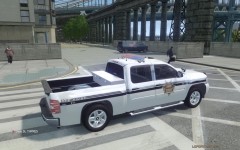 Is it the same one they spotted at the Burger Shot reception?
 -
-
 "Yeah! Have you ever seen the goddamn medics?"
 -
 Its never too late,Q ;)
 -
 Okay,now you're the 11th person in just two days to ask that Tahoe question to me.Its policewag's Tahoe.
 -
From the album: My Diary
Made this trailer texture just a while ago. http://www.gta4-mods...-trailer-f14085 -
-
 ^Exactly,what he said.Yes,the model,too.
 -
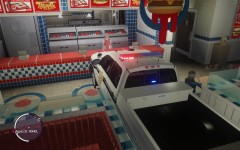 No,I just told him so he makes it good. "Don't spit in that cop's burger." "Roger.Hold the spit"
 -
![[WIP] LC Database Overlay](//s3-gallery.int-cdn.lcpdfrusercontent.com/gallery/album_569/sml_gallery_2971_569_10601.png) Alrighty,then.Its gonna be very useful for plate-reader-lovers like myself :P
Alrighty,then.Its gonna be very useful for plate-reader-lovers like myself :P -
"Double Baco Cheese-Burger.Its for a cop." "Roger."
-
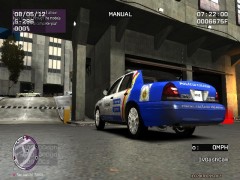 Looks nice.
 -
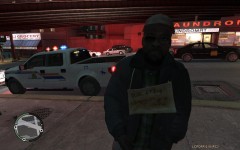 LOL! my parner just fired on him.As soon as I got him back to life with CPR,he began crawling on the ground crying,"Oh no! Aliens took my sperm..." And then died lol!
 -
So will it replace LCPD:FR 'puter?
-
I'll get you next time,reptilian!


![[WIP] LC Database Overlay](http://s3-gallery.int-cdn.lcpdfrusercontent.com/gallery/album_569/sml_gallery_2971_569_10601.png)
