


IronicRainbow
Members
-
Joined
-
Last visited
Everything posted by IronicRainbow
-
 ♫ Cha Cha Cha ♫
 -
That's pretty unprofessional coming from someone who is supposed to uphold the rules of this community and represent it.
-
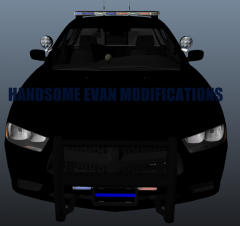 He wasn't bothering you; just pointing out a flaw in your description of your car. You modeled nothing on this car, however, you MODDED the car. Yes, there is a very big difference between the two words.
 -
Can't edit my comment. Some feedback for you: DSF model is way lower poly than Schaefft, and nicer looking/easier to run in my opinion. Problems with your mod that I can see: The rear lights do not open with the trunk; take advantage of this ELS 8 feature. When you open the hood, it goes into the windscreen a bit. The laptop is tiny compared to the rest of the interior.
- 9 comments
- 1 review
-
-

- 7
-
-
-
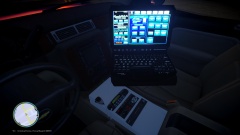 He didn't really guess anything, just pointed out a flaw in your model.
 -
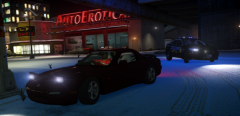
From the album: IronicRainbow's Pictures
Model by IronicRainbow (myself; unreleased, using new base model) Skin by BErad1502 (unreleased) -
![[FPI] More updates](//s3-gallery.int-cdn.lcpdfrusercontent.com/gallery/album_2839/sml_gallery_120090_2839_1071816.png) seem wegit
seem wegit -
It is indeed. V3.
-
Thanks! I'm honestly not too concerned about the trunk or bonnet looking 2D, as I dont usually open either on a regular basis. I'm surprised it came out as well as it did, quite honestly.
-
Too bad it's only the window template *removes tin-foil hat
-
From the album: IronicRainbow's Pictures
HELP ME I HAVE A PROBLEM WITH TAKING TOO MANY PICTURES OF THis cAR. A big thanks to GTAxB0SS and Mustu for helping me do things I was too lazy to do with this car myself. More pictures of the base model will follow (there are a lot): -
 4 out of 20 would sex
 -
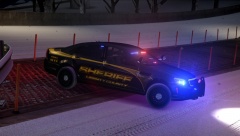 No.
No. -
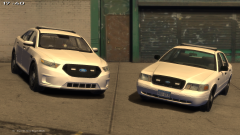 It has rear deck lights and the lightbar is customizable o.e
 -
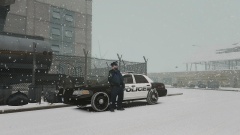 It's a neat touch, especially for use in the snow mod.
 -
Tire chains?
-
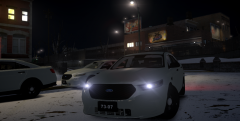 Yes
Yes -
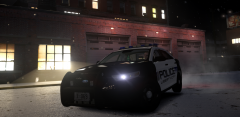 Not sure at the moment. I have a whole pack like this made.
 -
ty but pls no raep. its tailpipe is virgin.
-
Thanks! Not sure what i'm going to do with it. For anyone interested, credits:
-
Taillights will be replaced soon.
-
From the album: WIP Models
-
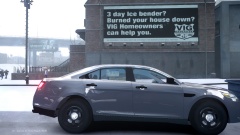 Need to give you the updated one still. Lots of new things.
 -
'?do=embed' frameborder='0' data-embedContent>> Not sure if blind, or just stupid <3 u ragnrok but open your eyes mane.

![[FPI] More updates](http://s3-gallery.int-cdn.lcpdfrusercontent.com/gallery/album_2839/sml_gallery_120090_2839_1071816.png)
