IronicRainbow
Members
-
Joined
-
Last visited
Everything posted by IronicRainbow
-
 ᵃᶫᶫᵃʰᵘ ᵃáµáµ‡áµƒÊ³
 -
![[WIP] Port of Portland Police Old Style Skin](//s3-gallery.int-cdn.lcpdfrusercontent.com/gallery/album_3509/sml_gallery_99408_3509_248226.jpg) Looks good, but the yellow should be a bit darker.
Looks good, but the yellow should be a bit darker. -
Definitely NickieB's charger found here: http://www.gta4-mods.com/vehicles/2013-dodge-charger---code-3-rx2700-elsv7-f24178 Not sure of the texture, however.
-
Issue has been noted already; i'm working to fix it. The ALPR thing is because the ALPR camera on the car spawn as an extra_10 (meaning they spawn randomly, some Chargers will have them, some will not).
-
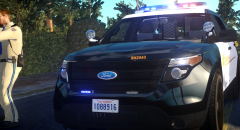
From the album: IronicRainbow's Pictures
FPIU Pending approval https://www.youtube.com/watch?v=qPW7AVOV0jA -
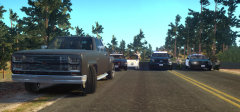
From the album: IronicRainbow's Pictures
FPIU Pending approval https://www.youtube.com/watch?v=qPW7AVOV0jA -
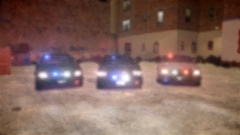 Taken with, edited with, and uploaded by a potato.
 -
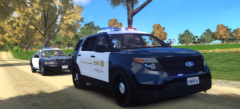 Both LAPD and LASD (they have some slight differences in lighting and such) should be released today given that the proper skins get made for them. I don't generally handle the skin aspect of my releases, it's a combined effort, so i'll have to wait for those to be made.
 -
Thank you.
-
Route 66 (click for link)
-
From the album: IronicRainbow's Pictures
-
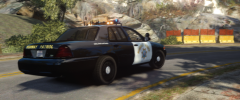
From the album: IronicRainbow's Pictures
-
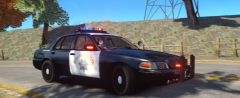
From the album: IronicRainbow's Pictures
-
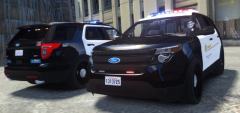 You're a freakin' life saver. I couldn't find a rear picture at all!
 -
-
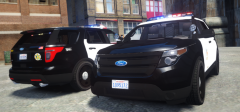
From the album: IronicRainbow's Pictures
A big thanks to Sgt.Kanyo for help with accuracy. -
From the album: IronicRainbow's Pictures
A big thanks to Sgt.Kanyo for help with accuracy. -
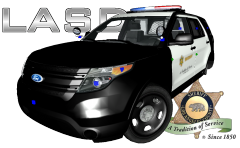 I didn't know, thanks for the information! I will be sure to add that to the LASD version.
 -
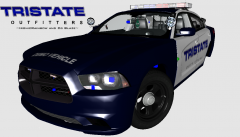 Really? I never knew that. In the states it's legal. Lots of drivers use air fresheners such as the one depicted.
 -
You shall have it soon my boy!
-
From the album: WIP Models
For release. -
I could do that, although myself and Blaze are reserving that for another feature.
-
But would you go to jew heaven? That is the real question. Thanks!
-
From the album: WIP Models
A collaboration with CG Blaze. Four vehicles with a Whelen Ultra Freedom and other miscellaneous lighting. ALPR's can be removed with a transparent texture. -
Good luck having anyone scratch make that for you.

![[WIP] Port of Portland Police Old Style Skin](http://s3-gallery.int-cdn.lcpdfrusercontent.com/gallery/album_3509/sml_gallery_99408_3509_248226.jpg)