


IronicRainbow
Members
-
Joined
-
Last visited
Everything posted by IronicRainbow
-
![[WIP] MCSO Pack](//s3-gallery.int-cdn.lcpdfrusercontent.com/gallery/album_2838/sml_gallery_120090_2838_1586091.png)
From the album: WIP Models
-
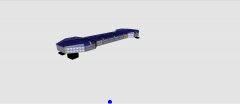 Boise Idaho? *side note* Looks like a freaking dog bone. Go fetch, boy!
 -
Nope, this is to due with the placement of the rear seat dummies. If you were to lower them, however, the characters would sink into the seat. It's kind of a lose/lose situation because of the charger's body style.
-
You probably would have better luck learning to do it yourself. Nobody is going to convert them for you for free, especially if you're a beginning modder.
-
You're a genius. Thanks to everyone for clearing it up for me, but it's still a bit fishy, eh? :P We can only hope at this point...
-
Let's not talk about the PPM easter egg... God, you haven't experienced real fear until you've activated that.
-
I don't know if this has been pointed out previously, but at the bottom of the LCPDFR page lies this: Could this indicate a similar mod to LCPDFR in GTA V when it is released for PC next year?
-
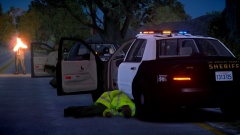 *sweats nervously
 -
![[WIP] Madera County Sheriff's pack](//s3-gallery.int-cdn.lcpdfrusercontent.com/gallery/album_2838/sml_gallery_120090_2838_2726414.png) Not sure yet. There are more cars to come; i'm planning to fill all the police vehicle slots (fbi, noose, nstockade, police, police2, polpatriot, and pstockade). The Charger is noose, CVPI is police and Tahoe is polpatriot. I plan a FPIU for pstockade, a K9 vehicle of some sort for nstockade, and probably slicktops for fbi and police2.
Not sure yet. There are more cars to come; i'm planning to fill all the police vehicle slots (fbi, noose, nstockade, police, police2, polpatriot, and pstockade). The Charger is noose, CVPI is police and Tahoe is polpatriot. I plan a FPIU for pstockade, a K9 vehicle of some sort for nstockade, and probably slicktops for fbi and police2. -
Sure, that'd be awesome man!
-
From the album: WIP Models
-
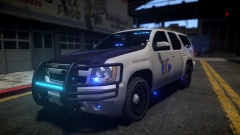 That's a Tahoe.
 -
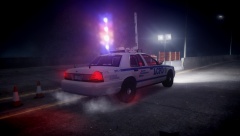 Install the ELS config and press Alt + K in game.
 -
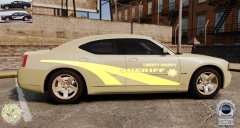 >finds pictures from unspoken mod theft website >downloads said pictures >skins the pictures in editor >upload pictures >????? >profit...?
 -
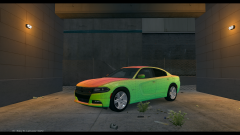 Looks much better than the other one, I have to say. Neither look bad, but this one looks better.
 -
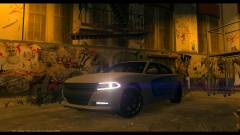 Those rims... Please don't.
 -
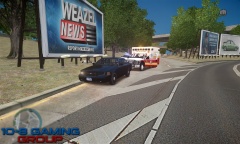 And this is why I don't use CryENB v2.
 -
Don't ask me, i'm just relaying the info! :P I would recommend 2.2.4 build 981 or a 2.2.6 build, by the way.
-
3 doesn't support wft's.
-
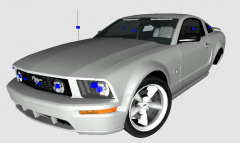 Thanks. I had to make the torque thrust rims, going to fix them up before I do anything with this car, though.
 -
![[WIP] LFD Pack V2.0](//s3-gallery.int-cdn.lcpdfrusercontent.com/gallery/album_722/sml_gallery_3386_722_405374.jpg) As a Clash of the Titans fan, I am disappointed with you right now. Kraken*.
As a Clash of the Titans fan, I am disappointed with you right now. Kraken*. -
Update: http://gyazo.com/046615513e305750685a98ed8b067de2
-
From the album: WIP Models
-
I want to touch them.
-
'?do=embed' frameborder='0' data-embedContent>>

![[WIP] MCSO Pack](http://s3-gallery.int-cdn.lcpdfrusercontent.com/gallery/album_2838/sml_gallery_120090_2838_1586091.png)

![[WIP] Madera County Sheriff's pack](http://s3-gallery.int-cdn.lcpdfrusercontent.com/gallery/album_2838/sml_gallery_120090_2838_2726414.png)
![[WIP] LFD Pack V2.0](http://s3-gallery.int-cdn.lcpdfrusercontent.com/gallery/album_722/sml_gallery_3386_722_405374.jpg)