
MarshallRawR
Members
-
Joined
-
Last visited
Everything posted by MarshallRawR
-
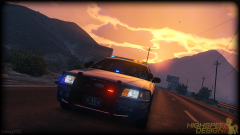 Yeah I hope you'll find something to work with. I mean I and a lot of people have been using your models (personally since GTA:SA) and we do respect your work. You shouldn't let such an awesome community down just because of a few rippers that are not respecting anybody, and not just you. This looks great so far, so keep us updated!
 -
I personally been getting this this whole day Until I realized that I was trying to load "lcpdfr.com" instead of "www.lcpdfr.com". Took me +10 hours to figure it out. No idea why it doesn't work now.
-
I'm not sure if it's about encryption, I guess just no one experienced enough looked into it. I don't have a lot of knowledge in the way vehicles work in RAGE and all that, just learning.
-
Once again, it's a real mess up. There is no real pattern in the gif you saw (well, a basic right but it's not even intended). There's a piece of pattern "leftover" that you can see from the FRONT of the car (this is due on how I set up my lights). So yeah, it doesn't flash the same from the back and the front. I'll never release that, I just wish LMS will work on a little ELS.
-
Horrible, terrible and ugly fixing and messing around with the items IDs. If Rockstar would see that, they'd ban me. You'd also have to give up with the flashing lightbar textures.
-
Your character is in a T-pose. Sounds more like something wrong with your files than drivers.First, download the latest version of Ragehook here and drop all of those files in your folder: http://ragepluginhook.net/GetDownload.aspx?id=82 Also, be careful as the guy you mentioned tells you to install Scripthook which MAY OR MAY NOT cause some crashes due to a conflict between Ragehook and Scripthook. Always be careful with YouTube tutorials, they tend to be outdated.
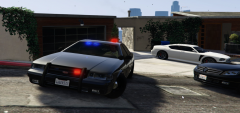 I never said it was a finished (or even properly working) project, bro.
Apparently there's a guy around here who likes "old school" stuff. I guess he might like that on the roof.Indeed, it replaced the whole model actually. I have no idea what files controls which siren/lights is used by a vehicle. So of course, if you use the lightbar from the LGUARD (which has no real textures, just flashes/model) with the "settings" (which ones?) of a normal cop car, it'll do some weird stuff with the models and flash blue and red.
I never said it was a finished (or even properly working) project, bro.
Apparently there's a guy around here who likes "old school" stuff. I guess he might like that on the roof.Indeed, it replaced the whole model actually. I have no idea what files controls which siren/lights is used by a vehicle. So of course, if you use the lightbar from the LGUARD (which has no real textures, just flashes/model) with the "settings" (which ones?) of a normal cop car, it'll do some weird stuff with the models and flash blue and red.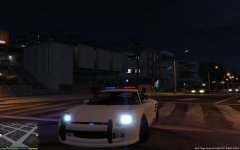 Still fixing some lights. And need a freaking livery.
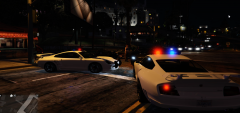 The pushbar is a freaking giveaway then :p But yeah, it can be. I fixed most of the lights, still am. I never worked with liveries so I have no idea how to do that.
Need many fixes :) And god damn livery too.
Moooore stuff. Damn I love those pushbars.Do you mind sharing the files so I can take a look?Messing aroundHaving a blue lightbar with a texture is possible, but it will still flash red. People are still trying to figure out how it works.This is a work in progress, no one managed to fully understand how the lights works yet.
The pushbar is a freaking giveaway then :p But yeah, it can be. I fixed most of the lights, still am. I never worked with liveries so I have no idea how to do that.
Need many fixes :) And god damn livery too.
Moooore stuff. Damn I love those pushbars.Do you mind sharing the files so I can take a look?Messing aroundHaving a blue lightbar with a texture is possible, but it will still flash red. People are still trying to figure out how it works.This is a work in progress, no one managed to fully understand how the lights works yet.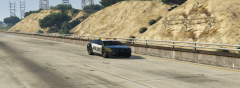 He's looking at the camera!
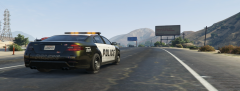 If it's bright, it's good.
 Not really. A plugin has finally been released for a 3D modeling software allowing modders to mod new stuff into the game such as vehicles. Things are starting slow so most of us are just messing around with basic cars for now. Soon there'll be custom models.
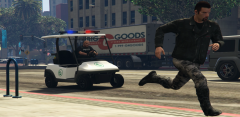
They will never manage to escape from you again, with the brand new Police Caddy, ready for all of your high-speed chases.
Not really. A plugin has finally been released for a 3D modeling software allowing modders to mod new stuff into the game such as vehicles. Things are starting slow so most of us are just messing around with basic cars for now. Soon there'll be custom models.
They will never manage to escape from you again, with the brand new Police Caddy, ready for all of your high-speed chases.