


Gallant
Members
-
Joined
-
Last visited
Everything posted by Gallant
-
You should try joining using the "Custom Match" option. You choose a lobby and usually, you should be able to join. Ah, I readed too fast, didn't noticed the last part... But I think it's the only way.
-
Alright, that's kinda weird though...
-
Sure, here it is.
-
No, I don't have that installed. I'm not on a x64 machine.
-
I have tried everything... Nothing works.
-
Ok, I tried it but it didn't work. I'll put up the logs again... From what I can see is that AdvancedHook.dll is not working/loading. There is no AdvancedHook.log.
-
Yeah, I just edited my last post a couple of seconds ago.
-
Well, more or less... The game launches but the script doesn't. I'm going to attach the new logs...
-
Ok, I just done that.
-
Only ScriptHookDotNet.log I'm affraid... The other one doesn't exist.
-
Hello, I have quite of a problem here. After installing the game manually, I couldn't launch the game anymore. I tried install it automaticly but I couldn't since I couldn't install Visual C++ 2010 Redistributable x64 as I'm not on a x64 system. So now the problem is, when I launch the game, it says that GTA IV has stopped working and I can't play the game.
-
-
 There's a lot of cops there...
 -
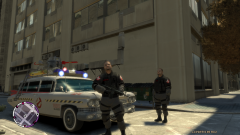 Hehe amazing.
 -
 I like this one...
 -
If your EFLC is in program filesrockstareflc like you say then the install is in that folder.
-
There is a little something... This is not big but if the action botton could work with controllers... No big deal because I'm using xpadder for that.
