


midnight900
Members
-
Joined
-
Last visited
Everything posted by midnight900
-
Oh okay, my mic got messed up, so currently trying to get like a headset one!
-
That's a nice line up. I like the second one a lot. There was one other car I like but don't remember where it is.
-
Wow this car is not really easy to find. Guess I can do nothing but to keep looking or try and get in contact with Eric.
-
Very nice models, I really like them. Wish to join but have no mic at the time :(
-
On Gtapolicemods, BXBugs is known for a lot of lights on his car. What Sgt.Kayno posted is what I recommend also, it's a very nice vehicle. Problem is most of Bxbugs has a lot of lights bars on his cars also.
-
Are you running the game as a Administrator?
-
Yeah you are missing a ASI loader. For this reinstall LCPDFR and when you can select files, select only DSOUND and not xliveless, that will solve your problem.
-
Ok post the full Diagnostics Report here so I can help you further!
-
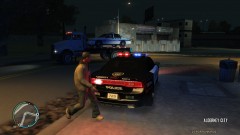 Dodge Charger > Ford Taurus < Crown Vic!
 -
Well then dralis83 is probably right it could be your save game is messed up, try starting a new one and see if any improvement occurs at all.
-
All the set-up wizard is doing is just installing audio files, and also scripts to your game. G17 probably didn't make a uninstall wizard because it was that easy to uninstall it.
-
Well your computer is not all that great especially with just 3 cores, that could be one problem. Are you ensuring your running the game as a Administrator by the way?
-
You obviously didn't do something right. LCPDFR doesn't screw up games, it's just a script.
-
All you have to do is just delete the files out of the Scripts folder Delete LCPDFR Folder Delete First Response.config and First Response.net.dll files from the scripts folder Then in the main Root if you want you can get rid of the 3 text files in there, LCPDFR, LCPDFRDebug, and LCPDFRErrorLogging
-
First things first we need your Diagnostics Report: After downloading it run it as a Administrator and post it here. Your problem does not have to do with Window 7 64 bit as I am running the same thing with no problems at all.
-
I'm pretty much out of ideas from this point. I am not sure what is wrong exactly. I'll have to leave this one up to someone else.
-
Well if you haven't tried it already, all I can say is try and reinstall Grand Theft Auto 4, LCPDFR mod, .Net Framework, and C++ and see if that works.
-
Yup, I know you said it but I extended on it.
-
Okay let me know the result.
-
Try this path Steam\steamapps\common then find Grand Theft Auto 4 > Common > and Data should be here
-
Please go create your own thread and stop Hi-jacking others! bulefire311 as for your problem I will quote it below: For this problem try going to Rockstar Games\Grand Theft Auto IV\common then on the Data folder right click > Properties > And un-tick the read only section. Try running the game as Administrator again and see if that helps.
-
Give me a full Diagnostics Report and paste it here as a spoiler. I just want to see a few things. Also what is your Graphics Card?
-
It could be a problem like that. Some mods do cause the games to stop working, while other vehicle mods crashed my game right away. It all relies on what mods he is installing at the time. By looking at your report, your computer is fairly weak. Having 2 CPU cores is not all that great. Your Ram is very low also you need at least 2 GB or a little more to run the game, and for your system your computer is already using some Ram so you are not getting the full 2GB. On another note are you running any mods at all? Plus make your own thread on this problem. Each member having a problem should create a new thread.
-
Try reloading the scripts and see if that helps: Press the ` key next to the one key Type in the Command Console 'reloadscripts' Then try pressing Left ALT - P Be sure to run Grand Theft Auto 4 as Administrator If that doesn't work try to reinstall LCPDFR Mod
-
Hi All, Normally I don't ask for help on finding cars, but this is one car I would love to have in my game but cannot seem to find it at all. Anyone ever see this car? Also know where I might be able to find this

