


gcmedic1228
Members
-
Joined
-
Last visited
Everything posted by gcmedic1228
-
Currently this is the pack I am using I tried searching on that particular line and could not come up with anything. Any information you can provide will be appreciated... Link and what not. Once I find the location, what do I enter? Thanks
-
I am looking for some information on how to turn off the default flashing tail lights on installed vehicles? For example, the pack I am using at the moment has them disabled on most all police slots except policeold1 which I am also wanting to disable. I am assuming it is in the carcols file but it is a huge file and my eyes cross reading through it. Thanks in advance
-
Just recently installed EUP menu along with law and order pack. When I go to create or play with a character, it is covered in black lines from head to toe.... anybody know why and the fix? Thanks
-
 The paths that were listed on the model download page is what I followed. Will try moving carvariations this evening
- 46 comments
- 29 reviews
-
I cleared out my and did a clean install in my kids folder. Followed the recommended paths that were noted on LSPDFR. CVPI with the rotator bar works fine, all others not so much. Is there a difference in the ELS configs between Police 1 and Police 2, Police 3, Police T, and Police old 2? That's the only thing I did not copy exact, I made changes to Police 1 and then copied and pasted it for the others listed above
- 46 comments
- 29 reviews
-
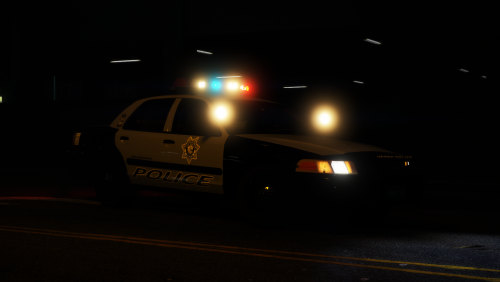
They are spinning with no light being visible. The rear deck lights and traffic advisor flash as they should. When I turn the lights off, some in the lightbar stay on in a steady burn mode
- 46 comments
- 29 reviews
-
Great Pack...however, I have done a fresh install and all of the models with exception to the two CVPIS will not light up properly. You can see the lights spinning but not illuminating on top of the car. You can see the reflection off of the near by buildings and so on bu thats all
- 46 comments
- 29 reviews
-
How do you reset the window tent on the slicktop CHP cvpi? The front rambat lights dont work and this is the posted fix
-
I do
-
Recently installed a few different police vehicle mods and have noticed that all of the emergency lights are discolored ... Example the slicktop 09 chp charger... The blue lights are showing up almost a white/yellow color. I am using the radiance mod which works great on other car mods but not this one and another. Suggestions to fix?
-
Having a reoccurring issue when using ELS 8 models that utilize rotator lightbars (DROT & ROTA setting). When I turn my lights on they rotate and work flawlessly, but once I step outside of my vehicle with the lights still on it's a 50/50 chance that they freeze steady and remain until I reenter the vehicle. Even though they are frozen steady while outside of the vehicle, it still simulates rotation on buildings etc. Has anybody else came across this issue? If so what.... if any fix will correct this issue?
