opus49
Insiders
-
Joined
-
Last visited
Everything posted by opus49
-
RagePluginHook.log
-
You probably need to remove the custom XML files that Immersive Dispatch left behind.
-
@Lufo53 You have an error in your custom.ini file. Can you post it?
-
@Sam I didn't want to bother anyone, but I really would love to be able to use the LSPDFR animations for Grammar Police. Being able to read the LSPDFR setting would be the cat's meow.
-
-
-
[7/26/2020 8:14:09 PM.089] at GrammarPolice.Handlers.ConfigHandler.LoadCustom() You have a custom INI file with an invalid entry.
-
-
-
 Thanks. The issue is an audio software conflict. Grammar Police doesn't understand anything I say. The log says "ERROR: Internal error occurred in the recognition process." This is an audio issue on your PC, not a Grammar Police error. Make sure your audio drivers are up to date. Also check for extra audio services like Nahimic, Sonic Suite, MSI Dragon, etc, which can cause issues. Try disabling them to see if your microphone starts working. Similar to these: https://www.reddit.com/r/lspdfr/comments/bqcdl6/help_vocal_dispatch_doesnt_copy_then_stops/ https://forum.simflight.com/profile/106131-raiden86/?do=content&type=forums_topic_post&change_section=1 https://www.lcpdfr.com/downloads/gta5mods/scripts/28003-grammarpolice/page/10/?tab=comments#comment-247786
- 1,357 comments
- 85 reviews
-
-
Can you please send me a screenshot of your GrammarPolice folder along with your RagePluginHook.log? I just checked the code and it definitely applies the custom dispatch key. It will default to RMenu if you don't put in a valid string. What did you put in there?
- 1,357 comments
- 85 reviews
-
This log shows STP and UB, so I'm not sure what you mean. Regardless, the base LSPDFR API isn't very good for police transports I'm afraid. That's why I recommend STP.
-
Based on your log, Grammar Police us working perfectly. You seem to be having issues with both Stop The Ped (which caused your crash) and UB. I invite you to read through the log and you'll see. I recommend you seek help on either the Unofficial LSPDFR Support Server or BejoIjos discord server.
-
RagePluginHook.log
-
Please attach your RagePluginHook.log
-
Diagnostic report: Thanks!
-
-
Ah, thank you for the clarification. You will need to add the callsign, too. Grammar Police adds a bunch of callsign phrases by default like the ones you mentioned, but if you want a custom one, you'll have to include the entire phrase including the callsign. Let me know if you try that and it still doesn't work.
- 1,357 comments
- 85 reviews
-
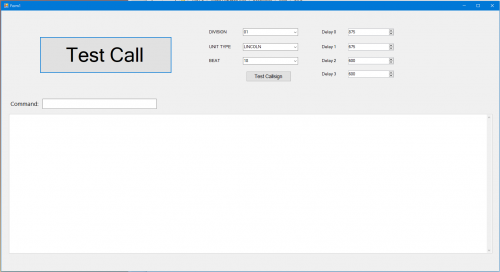
Hello. I was adding screenshots to the Grammar Police page yesterday and it is now stuck on the automated security check. This is not the manual review, but the automated check which normally returns right away when nothing new has been added. It has been nearly 24 hours like this: Thanks.

-
You create a custom preface.xml file to add your own phrases. I cover this exact scenario in the tutorial:
- 1,357 comments
- 85 reviews
-
-
-
To anyone who follows this plugin, I'm sorry if you got a zillion notifications about a new version. I was just trying to get a new screenshot uploaded and didn't realize until I was done that you can toggle the little switch to not send a notification. Sorry 😞
- 1,357 comments
- 85 reviews
-
A good idea, but not possible currently with Stop The Ped. BejoIjo would have to add that to his public API.
- 1,357 comments
- 85 reviews
-
-

- 1
-