Canine Studios
Members
-
Joined
-
Last visited
Files posted by Canine Studios
-
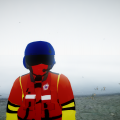
Hope you all enjoy the skin I made. The original out-come of the skin was to be a USCG skin but I allowed the AST clan to use it and that is when Johnson changed the back from USCG to Diver. USCG version coming soon.
Video Link: https://www.youtube.com/watch?v=a3n7-PqBwJQ
___________________________________________
Read Me (Also in download file)
Information: The uniform is based off of my original model United States Coast Guard Rescue Swimmer Uniform which I did
not release. But that is what the uniform is based off of. The text was changed from USCG to DIVER for
AST clan purpose.
Important Information: I (Canine Gaming) am the full owner and designer of this skin (With credit to Johnson for text
change and credit to GTA Staff for the model). AST clan does not own any right's to the skin
but does have permission to use it in their clan. Therefore I am allowed to do what I
please with it, which I am giving it to the public to use since I am no longer in AST Clan.
___________________________________________
Credit goes to Canine Gaming for making the entire skin. Credit to Johnson for adding the Diver text. Also credit
to the GTA Staff for the player model.
___________________________________________
Canine Gaming's Youtube Page- https://www.youtube.com/user/ArgoGuides
Johnson's Youtube Page- https://www.youtube.com/user/philliesheat6/
___________________________________________
How to Install:
Player Model- Use Spark Iv or Open Iv (Must know how to use one program, look on the internet if you do
not know how to use either program). Then in either program go to Models->CD Images->Componentpeds.img.
Then go into the folder you downloaded and take the Uniform Folder out of the zip and place it on your
desktop. Go back to your program and add the 3 files that are inside the Uniform Folder into your program.
Helmet- Use Spark Iv or Open Iv (Must know how to use one program, look on the internet if you do
not know how to use either program). Then in either program go to Models->CD Images->Pedprops.img.
Then go into the folder you downloaded and take the Helmet Folder out of the zip and place it on your
desktop. Go back to your program and add the 2 files that are inside the Helmet Folder into your program.
- 174 Downloads
- 3 Comments
Updated -
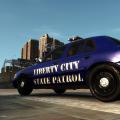
Hope you all like the skin, this is my first public skin. It is a simple but yet nice looking skin but I hope to make a better looking one soon with different patterns on it. The vehicle used in the images is a Crown Victoria I put together and is not released to the public
This skin is made by me, Canine Studios.
DO NOT UPLOAD TO ANY OTHER SITE OR YOU WILL BE REPORTED FOR COPYRIGHT!!!
You may also edit this texture for personal use but do not release it to any other site.
Video Link:
http://www.youtube.com/watch?v=GIqRJVsnx-E&feature=youtu.be
- 18 Downloads
- 6 Comments
Updated